Mac Scratch Disks Full
So, I'm having a problem with my photoshop at the moment. I am unable to open up photoshop. The image below shows what appears when I try and start it up.
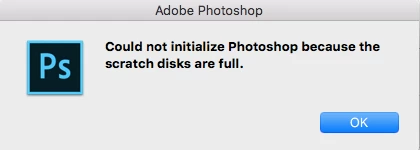
I am currently on a MacBook Air and have 5GB space available on my device. I've searched the internet for various ways to fix this but so far they have either not worked or have just not been possible.
-Delete your temp files-
I've tried this and searched up "Photoshop temp" in Finder, nothing came up.
-Clear your cache-
From what I've seen, photoshop has to be open in order to clear your cache, I can't even get into photoshop so this one didn't work.
-Change your scratch disk preferences-
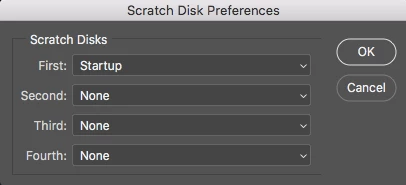
I tried this by using the shortcut Command+Option while it tried to open, it was set to startup so I set it to Macintosh HD. I tried loading it again but it just set itself back to startup as the scratch disk.
-Download Photoshop again-
Did it, didn't work.
Any help is appreciated and I'd be grateful if any information can help to either fix this easily in the future or prevent it from happening. If any information is missing from here please let me know.
~Thanks, FriedRiceGod
 AdChoices