


Maintaining settings between pictures
Hi Adobe team and fellow Photoshop users,
I’ve been working with Photoshop since the late 90s, and like many of us, it’s been a tool I’ve relied on for both personal and professional projects.
In my current work, I edit over 500 images a day, and one thing that continues to slow down workflows—especially in high-volume editing—is the inability to carry over certain command settings between images.
A simple option to “remember last used settings” (via a checkbox, for example) would save countless repetitive adjustments and really improve quality of life for anyone handling large batches of images daily.
Additionally, bringing back scroll-wheel brush resizing would also make the creative process smoother and more intuitive, rather than interrupting the flow. (Currently using the scroll wheel makes the canvas move slightly up or slightly down, and honestly, I have never once used this over holding down the space bar for example, or using the navigator etc.)
These aren’t just small conveniences—they’re changes that would reduce frustration, speed up editing, and make Photoshop even more enjoyable for everyone.
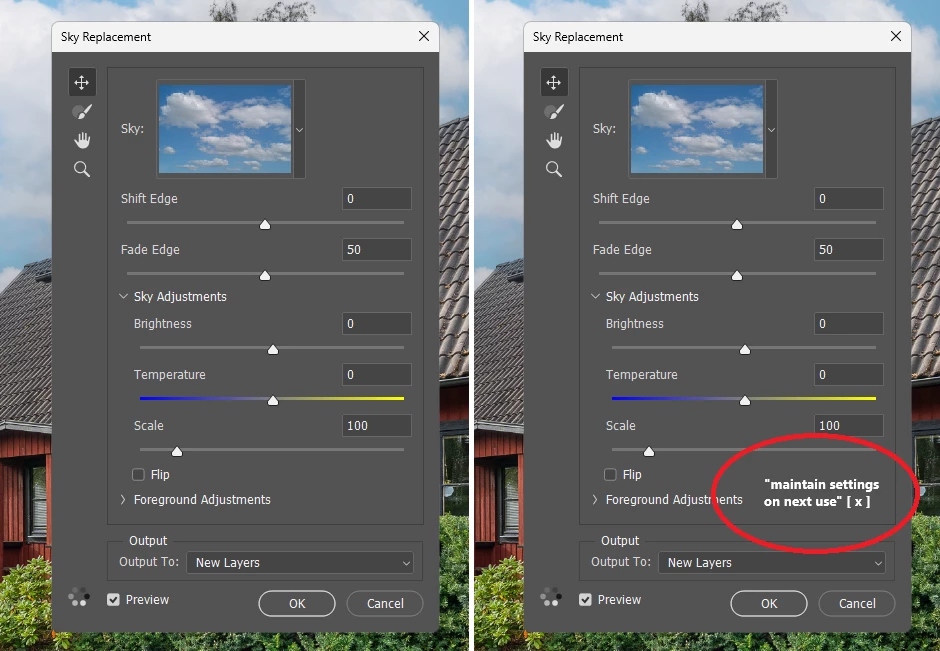
Really hope some people find this as usefull as I do, all I want to do with this post is improve your product in a good way to make sure the QoL of people is higher when using your product.
Cheers,
Niklas
 AdChoices