


Major Problems with Groups and Masks in 21.1
I have been using group clipping masks for decades, but in the latest version I have found that they do not work as they should, or perhaps I'm misunderstanding something. Let's tackle this:
Here's a photo that I added some red to the wall for demonstration purposes:
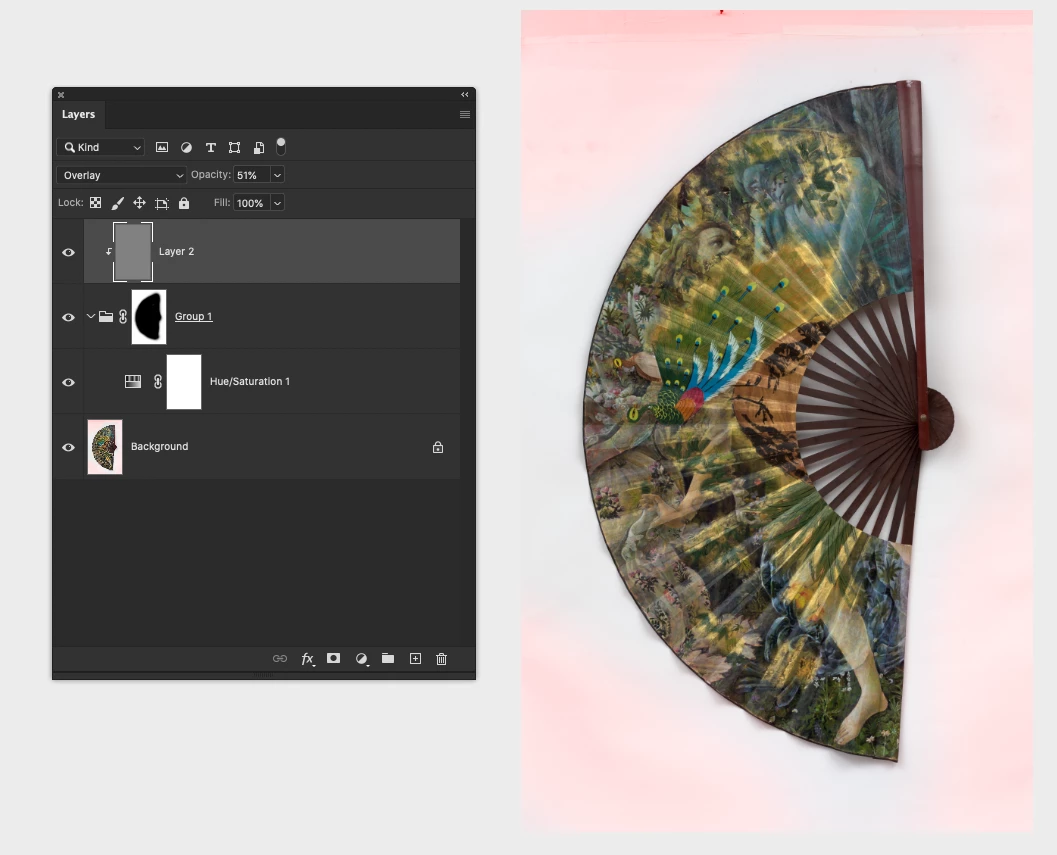
There is Group 1 with a mask applied around the fan. Inside the group is a hue/saturation adjustment layer with saturation down to 0%.
Clipped to Group 1 is a Layer 2 of 50% gray with a noise texture applied, in overlay mode. I use this type of clipping mask all the time to add noise or texture to parts of images I have painted over to match the noise / wall texture.
My question is why, as soon as I clip the 50% gray overlay Layer 2 to the masked group, the Hue/Saturation layer inside the group stops working. I can also hide or turn the transparency of Layer 2 to 0% as in the image below, and even with it hidden, it still invalidates the Hue/Saturation adjustment layer inside the group. This definitely does not seem to be working correctly, the invisible layer is affecting the operation of layers in the group below it even when turned off!
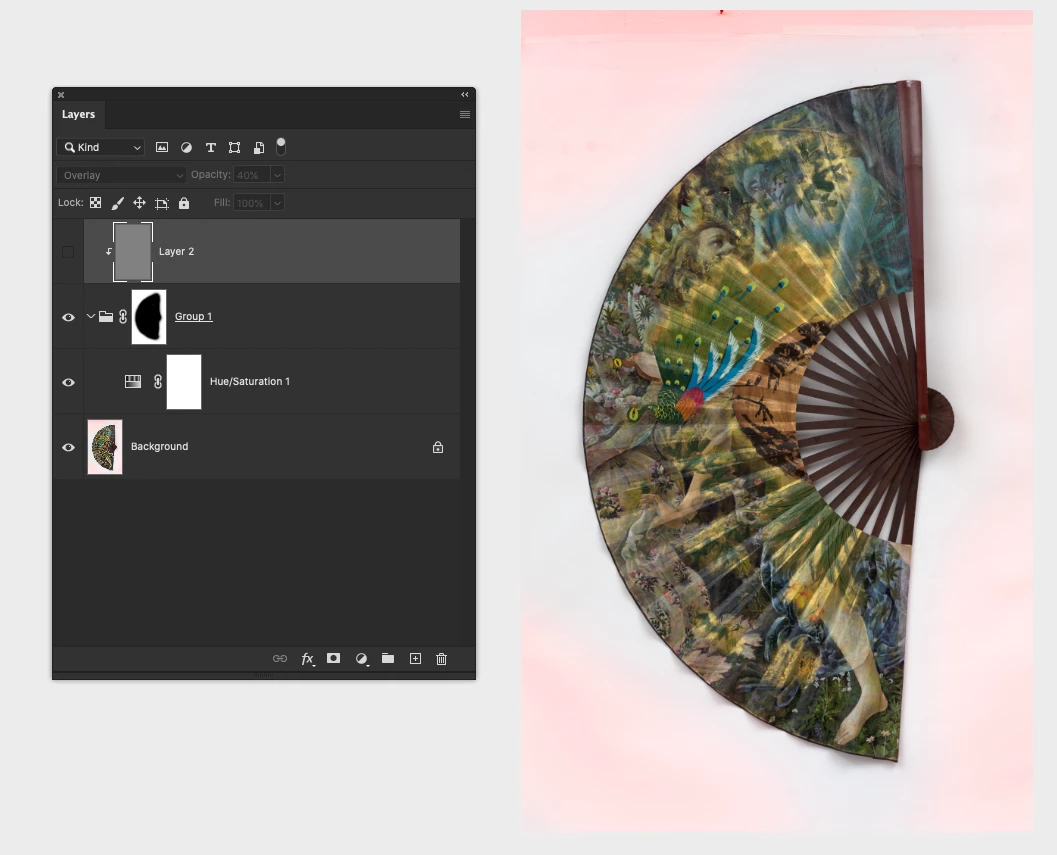
Unclipped (image below), the Hue/Saturation Layer works fine again, but the Layer 2 noise mask is applied over the fan, which it should not be. I have to duplicate the layer mask on the group and apply it to the Layer 2 noise mask to get the intended effect.
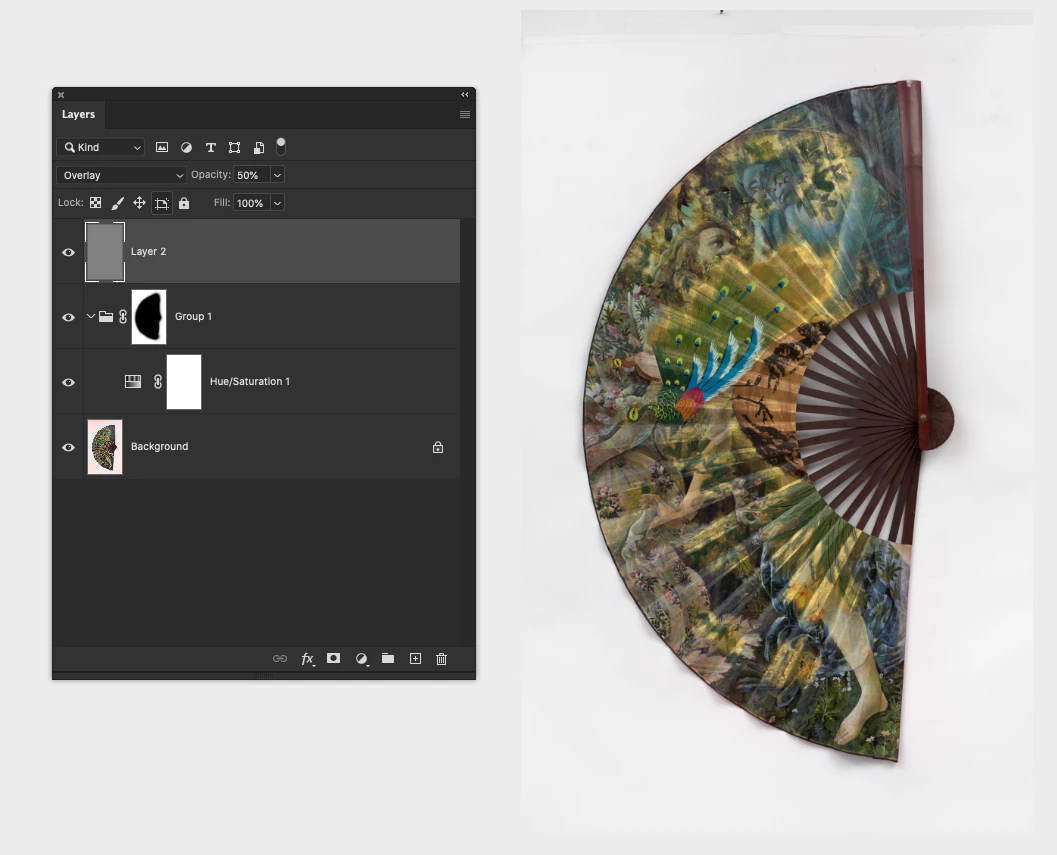
PS - Group 1 is in Pass Through, but Normal does not make any difference.
I swear I have done this many times before in older versions of Photoshop and had the adjustment layers inside the group stay functional! Is this a major glitch in the new version of Photoshop?
Thanks!
Using latest version of Photoshop 21.1 and Lightroom 9.2 on OS/X Catalina.
 AdChoices