
nickcranny
Participant
November 16, 2016
Question

Make a circle from a line... simple?

  • November 16, 2016
  • 2 replies
  • 618 views

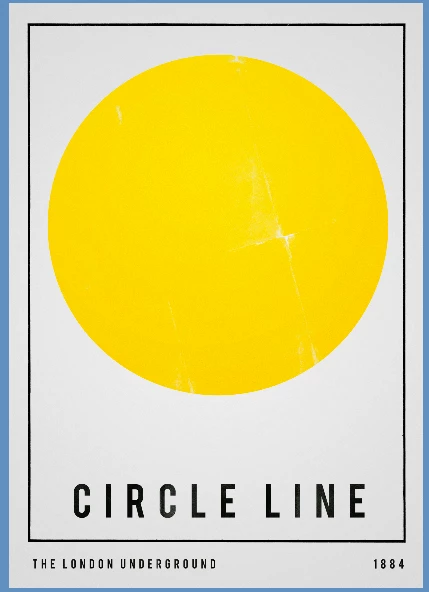
Hi all, I know this is probably the most simple of things but I don't know how to do it!

I have a line, (which I lifted off an old artwork). Essentially, I'd like take that black border line, and wrap it around the outside of the yellow circle.

Any ideas?

Thanks!

No idea how to go about that, any ideas?
    This topic has been closed for replies.

    2 replies

    Inspiring
    November 16, 2016

    What about the shape tool?

    davescm
    Community Expert
    Community Expert
    November 16, 2016

    Try this

    Make a brush from your line by selecting it and using Edit - define Brush Preset

    Use the Pen tool to create a path round your circle (which is not quite round)

    Then stroke the path with the brush

    Dave

    nickcranny
    Participant
    November 16, 2016

    Hi Dave, thanks for your reply. The problem I have with defining the brush is the resolutions gets whacked way down. These are for print at A0.

    I thought it would be fairly straight forward to take one of the longer sections and make the ends meet to form a circle.... but obviously not!

    davescm
    Community Expert
    Community Expert
    November 16, 2016

    You could use the warp tool and do it in sections a quarter or half at a time

    Dave