Answered
Make a Thumbnail


I'm from Vietnam.
I want to make my thumbnail with frame like there pics.
Can anyone make a video or use pictures to guide me? Please help me!
I use Adobe Photoshop CC 2015.
Thank you so much. (I'm not good at English)

I'm from Vietnam.
I want to make my thumbnail with frame like there pics.
Can anyone make a video or use pictures to guide me? Please help me!
I use Adobe Photoshop CC 2015.
Thank you so much. (I'm not good at English)
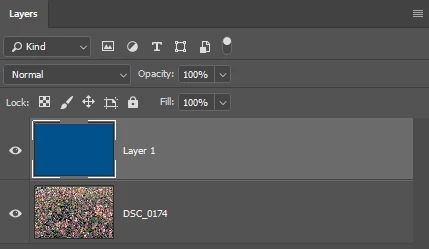
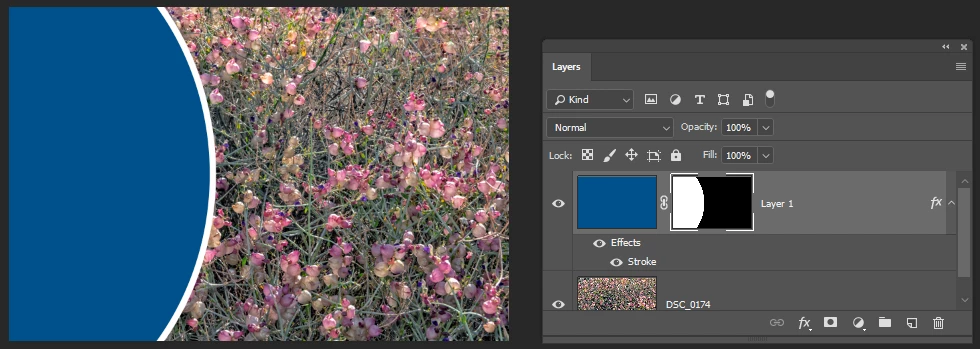
Put the images on two separate layers.
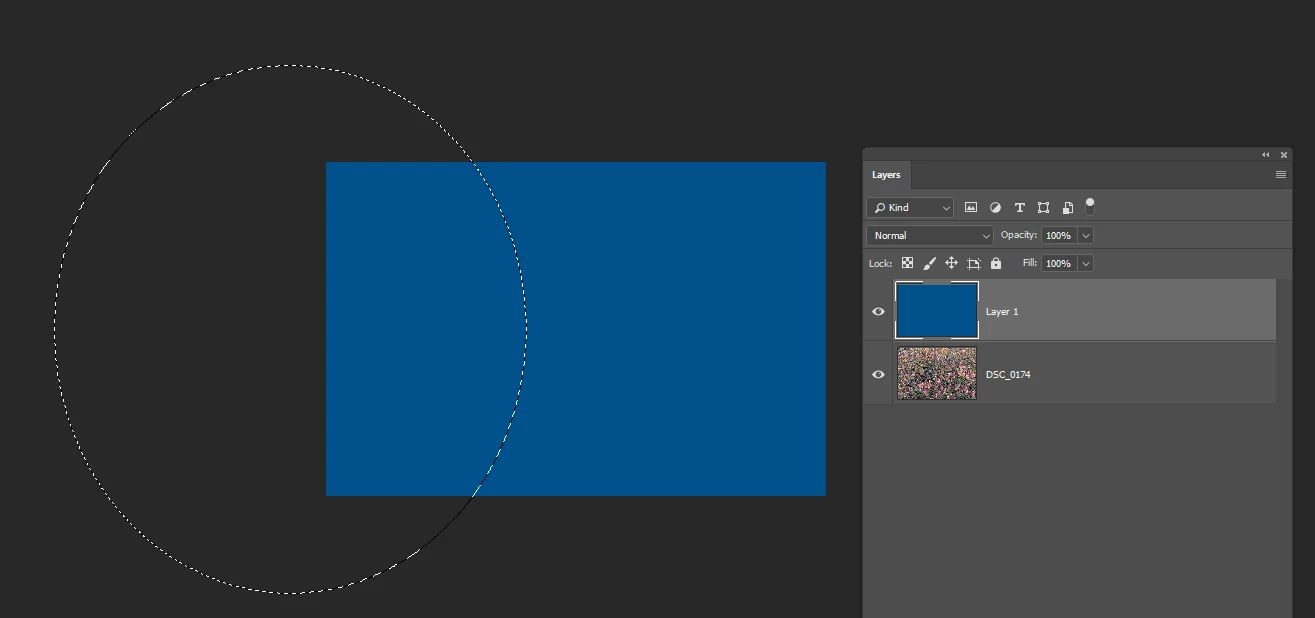
With the top layer active, use the Ellipse tool to draw a circle.
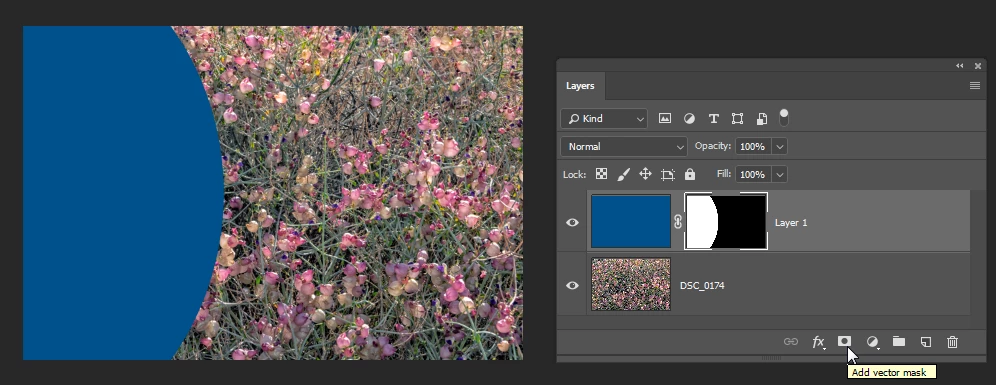
Click the Layer Mask icon at the bottom of the Layers panel.
When you add text, it will automatically be added on it's own layer.
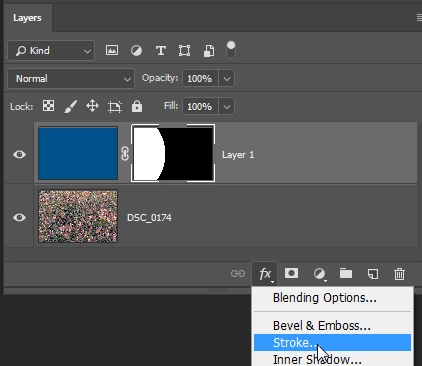
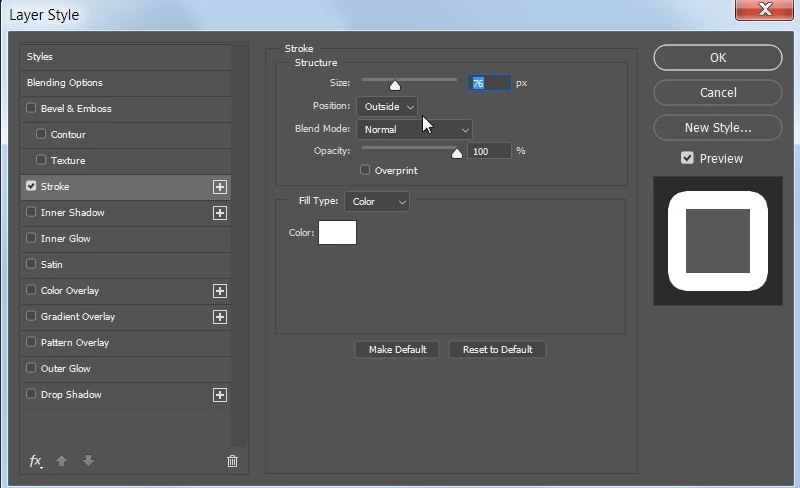
If you want a line around the circle, choose the Stroke effect.
Already have an account? Login
Enter your E-mail address. We'll send you an e-mail with instructions to reset your password.
 AdChoices