
Pijus Ran
Participant
October 8, 2022
Question

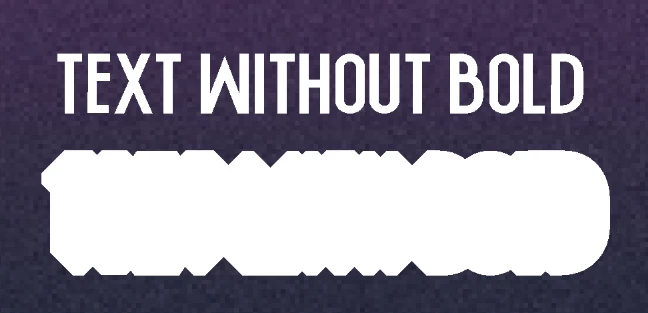
Making text bold makes a huge outline

  • October 8, 2022
  • 3 replies
  • 212 views

When I try to make the text bold (in the character window), a huge outline appears after deselecting it. This hasn't happened to me before and I couldn't find a solution online. Thanks in advance.
Font: Nikeflix (same result on other fonts)
 

This topic has been closed for replies.

3 replies

Legend
October 10, 2022

Can you share a file where this is happening using a standard font like Futura or Arial. Post a URL to the file using CC files or dropbox, or something similar to share the file.

jane-e
Community Expert
Community Expert
October 8, 2022

@Pijus Ran 


Can you select the text and show a screenshot with the Character panel?


Are you using a Bold font or fake (faux) bold from the buttons or both?


Also, check your Layers panel to see if Stroke is added as a Layer style.


Jane


Jeff Arola
Community Expert
Community Expert
October 8, 2022

What version of photoshop and windows version?


I would suggest first resetting the Type Tool by right clicking on the big T on the lefthand side of thye tool options bar then clicking Reset Tool.