
Answered
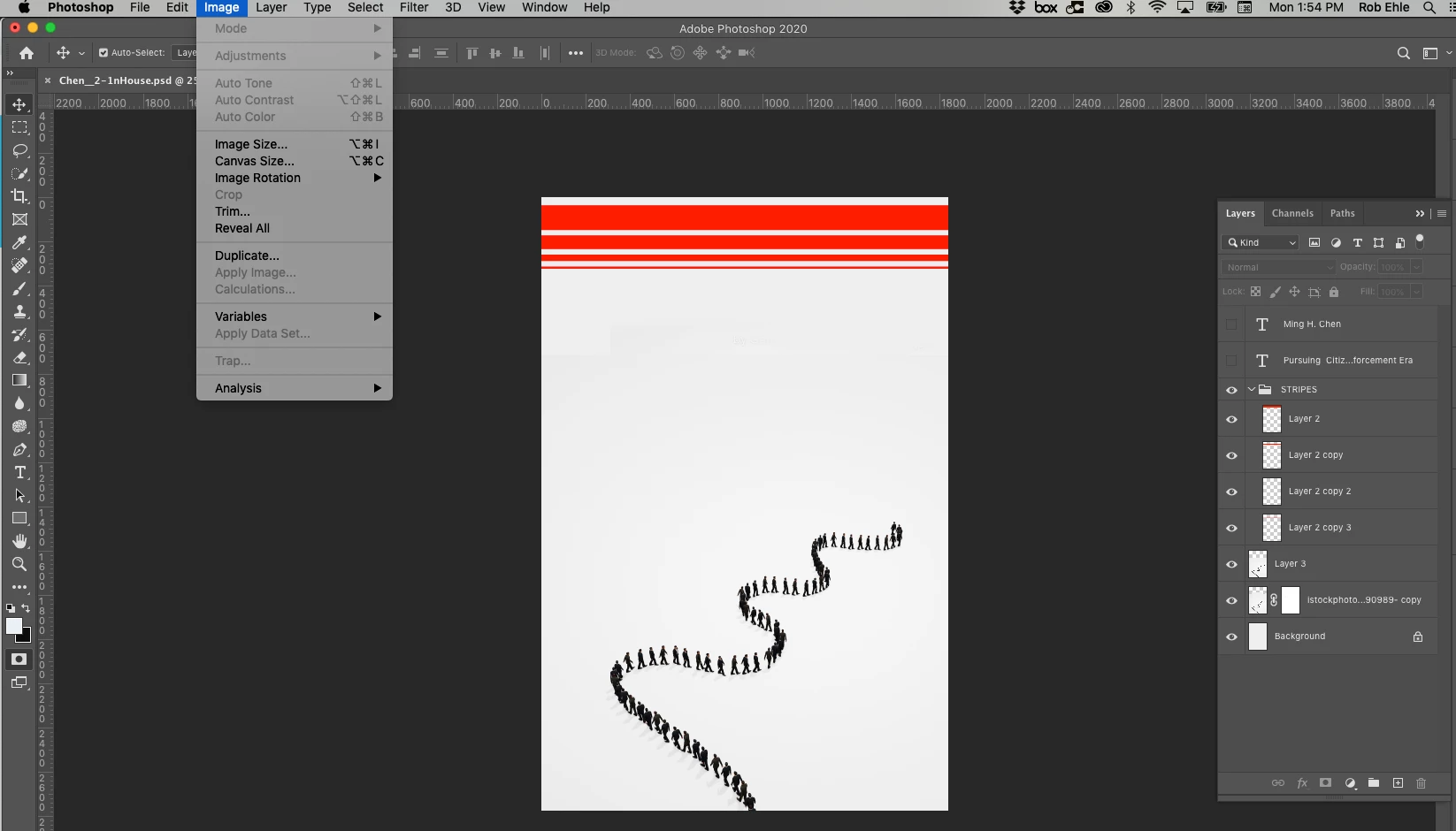
Many, but not all menu items grayed out, only in one document
I have a PS 2020 file I cannot change the mode to. Many other menu items are grayed out. I'm not in Quick Mask mode. I'm not using Lightroom (from a search, I see there's sometimes trouble with menu items when starting with LR). I'm also unable to do a pretty simple Magic Wand selection of all of the white background (having checked that I'm in the correct, selected area). That is, whether I try to select the white area or the black area—the line of people—the Magic Wand isn't working.
Apologies if I'm not giving the right information to help anyone help me with this. Much obliged to any answers, obvious or arcane.
Rob
 AdChoices