
Answered
Mask doesn't look 100% opacity
Hello everybody,
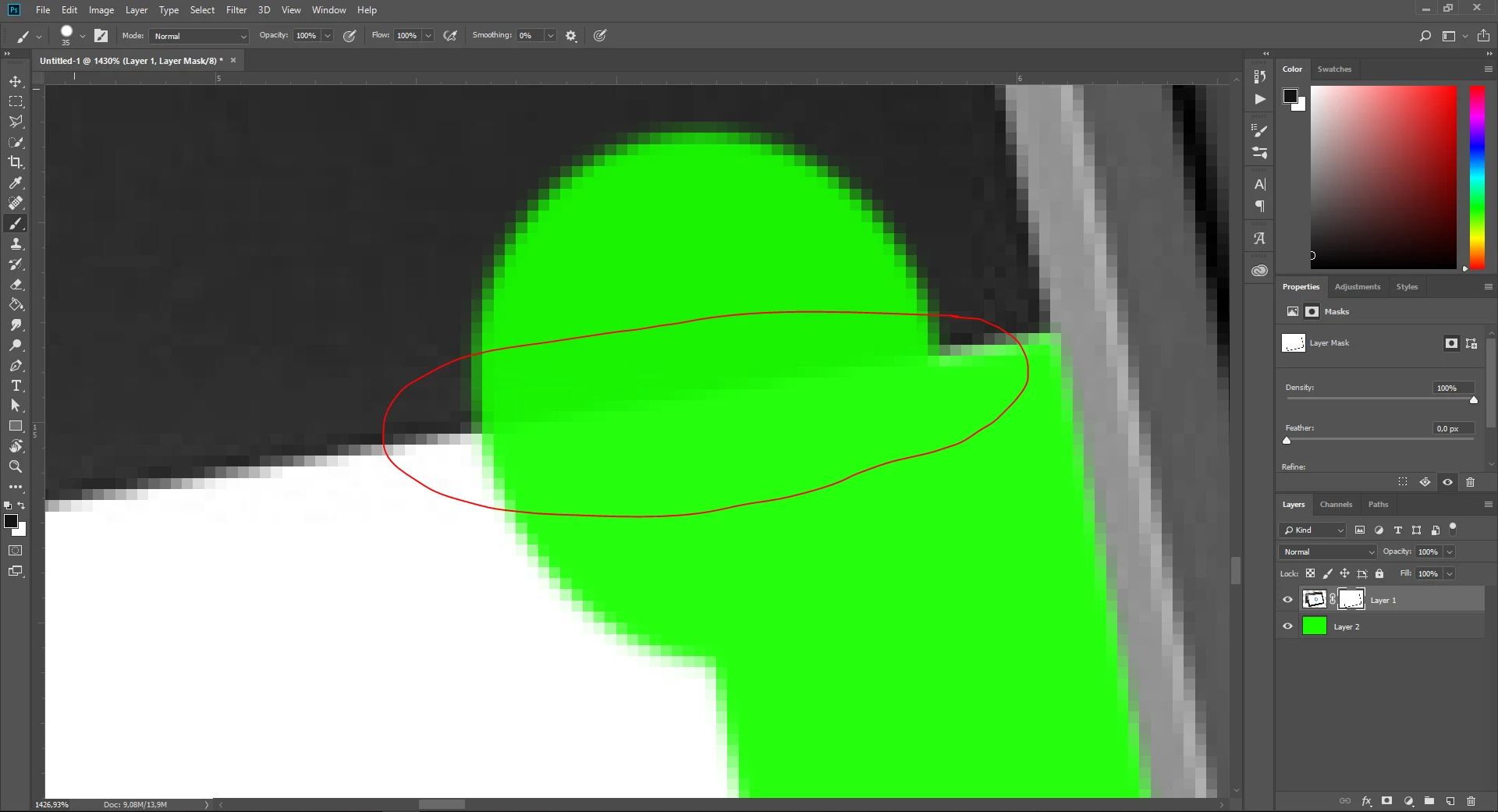
I suddenly have a problem with my photoshop. When I wanna cut out a product I make a mask and then brush te product out of the mask. But it looks like the brush isn't 100% opacity, but on the top it says it is 100% opacity. Does anybody know how to solve this?
As you can see on the screenshot, you can still see the horizontal line, but I've cut it out with the brush.
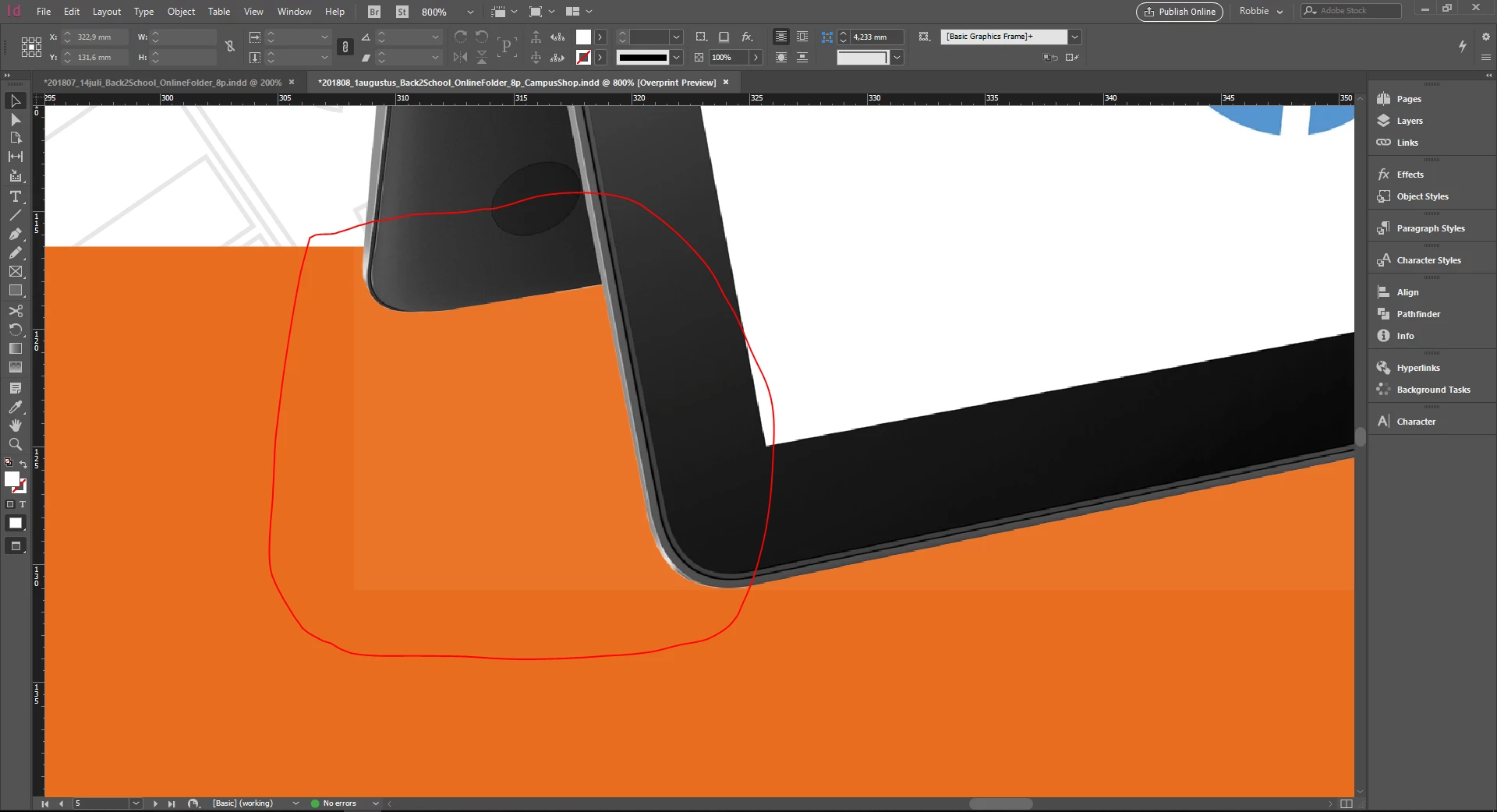
On the second sceenshot you can see the photoshop file in my InDesign file. There you can see that it looks like the brush was like 90% opacity, but in my photoshop it was 100% opacity on the top.
Hopefully somebody can help me.
 AdChoices