

Question
Mask edits on layers aren't reflected in displayed image in PhotoShop 22
We export NEFs from Lightroom 10 to PhotoShop 22, duplicate the background layer, apply Nik and Imagenomic adjustments, mask those adjustment layers and brush to our liking, then flatten and export.
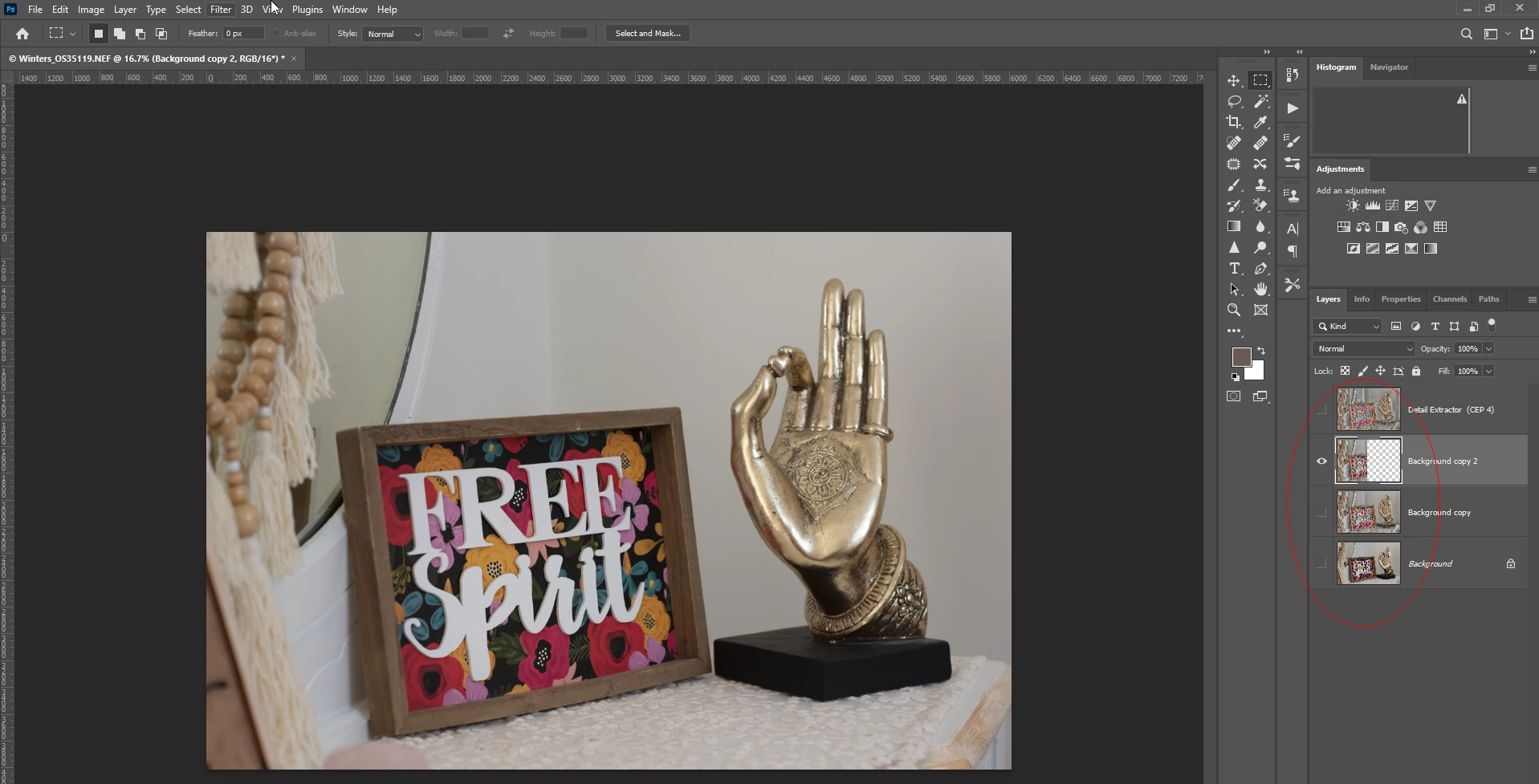
However, any edits we make to layers, whether directly or via mask, those edits aren't reflected onscreen. In the image I've provided, note that the full image layers are turned off, and the only visible layer contains half the image, but this isn't displayed onscreen. I've checked settings, tried various images, and tried reinstalling. Please help!
As an unsavory workaround, we can export from Lightroom as smart objects, and mask edits do show onscreen.
 AdChoices