
J. Flügel
Inspiring
February 7, 2018
Answered

Maske shape is changing after changing picture size

  • February 7, 2018
  • 2 replies
  • 420 views

Hi Everyone,

I am working with Photoshop CC (latest Update 19.1) on a Windows PC.

I created a droplet a couple of months ago and it worked fine.

Now, since the latest update, the droplet has two issues:

1. The Droplet (and Photoshop itself, too), is loading the PSD-Files very slowly, not like before.

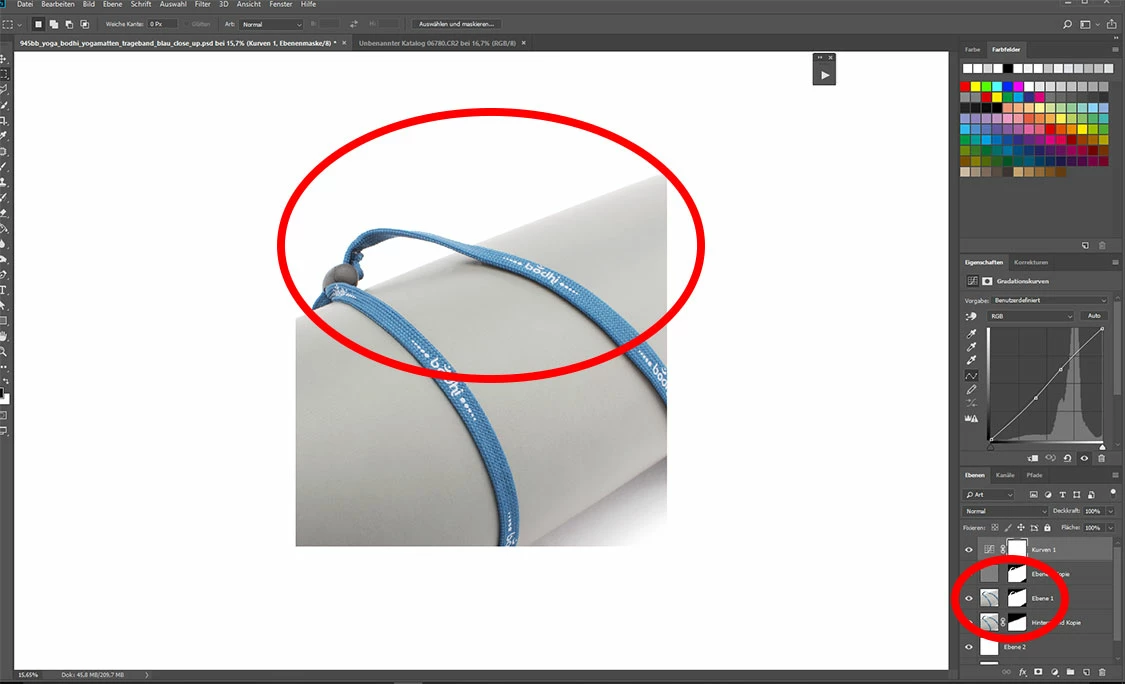
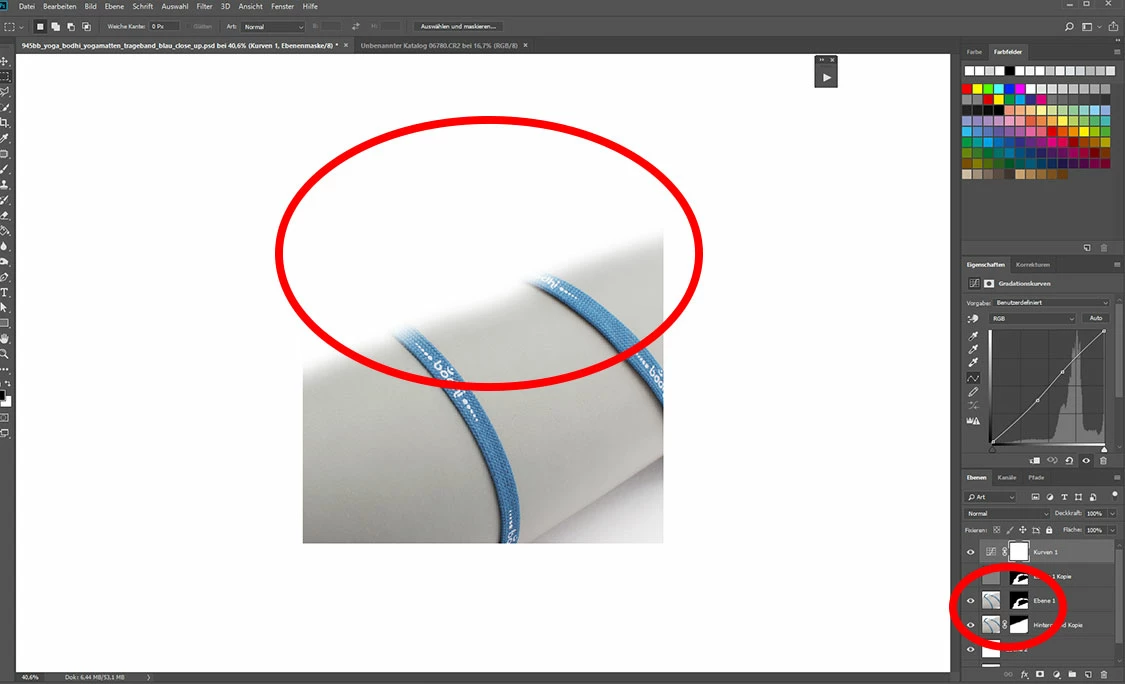
2. The Masks are changing (see pictures below), after changing the size. (I am downsizing from approx. 3000 px -> 1500 px).

Does anyone have the same issues or can imagine what is happening?

I didn´t find any similiar in the Forum, but maybe the problem comes from the new "select and mask" function?

If I find anything, i will post it here.

Correct Mask:
Changed Mask:
Thank you!

Kindly,

Julian
This topic has been closed for replies.
Correct answer J. Flügel

Hi,

thank you for your help.

The Problem should be solved:

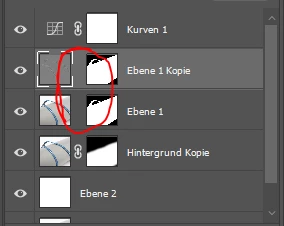
We had to link the layer to the mask, sorry, i didnt knew that.

But was this nacessery before?

2 replies

c.pfaffenbichler
Community Expert
Community Expert
February 7, 2018

Please post a screenshot of the fully expanded Action in the Actions Panel.

J. Flügel
J. FlügelAuthorCorrect answer
Inspiring
February 7, 2018

Hi,

thank you for your help.

The Problem should be solved:

We had to link the layer to the mask, sorry, i didnt knew that.

But was this nacessery before?

c.pfaffenbichler
Community Expert
Community Expert
February 7, 2018

How does the Action resize – via Image > Image Size or via a Transformation?

c.pfaffenbichler
Community Expert
Community Expert
February 7, 2018

Does the problem affect only the unlinked Masks?

Have you created the droplet anew yet?