
Participating Frequently
December 14, 2016
Question

masking for focus stacking

  • December 14, 2016
  • 1 reply
  • 1797 views

Hi, I'm sure there's an easy way to do this, but...

I brought two images in as layers (from Lightroom) for the purpose of focus stacking (bird in one, moon in the other).

Edit/Auto-Blend almost does it, but the blurry moon is still in the photo.  What's the easiest way to select and remove that?  I've tried modifying the mask made by auto-blend, but get myself into a mess.  Screenshot attached (History panel showing only the auto-blend steps).  TIA
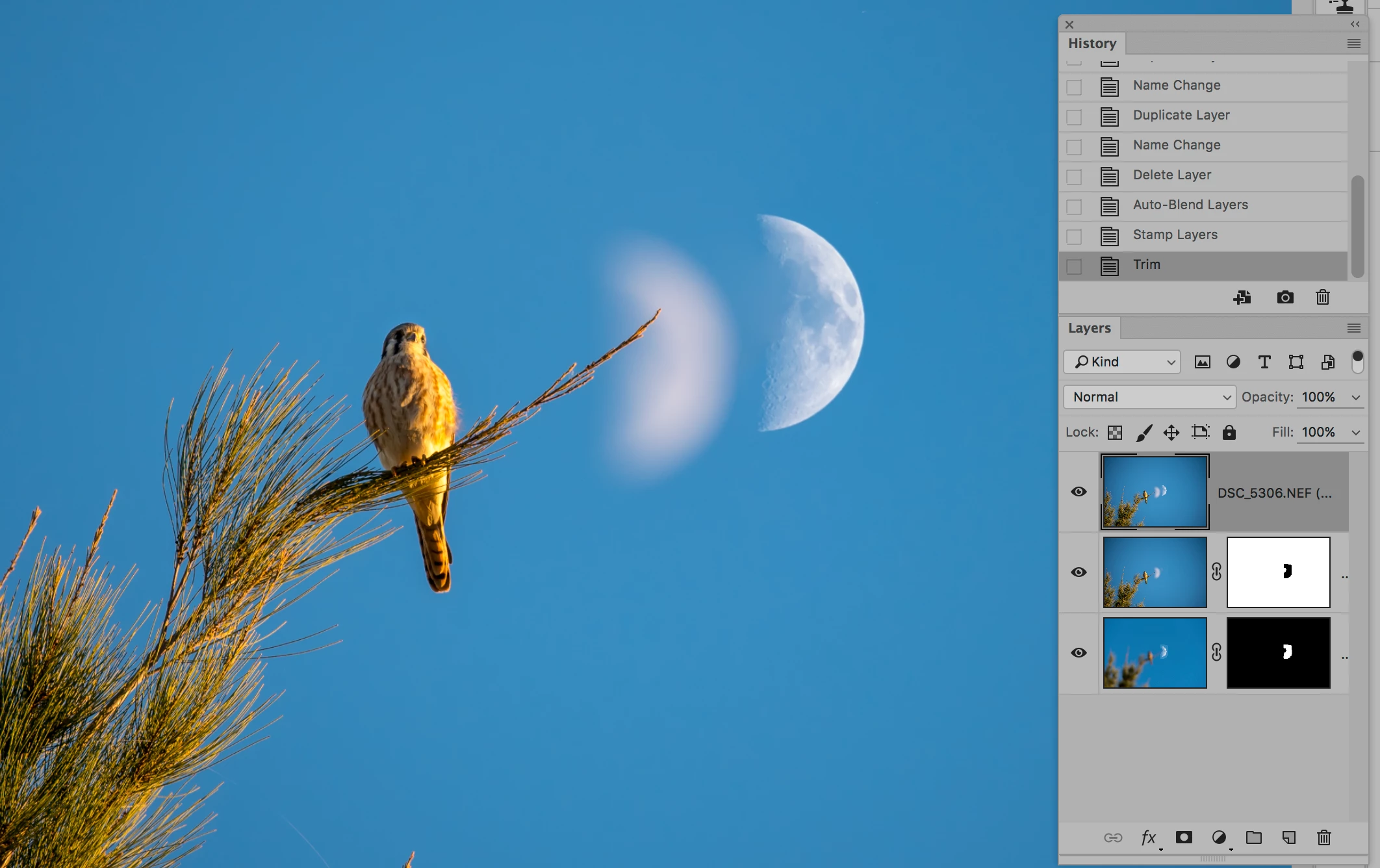
    This topic has been closed for replies.

    1 reply

    davescm
    Community Expert
    Community Expert
    December 14, 2016

    Hi Ben

    As you have found if you try and mask the blurred moon, then the blurred branch will show.

    Take a merged copy of the layers to a new layer. Use select and mask to select the branch then invert the selection, so that everything but the branch is selected. Now use the clone stamp tool to take out the spare moon. Your selection will prevent you from cloning out the branch

    Dave

    BenXYZ890Author
    Participating Frequently
    December 14, 2016

    Thanks Dave, I've tried something similar, i.e., using magnetic lasso and selecting the fuzzy moon and right up next to just part of the branch, as shown.  But I don't see how to make clone/stamp work in only the selection. 

    Trevor.Dennis
    Community Expert
    Community Expert
    December 14, 2016

    I think I might use Quick mask in a case like this with that thin end of branch.  Do as Dave has suggested, and add the copy merged layer to the top of the stack.  Enter quick mask; zoom way way in, and paint in the end of the branch with black.  Come out of Quick mask, add a layer mask, and (I think) invert the layer mask — depending on how you have Quick mask set.