
Masks changing by themselves!
I've been having problems with 'blocks' appearing out of nowhere in layer masks that I am not even working on. I have to then select the mask and edit out these unwanted areas effecting the mask which is an absolute pain. For example, I've just been working on a hue/saturation layer, when suddenly blocks appeared in a mask on another layer. They appear without warning. They are always flat edged and random in shape and size. If left, they will change shape as I work on other layers. They are a total pain!
The screen grab below shows what the mask looked like in the layers palette before the blocks appeared. It's a very small area, thus you can't actually see the active area of the mask.

Then whilst working on another layer, the 'blocks' appeared on the mask for the tv layer as below.

The effect on the image being edited was large areas of the layer were now visible - area shown by red arrows.
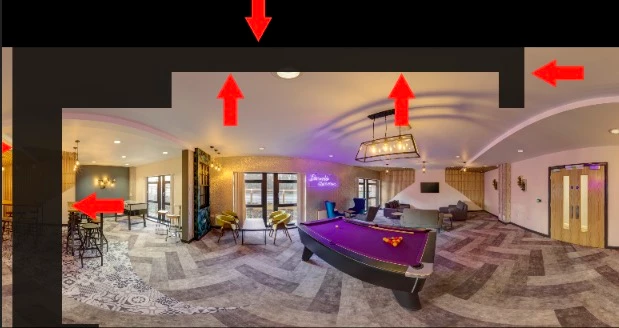
Can anyone tell me what may be causing this to happen?
In addition to being very frustrating, I'd prefer to edit photographs without random inputs to layer masks!!
Any help will be much appreciated.
Regards,
Phil
 AdChoices