When the option is enabled, a layered Photoshop document includes a composite version of the document. That’s the technical explanation and does not seem important on its own. But the practical implications can be significant.
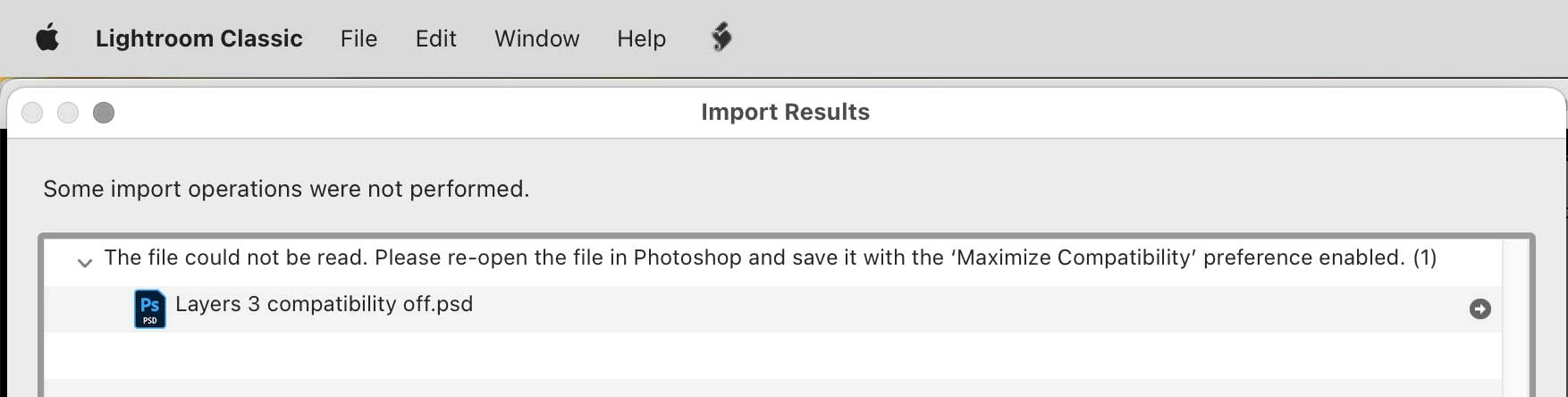
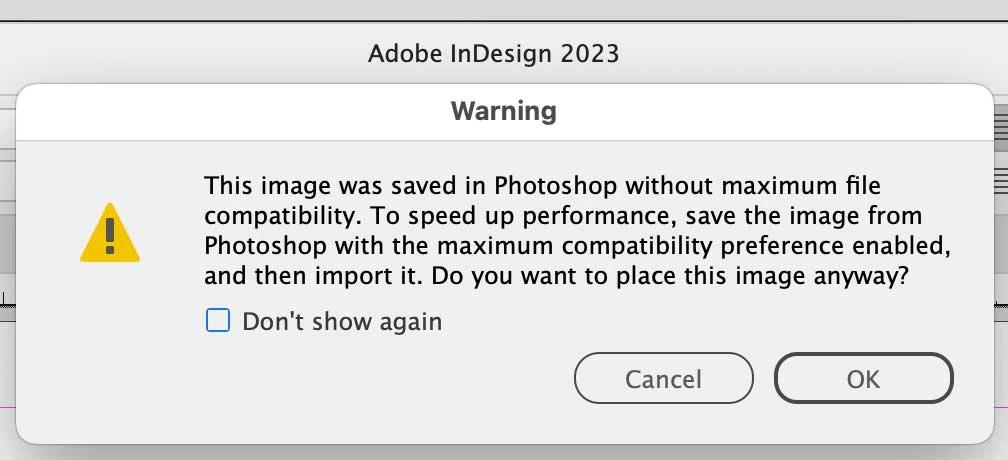
The reason it says “compatibility” is some other applications don’t know how to render a layered Photoshop file. Many applications claiming Photoshop compatiblity can do it only by reading that composite. If you disable that option, the composite will not be there, so Photoshop documents will appear blank or be unable to be imported or previewed using some other applications, including Lightroom Classic.
If you really only open Photoshop documents in Photoshop, or if you use other applications that can read layered Photoshop files with compatibility disabled, then it’s OK to disable the compatibility option. But if you do need other applications to be able to work with, preview, or catalog layered Photoshop documents, then yes, it is a difficult tradeoff: If you must be able to use those Photoshop documents in other applications, then you must enable the option and plan for much larger Photoshop files. But, if you are so low on storage space that you must disable the compatibility composite, you must give up compatibility.
What many would recommend is to always buy enough storage that it is not a problem to have that option enabled.
Trying to use Photoshop documents with compatibility disabled in…
…Adobe Lightroom Classic…
…and Adobe InDesign



 AdChoices