
igvk
Participant
November 4, 2019
Question

Merge to HDR quantization artifacts

  • November 4, 2019
  • 2 replies
  • 1177 views

I have a strange case of artifacts when using Merge to HDR Pro script in Photoshop CC.

I am using 32-bit mode for HDR, but the problem exist in 8 or 16-bit, too.

There is severe quantization of the image when 3 exposures are used, as seen on the picture (look at the trees, etc.).
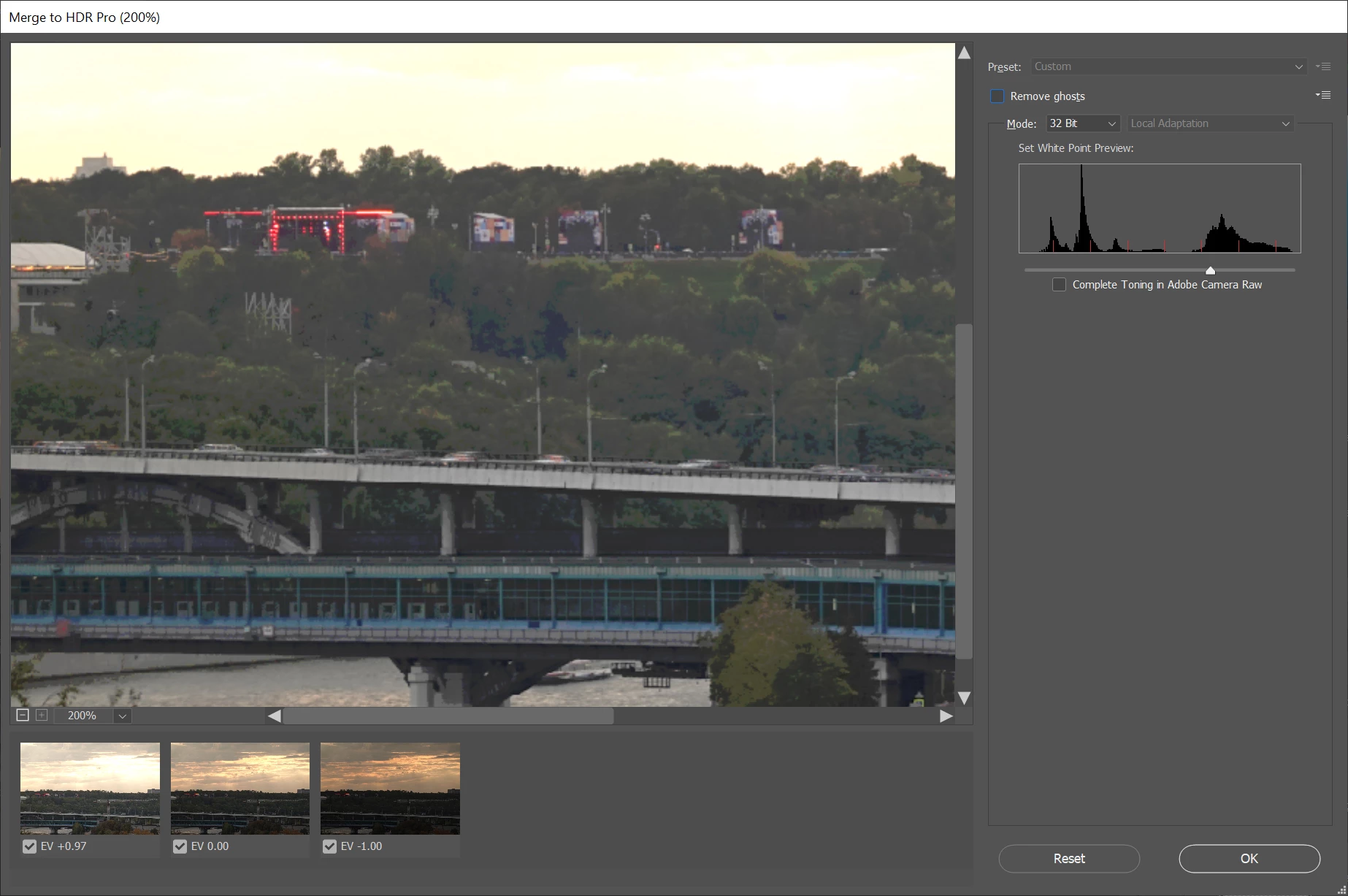
The sample files with the exposures are attached.

Could anyone reproduce this?

Is it a bug in the script / can this problem be fixed?


This topic has been closed for replies.

2 replies

davescm
Community Expert
Community Expert
November 4, 2019

Have you tried upgrading to version 21.0.0, released today, which includes in the fixed issues list a fix to banding with Merge to HDR

https://helpx.adobe.com/photoshop/kb/fixed-issues.html

Dave

igvk
igvkAuthor
Participant
November 4, 2019

davescm, thanks for your answer!

No, i haven't yet tried version 21. Interesting coincidence!

I see that there is some bug report of problems with HDR, though not much info.

Probably, Merge to HDR is buggy and wasn't meant to be used seriously.


davescm
Community Expert
Community Expert
November 4, 2019

It was a bug that came up in CC2019 and is fixed in today's release

Dave

lambiloon
Community Expert
Community Expert
November 4, 2019

Hi i think you to tell Photoshop which picture is your main in selection and choose yourself which is your final atfer editing.


Check the video hope it helps you : https://youtu.be/8O_Uhk0nNVU


Regards

Ali Sajjad / Graphic Design Trainer / Freelancer / Adobe Certified Professional
igvk
igvkAuthor
Participant
November 4, 2019

lambiloon, your answer is too ambiguous.

I think, you didn't pay attention that I'm using Photoshop and Automation>Merge to HDR script in 32-bit mode (without tone mapping).