
Merging or exporting with a Levels adjustment layer causing strange color issue.
Hi all.
So here is the issue I am having - I have a file using a layer with transparant pixels and the Levels ajustment layer, and at viewed at 100% zoom etc it looks fine, but when I export it or merge the layers down, the image is changed drastically. When I flatten the image the color effect does not happen, but I need a png with transparancy, so flattening is useless. I have the black background layer turned on in my screenshots to help visibility.
Unmerged appearance, 100% zoom: 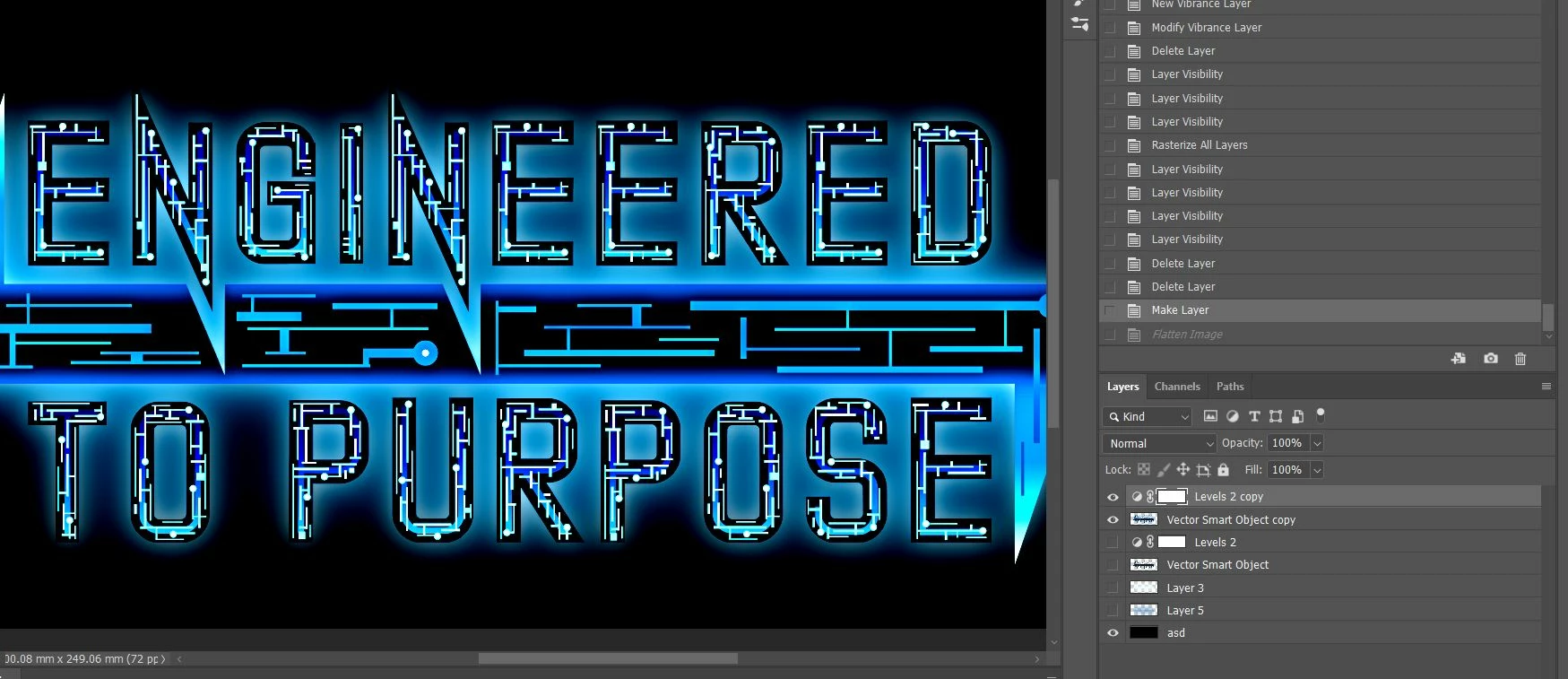
After Merging, 100% zoom:
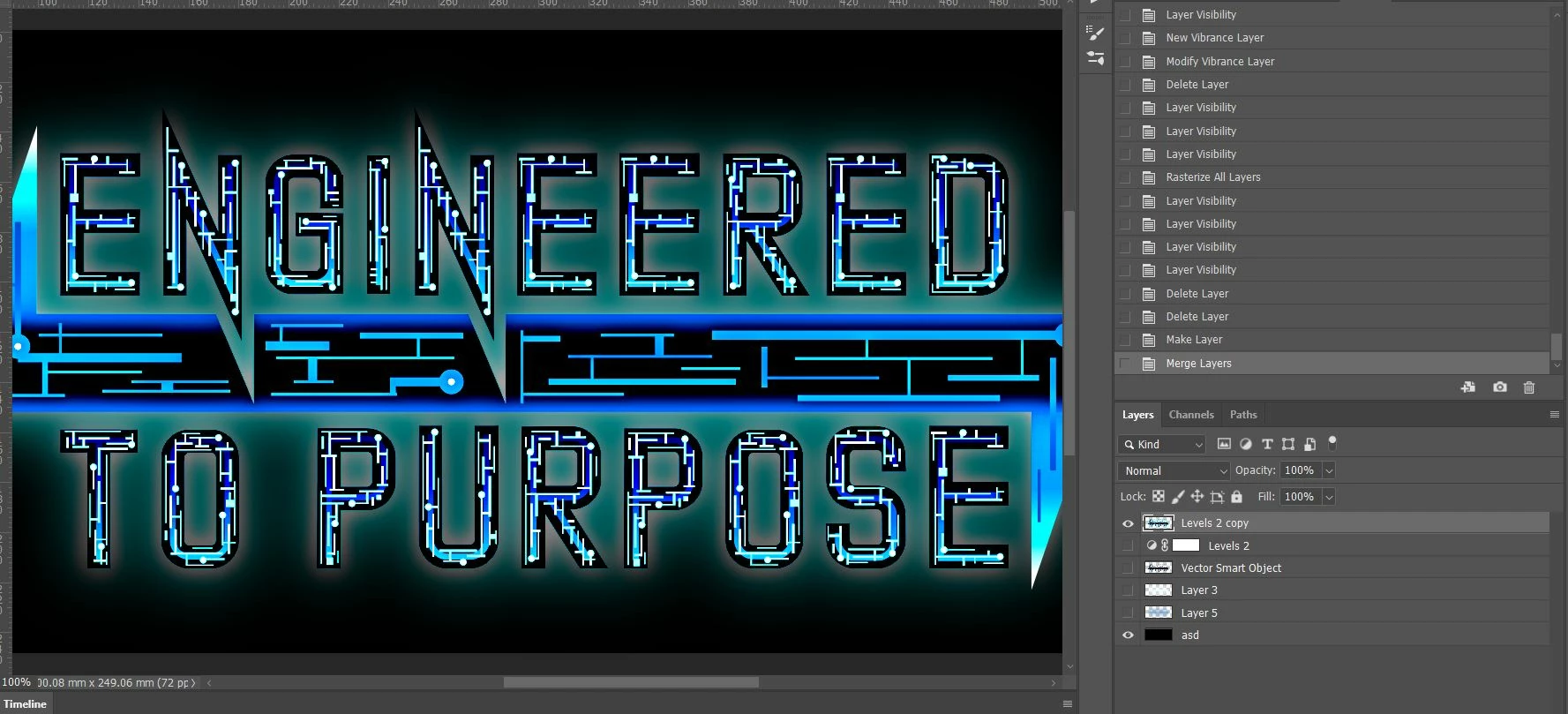
I have tried many ways of getting this to work, and am at my wits end at this point.
To clarify -I am using the 21.2.0 build, all layers are using Normal blending, no special modes. Cache is at 1. Color space is 16bit RGB, and on export color management is checkboxed.
But the issue seems to be with the adjustment layer itself, something about how it merges with transparent layers is breaking.
Please help!
 AdChoices