reddragonfly12751103
Inspiring
October 3, 2024
Answered

Merging with high pass filter layer

  • October 3, 2024
  • 2 replies
  • 722 views

Hi

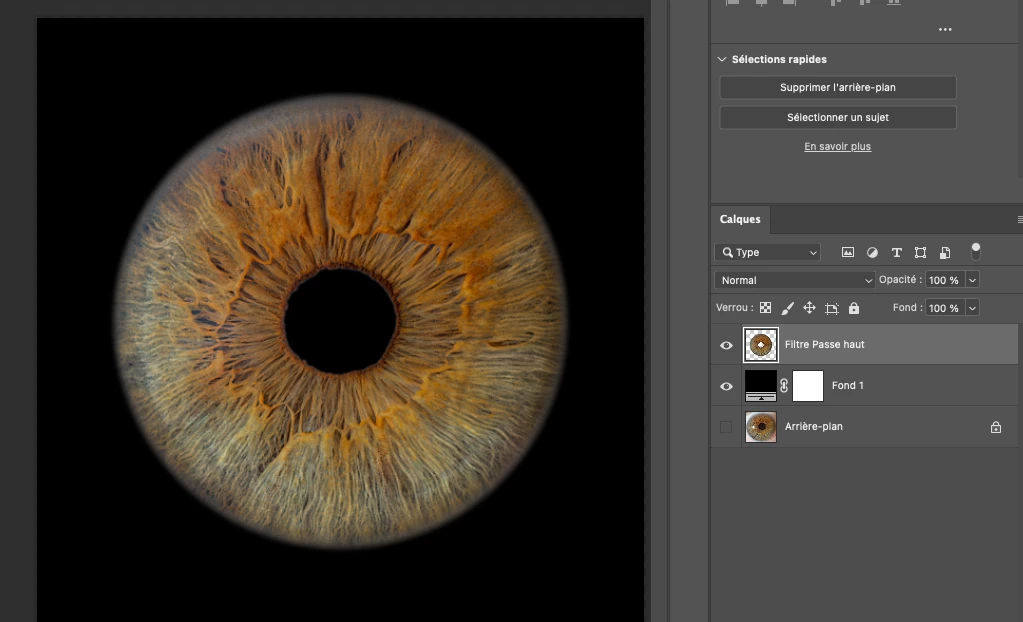
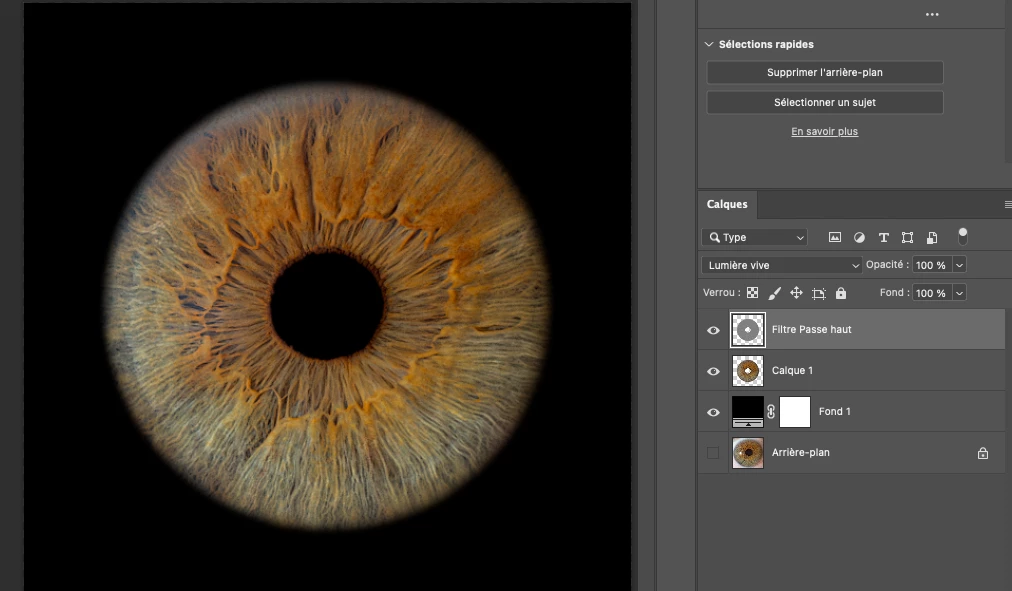
I have this problem merging my image with high pass filter layer. They're is a glowing grey effect on the outline i don't want.

Does someone knows how to avoid this ?

Thanks
 

This topic has been closed for replies.
Correct answer Jeff Arola

If you want to experiment with High Pass and not have merge layers to see the result i would suggest using the High Pass filter as a Smart Filter as described in this tutorial.

https://www.adobe.com/creativecloud/photography/hub/guides/sharpen-image-high-pass-filter.html

2 replies

Jeff Arola
Community Expert
Jeff ArolaCommunity ExpertCorrect answer
Community Expert
October 4, 2024

If you want to experiment with High Pass and not have merge layers to see the result i would suggest using the High Pass filter as a Smart Filter as described in this tutorial.

https://www.adobe.com/creativecloud/photography/hub/guides/sharpen-image-high-pass-filter.html

reddragonfly12751103
Inspiring
October 4, 2024

Thank you, i'm losing a bit of sharpness adjusting the opacity but the result is better

Legend
October 3, 2024

Why are you using a high-pass filter? This can be a side effect, unfortunately.

reddragonfly12751103
Inspiring
October 3, 2024

Why PS users using high pass filter ? For sharpness most of the time, don't they ?

I found a way by using it at the very beginning, juste before the cutting image work 🙂

Legend
October 3, 2024

High Pass has been pretty much replaced in the last ten years by Frequency Separation for sharpening, its a MUCH better solution. (do a search for "high pass sucks")

https://www.adobe.com/products/photoshop/frequency-separation.html

https://www.youtube.com/watch?v=Lrv6Y4_UDaU