Participant
January 11, 2021
Answered

Missing buttons in actions panel
  • January 11, 2021
  • 2 replies
  • 377 views

This might just be the most "newbie" question ever posted on this forum, but here goes.

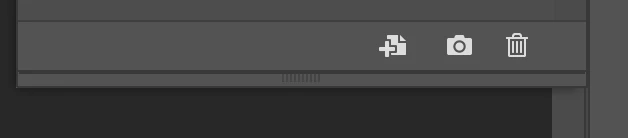
I looked at a guide on how to use actions. I tried following the steps but when I open the actions panel I don't have the record button avalible like in the guide. Is there a way to make them pop up?


Thanks in advance!

This topic has been closed for replies.
Correct answer c.pfaffenbichler

That is not the Actions Panel, but the History Panel. 

Please post a screenshot of the Actions Panel

2 replies

c.pfaffenbichler
Community Expert
Community Expert
January 11, 2021

What you posted looks like the History Panel. 

c.pfaffenbichler
Community Expert
Community Expert
January 11, 2021

Please post a screenshot of the complete Actions Panel. 

Participant
January 11, 2021

This should be better

c.pfaffenbichler
Community Expert
c.pfaffenbichlerCommunity ExpertCorrect answer
Community Expert
January 11, 2021

That is not the Actions Panel, but the History Panel. 

Please post a screenshot of the Actions Panel