Participating Frequently
October 31, 2018
Answered

Missing: Crop Tool Overlay Options when using Artboards

  • October 31, 2018
  • 4 replies
  • 2754 views

Hi there

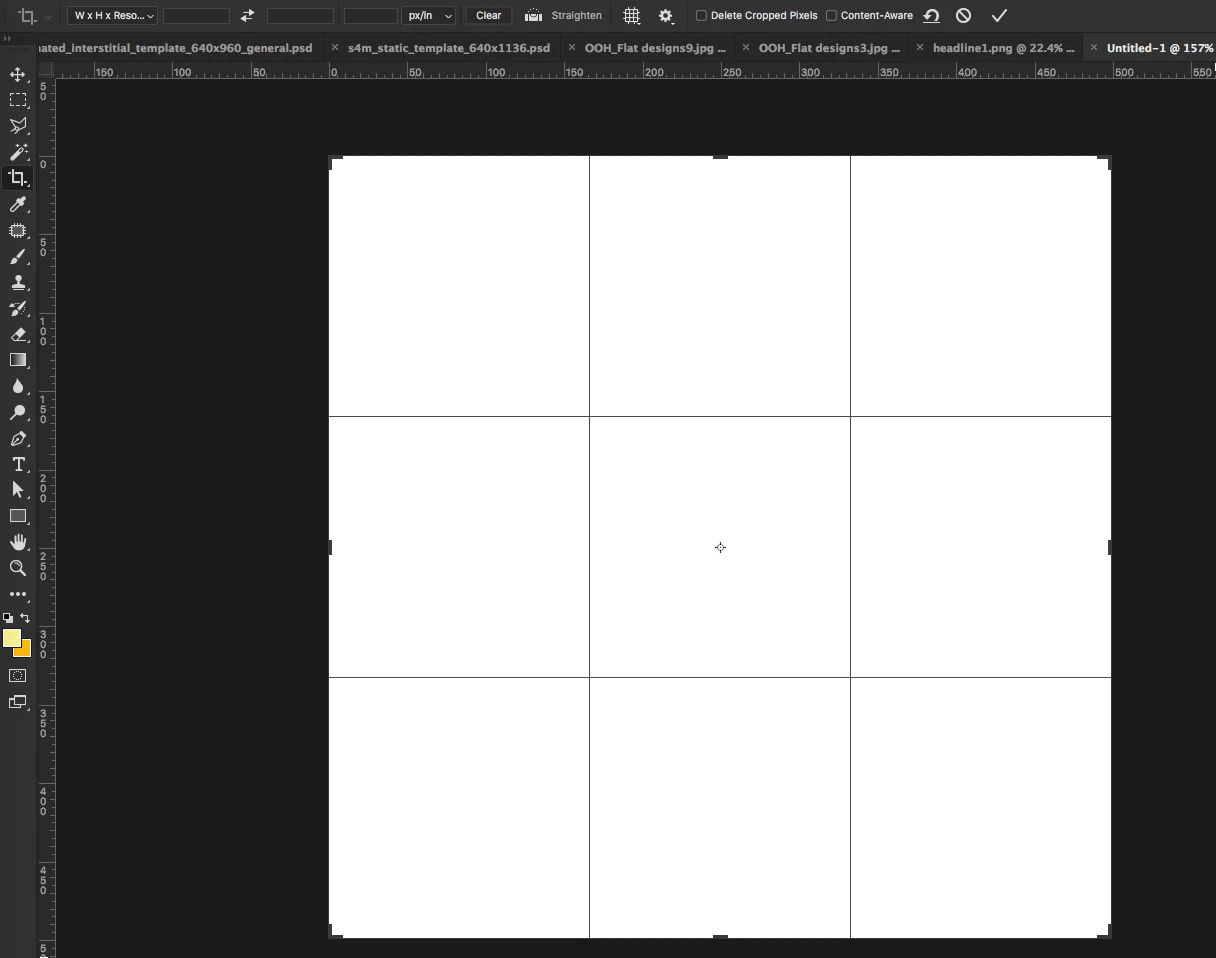
Part of my usual workflow I use the Crop Tool Overlay Options to set my guides (golden ration, rule of thirds, etc) when I start work on any layout.

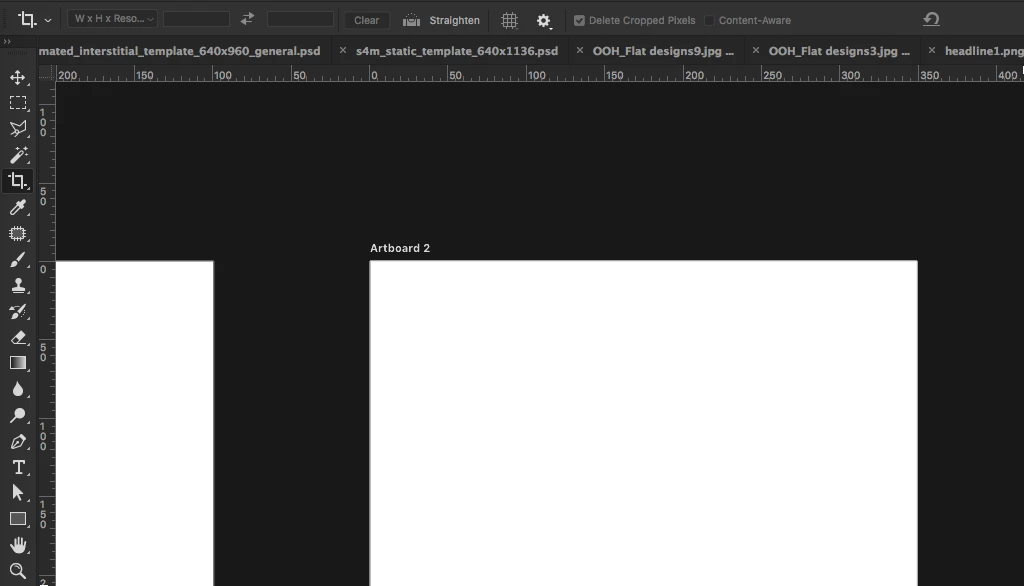
However, soon as I start a document with several Artboards these Overlays no longer display – below some screenshots for context.

Does anyone know where to enable the overlays somehow or any workarounds?

No Artboards - Available

With Artboards - Not Available

This topic has been closed for replies.
Correct answer ChristopherButler

The Crop Tools are not available when working with Artboards. This is the current implementation.

Are you looking to have those automatic guides (rule of thirds, golden ration, diagonal, etc.) available when working with Artboards? I presume you want them available in the Artboard context, using the Artboard bounds as the basis for the guides? And where they would change if the Artboard changed size?  If so that would be a nice feature request.

Edit add: I've logged the request as PS-22416 "Artboards: Feature request - add Crop Overlay tools to Artboard Tool Options" on your behalf.

4 replies

ChristopherButler
Adobe Employee
Adobe Employee
October 31, 2018

As far as workarounds are concerned, in addition to Grids, all that I can think would be available are fixed guides. You can attach them to the artboard so they move with the artboard, but they will not shift position if you resize the artboard; they will keep the same offset from the artboard upper left corner.

To have a guide attached to the artboard, make sure the artboard is selected, then create a new guide using either the View>NewGuide dialog, or by dragging a new guide from a ruler well.

ChristopherButler
Adobe Employee
ChristopherButlerCorrect answer
Adobe Employee
October 31, 2018

The Crop Tools are not available when working with Artboards. This is the current implementation.

Are you looking to have those automatic guides (rule of thirds, golden ration, diagonal, etc.) available when working with Artboards? I presume you want them available in the Artboard context, using the Artboard bounds as the basis for the guides? And where they would change if the Artboard changed size?  If so that would be a nice feature request.

Edit add: I've logged the request as PS-22416 "Artboards: Feature request - add Crop Overlay tools to Artboard Tool Options" on your behalf.

lazlazlazAuthor
Participating Frequently
November 1, 2018

Thanks CJ – very helpful!

Yes, it is exactly what I'm looking for! The guide workaround is okay, thanks for pointing that out. But it's way more rigid and complicated than pressing 'C', clicking on the artboard and dragging some guides in place to where the crop tool overlay guides are. Not to mention changing the overlay guide type by pressing 'O'. It's a breeze.

Anyway thanks for your help! Fingers crossed haha

October 31, 2018

I could be wrong but I don't think the Crop Tool options are available for Artboards

Akash Sharma
Legend
October 31, 2018

Hi lazlazlaz,

Sorry that the crop overlay options are not showing up in Photoshop while working with artboards.

To troubleshoot this, let's start with quickly restoring the app preferences to default using a keyboard shortcut:

Press and hold Alt+Control+Shift (Windows) or Option+Command+Shift (Mac OS) as you start Photoshop. You are prompted to delete the current settings. The new preferences files are created the next time you start Photoshop.

Note: Using the keyboard shortcut, preference files for custom shortcuts, workspaces, and color settings will also be reset to default.

Let us know how it goes.

Thanks,

Akash

lazlazlazAuthor
Participating Frequently
October 31, 2018

Hi Akash,

I'm certain it's not the preferences. This is happening since you introduced artboards I just never bothered looking into it till now.

Any other ideas, workarounds?

October 31, 2018

Not sure if this helps but you could enable the Grid