
Participating Frequently
June 12, 2021
Question

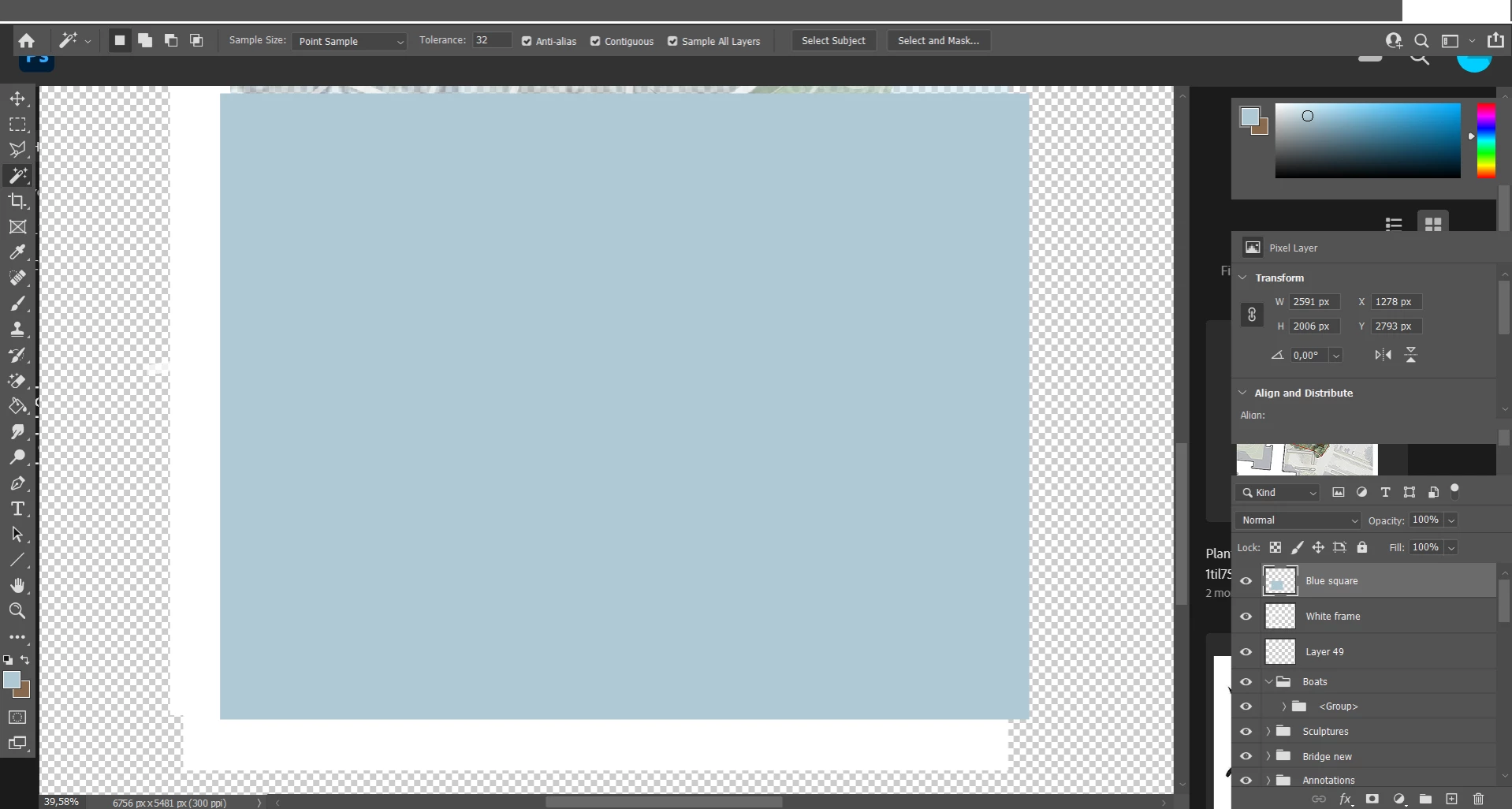
Missing menu text and weird looking panels
  • June 12, 2021
  • 3 replies
  • 1407 views

Hi


I just got Photoshop on my pc, but when I open it, it looks weird. The text of the menus at the very top is missing (the menus are still work though) and the panels on the right look wrong.


I've tried to uninstall and install again, but it didn't help.

Illustrator and InDesign work fine, it's only Photoshop that has this problem.

It's Photoshop version 22.4.2

I'm using Windows 10.


Can someone help me fix this?

This topic has been closed for replies.

3 replies

JJMack
Community Expert
Community Expert
June 12, 2021

Close Photoshop and rename your usie ID Photoshop 2021 Appplicatation dats folder ant try startinf 2021.  It look like your Tools option bast is undocked and Photoshop Maye wimdow frams sMane sure you file explorer view option are set the vies hidden folders and files

Rename

"C:\Users\(Your User ID)\AppData\Roaming\Adobe\Adobe Photoshop 2021"

to

"C:\Users\(Your User ID)\AppData\Roaming\Adobe\Adobe Photoshop 2021 Old"

JJMack
Participating Frequently
June 13, 2021

Thanks for your suggestion. It didn't work though

J E L
Community Expert
Community Expert
June 12, 2021

Under Preferences, check your Interface settings and Options to see what's checked and try Restore Default Workspaces to see if it fixes anything. Changes will take effect the next time you start Photoshop. Worth a shot!

Participating Frequently
June 13, 2021

I went to Preferences -> Interface and changed all to Default (if that's what you mean?). It didn't work though


Derek Cross
Community Expert
Community Expert
June 12, 2021

Maybe reset the Workspace (Windows > Workspace) or if there's an application corruption try resetting the Photoshop preferences, which can be done under the General tab in Photoshop preferences.

Participating Frequently
June 12, 2021

Thank you for your suggestions.

However, I just tried both but neither helped...