
petrab60631600
Inspiring
June 28, 2023
Answered

MISSING OBJECT - NOT VISIBLE

  • June 28, 2023
  • 1 reply
  • 760 views

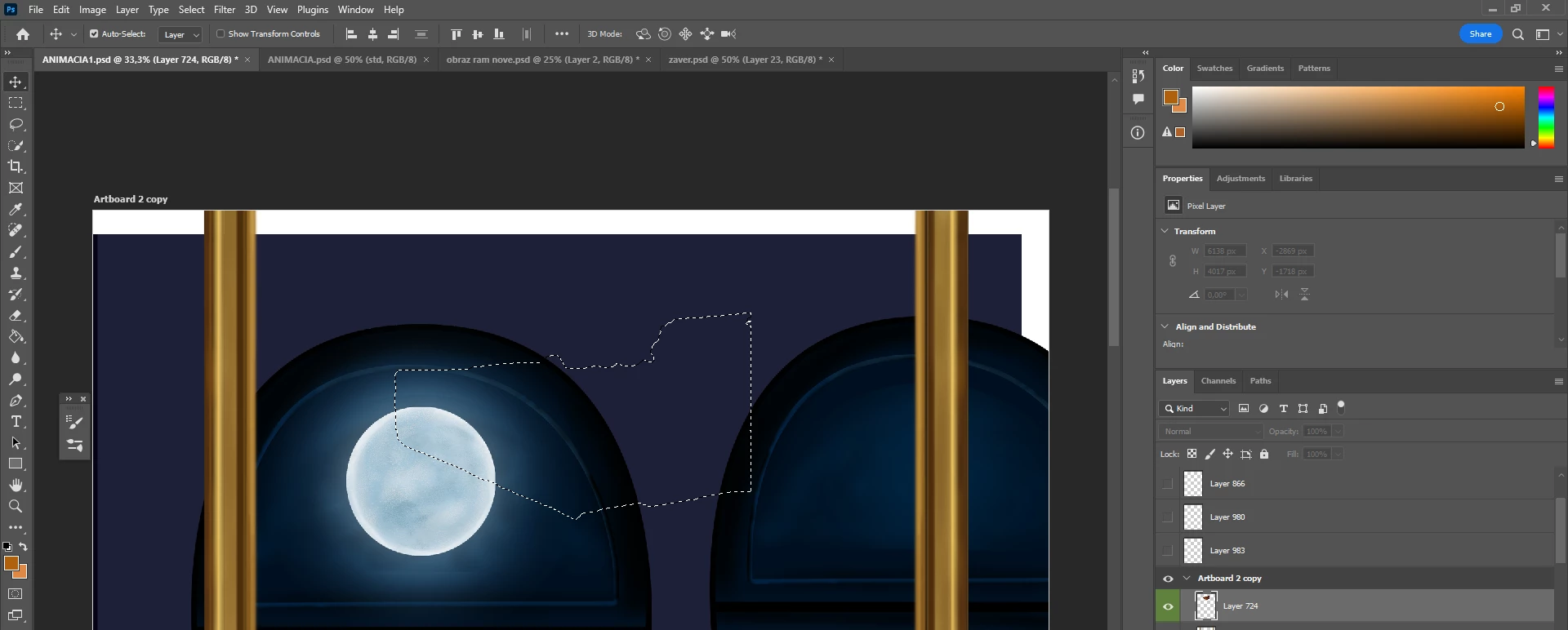
Hello! I want to ask you. I am working on a digital painting, and I noticed that some parts are missing. I found the layers on which are these objects, but they are not visible. I tried to move it via the transform tool because I could see the boundaries. I checked the visibility of the layer, what is weird, it does not show the option to change the opacity/fill percentages. Thank you for your advice.
This topic has been closed for replies.
Correct answer petrab60631600

I struggled for a long time, but I discovered why this issue happened. It is a quite silly fault. I was preparing this art for an animation. All layers were separated in the timeline. I worked with a few of them, others I did not change because the video should be short, but later I made the video longer, and the majority of them I made longer. I forgot that all new layers should be made longer too. It is a first time when I do an animation. 🙂 

1 reply

petrab60631600
petrab60631600AuthorCorrect answer
Inspiring
June 28, 2023

I struggled for a long time, but I discovered why this issue happened. It is a quite silly fault. I was preparing this art for an animation. All layers were separated in the timeline. I worked with a few of them, others I did not change because the video should be short, but later I made the video longer, and the majority of them I made longer. I forgot that all new layers should be made longer too. It is a first time when I do an animation. 🙂 

davescm
Community Expert
Community Expert
June 28, 2023

Thanks for coming back with the answer. I definitely would not have picked that up from your screenshots 🙂

Dave

petrab60631600
Inspiring
June 28, 2023

 I am sorry, me neither. 😄 So on this screenshot, it is clear what was the reason - for example, this layer was too short. The length needs to be always the same.