

Question
missing pixel
I´ve switched from CS6 to CC 2019 some weeks ago...form the beginning i had a strange thing with missing pixels in Photoshop. 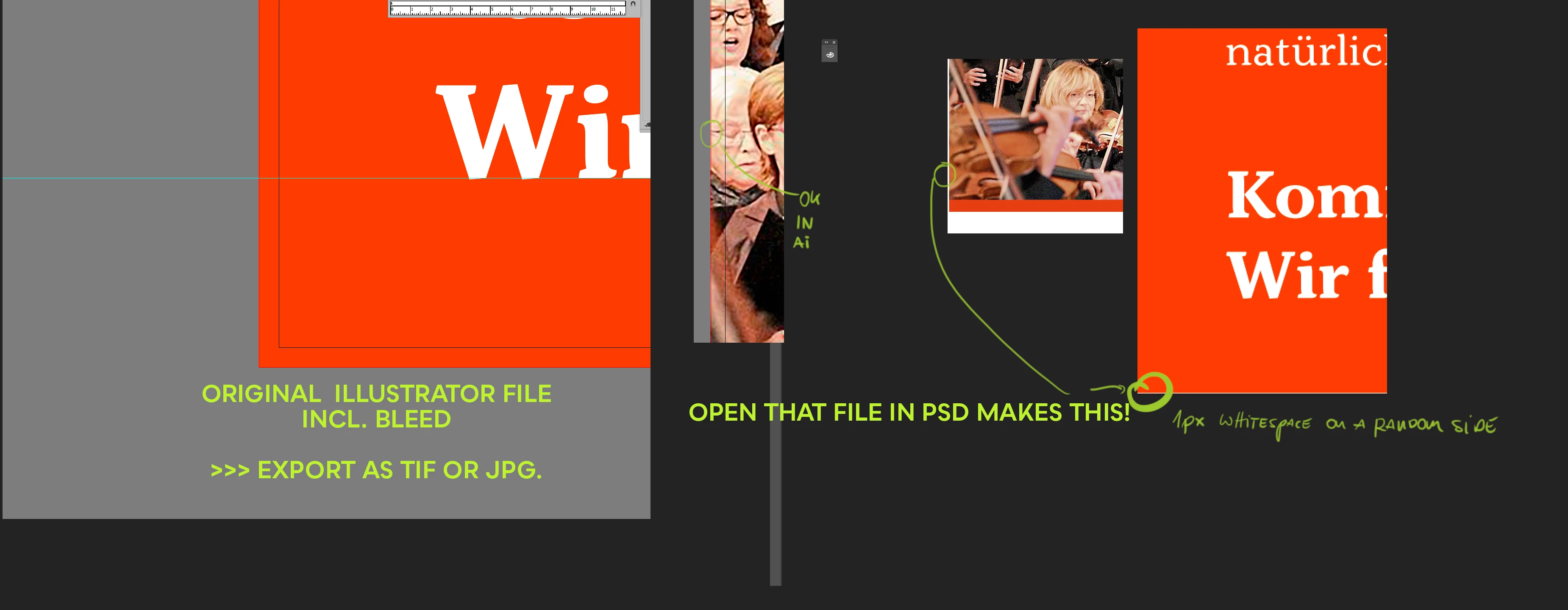
When i export a file( eg. TIF; or JPG) from Illustrator and open that file in Photoshop the is a 1px "whitespace" on a random side of the picture. sometimes its left sided somtimes on the right or top side. i dont know why this happend.
And NO..even if i export the files with bleed there is this phenomenon.
Its totally frustrating and time consuming to fix this issue with stemptool or brushtool.
Just wonder why this happen since this workflow workded fine with CS6 for ages. Any suggestions what the solution can be?
Something with pixelratio? or whatever?
Thanks for any solutions hints and ideas!
 AdChoices