Mockup layer color not changing
Hello!
I'm trying to work with a mockup I downloaded online, and am having an issue where certain parts of the object color will not change on the actual object, but it does change in the layers panel, if that makes sense. I am a beginner at photoshop, and was following a tutorial to learn how to use this mockup. To me, all of the settings look the same in both the layers that do work and the ones that don't I have attached screenshots of both layers the ones that do and don't work, so that I can hopefully get some help. Please let me know if anymore screenshots are needed, and of what. I will gladly send them your way!
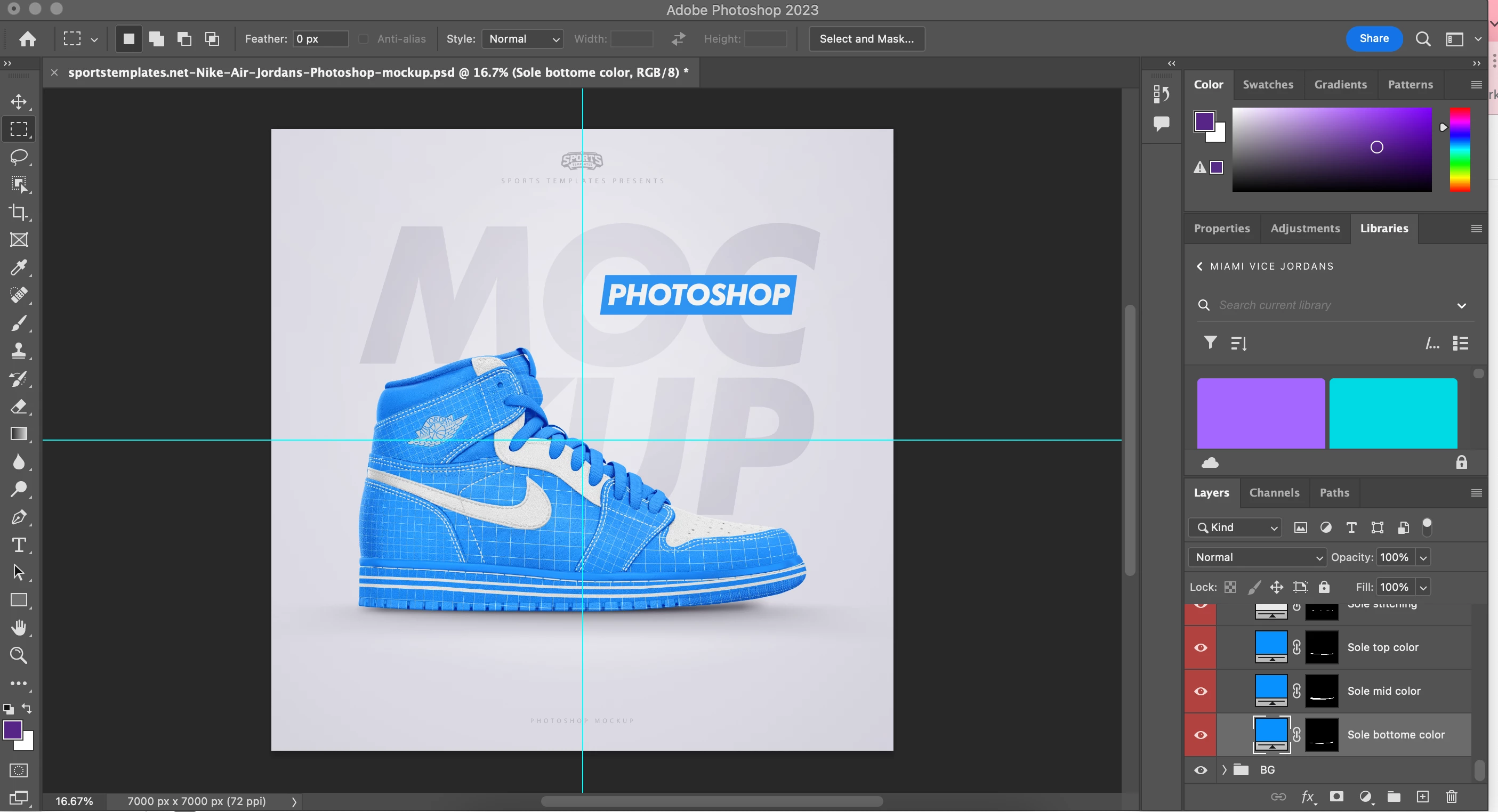
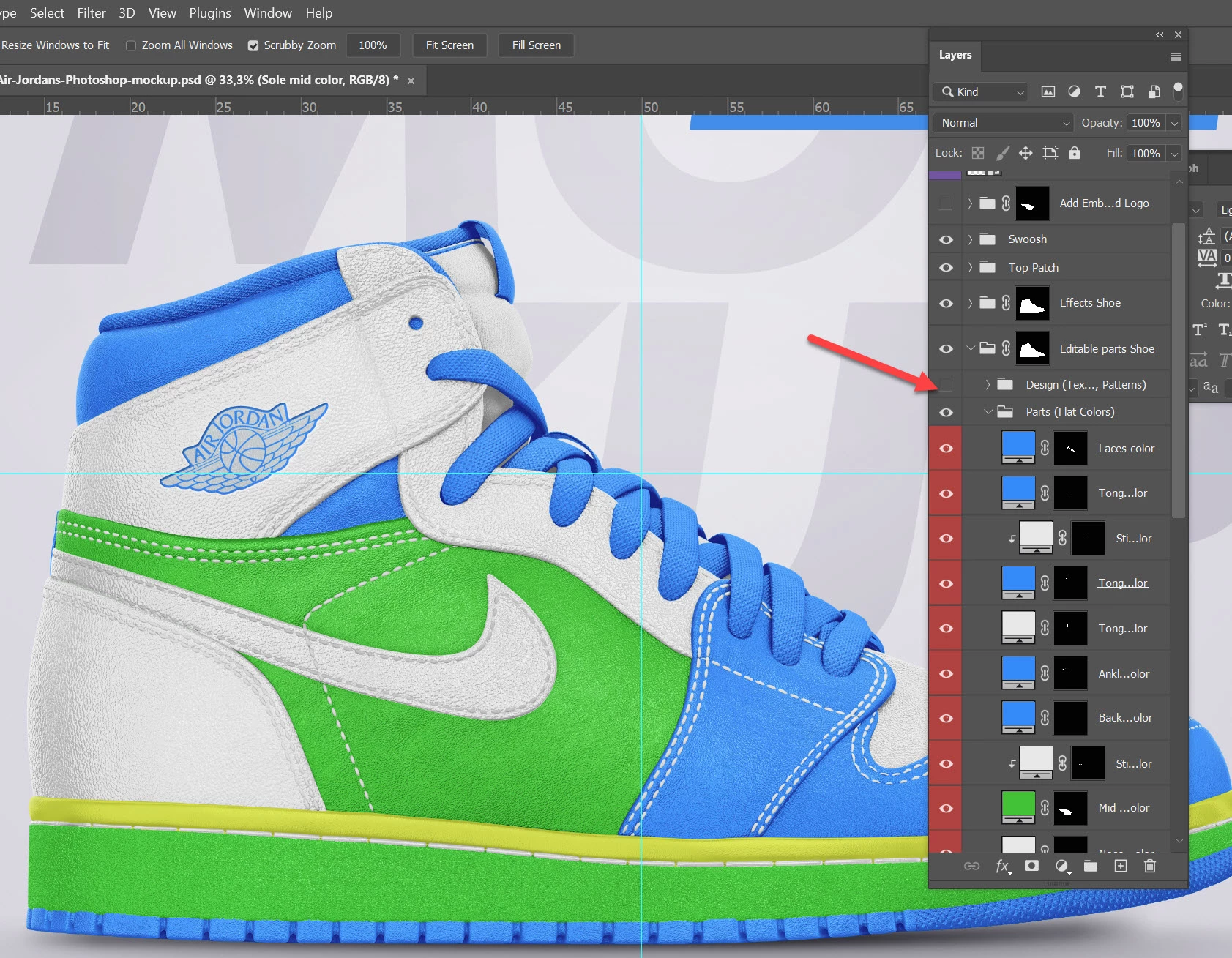
Before any changes are made to anything (see sole bottom color, under layers in screenshot):
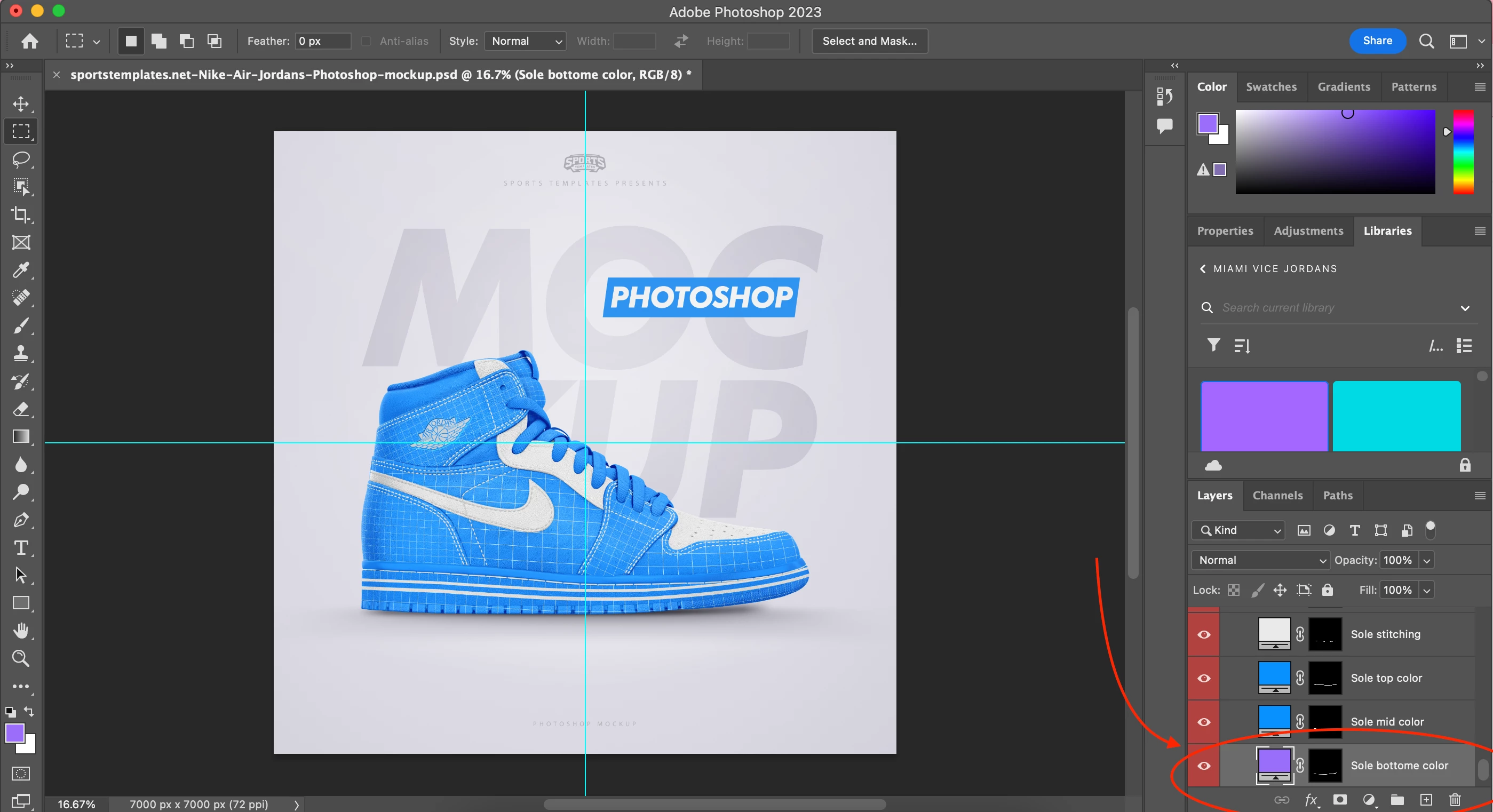
After changing "sole bottom color" from first screenshot color to purple. Notice that the sole bottom on the actual image is still blue:
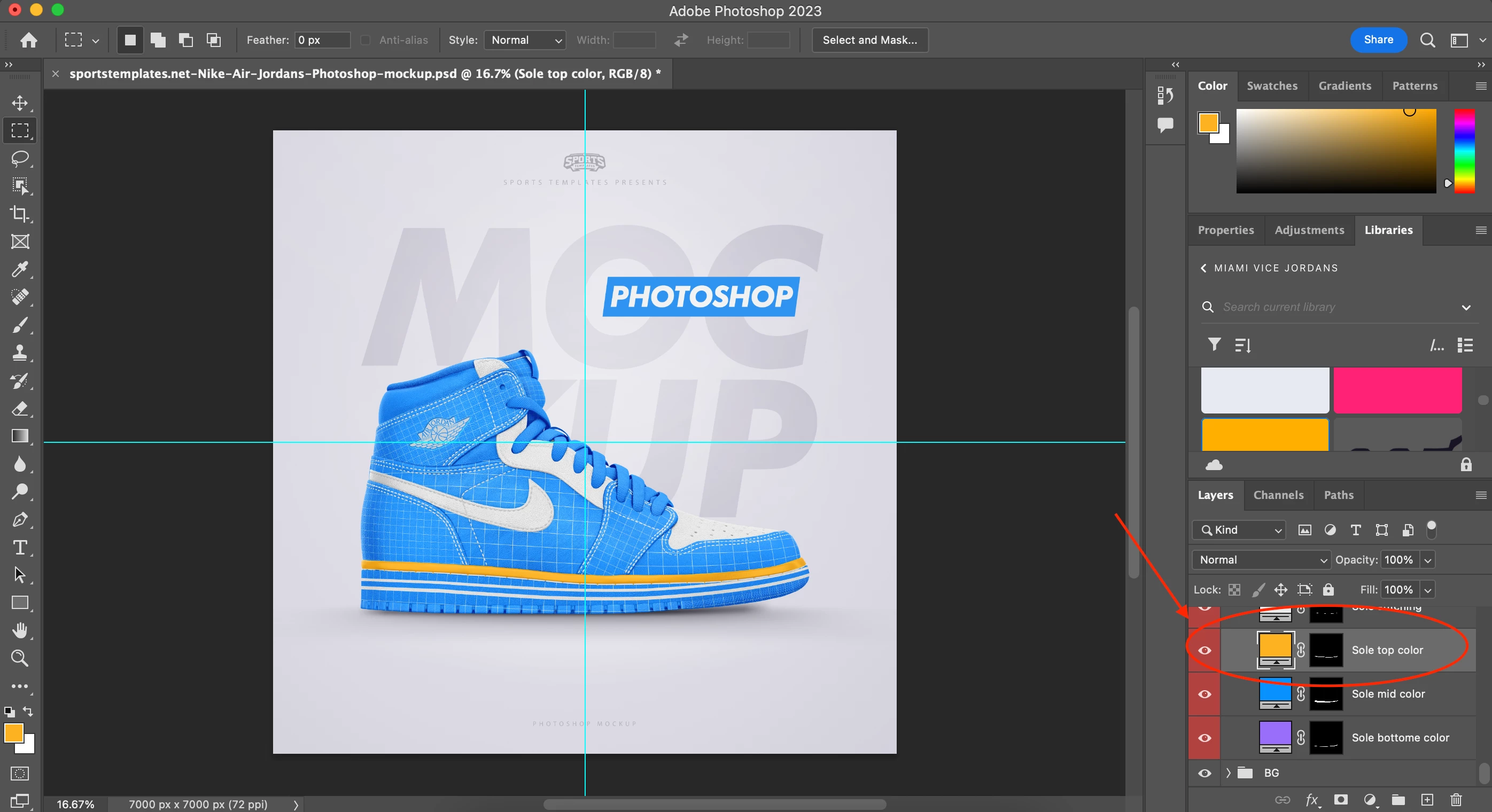
After changing the color on a working layer:
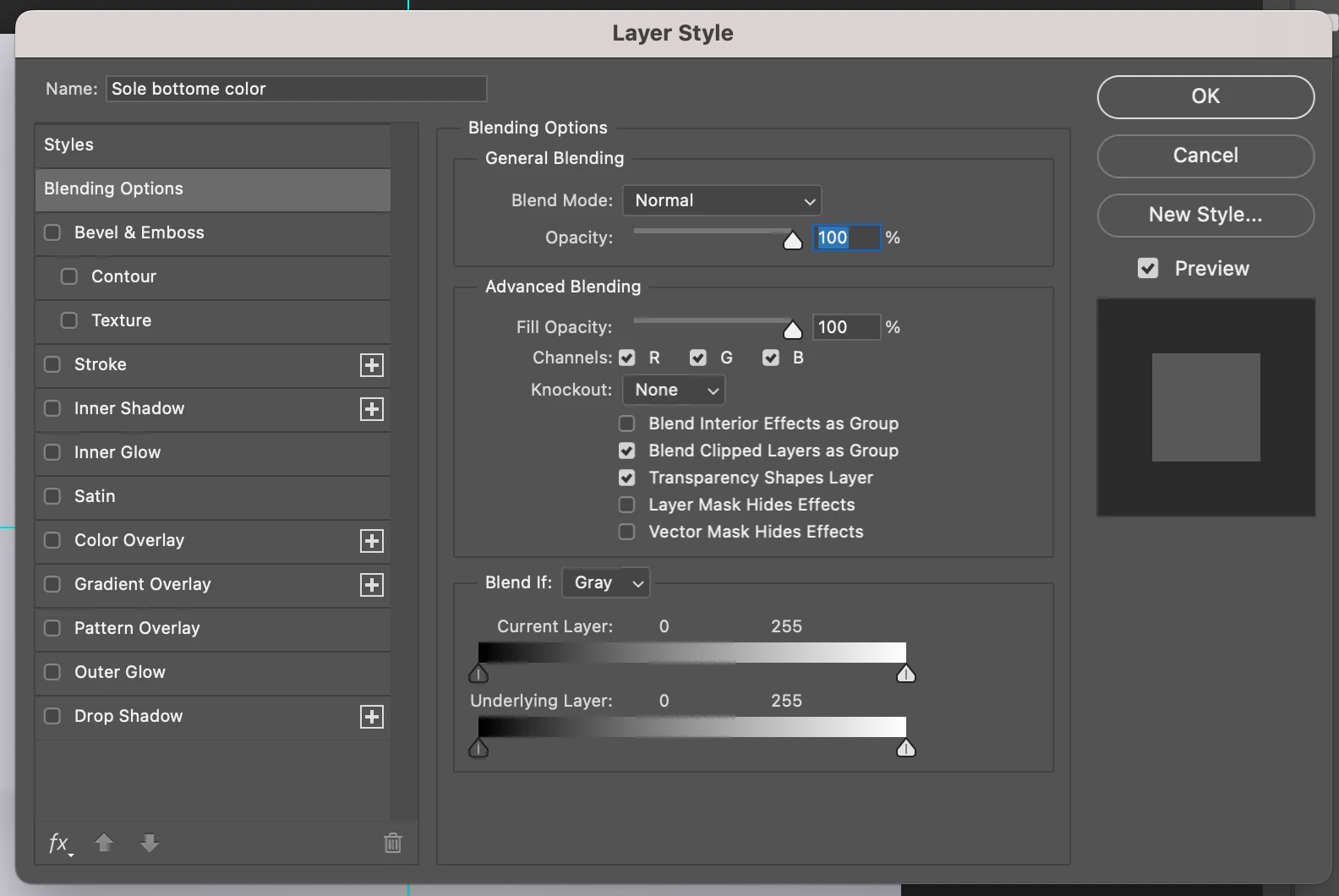
Sole Bottom Layer Style settings (layer that does not work):
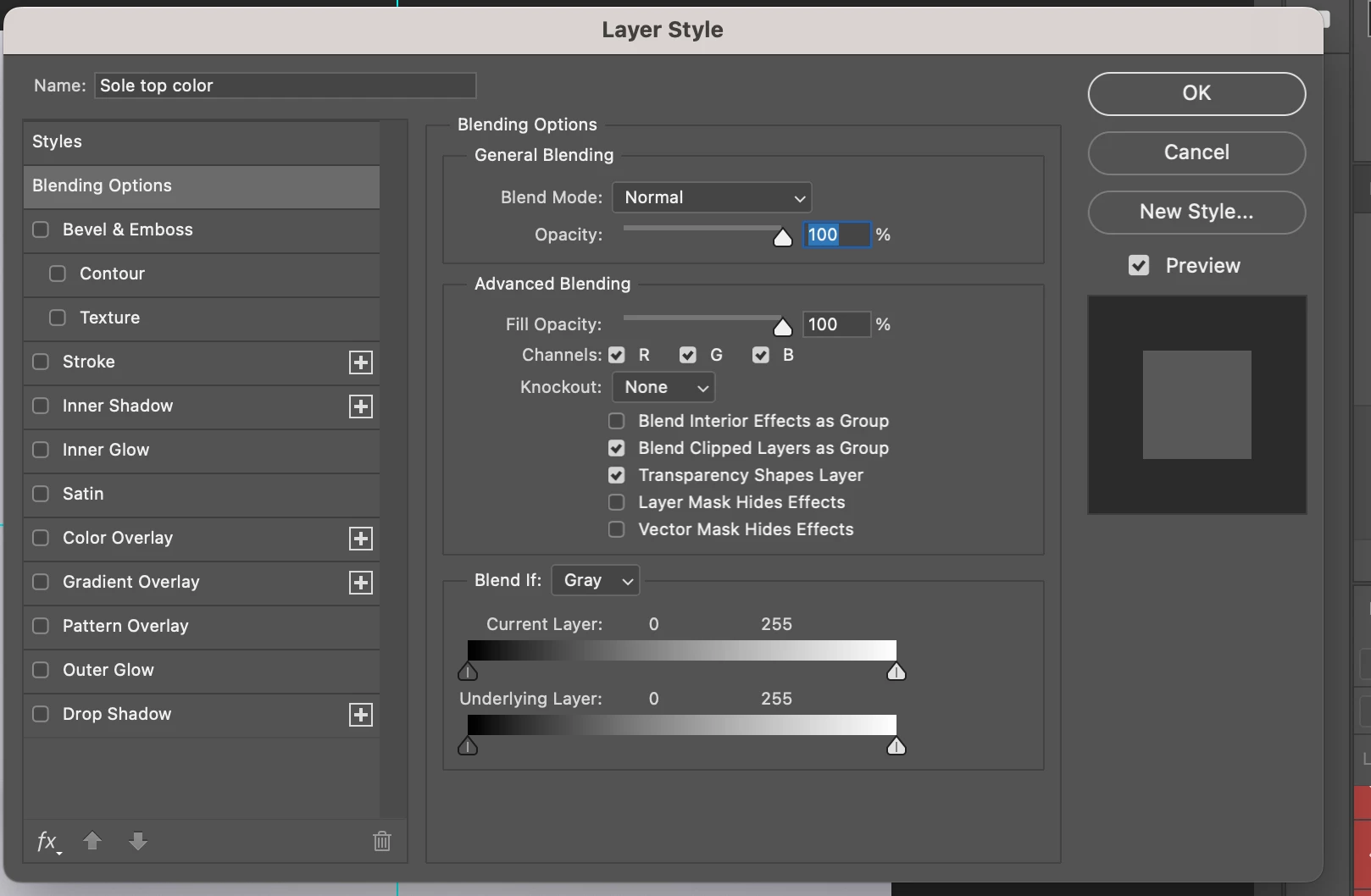
Sole Top Layer Style settings (layer that does work):
Thanks in advance!
 AdChoices