
chantalm77587796
Participant
August 15, 2018
Question

modifier résolution fichier en l'important dans un document de résolution différente

  • August 15, 2018
  • 1 reply
  • 265 views

Bonjour,

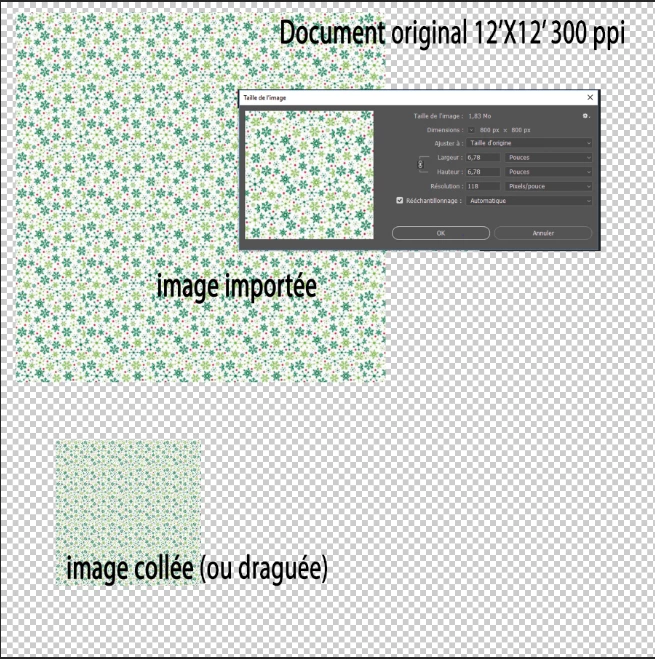
je travaille sur un document photoshop de résolution 300 ppp, j'ai besoin d'importer des images qui sont de résolution inférieure et lorsque je les importent elles conservent leur dimension et résolution originales. Est-il possible que l'image s'ajuste en dimension et résolution (en utilisant la fonction importation) selon mon document de travail? Donc que l'image importée soit plus petite dans mon document puisqu'elle s'ajusterait à mon document 300 ppp?

Merci
    This topic has been closed for replies.

    1 reply

    JJMack
    Community Expert
    Community Expert
    August 16, 2018

    A Document only has one resolution.  If You copy Paste, Drag in a layer form a different resolution document, Place is a different resolution document.  Photoshop preserve what is be put into the document quality all the pixels will be brought into the document being edit in the layer added.  In the caske of Place if the Smart objects layer pixels do not fit within the document canvas  Photoshop may set the layers associated transform to scale the layer to fit within the canvas.  If All other cases you would need to transform the layer to the size you want.  It woul be a good idea to first convert the layer to a smart object layer for transform is a destructive process.  A smart object layer preserves the original pixels. Smart Object layer pixels can not be changed by Photoshop tools.   The transform is associated with the layer the layers pixels are not changed.  If you transform the layer again you are just editing the layer associated transform.  Every smart object layer has an associated transform.  It may just be transform to 100% width and height keep the original size,

    Even if the document have the same DPI the scale of the image may be different  you will need to transfotm the layer for the document content.  For example if one image is  of a 6' man taken with a 50MM  the is 5' from the lens and the second image is of a 6' man taken with a 50MM  the is 15' from the lens.  If you want to put the two men side by side in you composite you would need to scale on image si the men loof the same size.

    Its the same way if both pictures were taken 5' way but one image is 150dpi and the other is 300dpi and both image are 4" x 6".  If the 150dpi picture pixels are put into the 300bpi document the layer would be 1/4 the size of the canvas.  If the 300DPI Images pixels was put into the 150dpi image the layer would be 4x the size of the documents canvas. You would need to scale the layer to make the men look the same size.

    JJMack
    chantalm77587796
    Participant
    August 17, 2018

    Bonjour, merci pour la réponse, mais je ne comprend pas bien votre anglais et je crois que vous n'avez pas bien compris mon français car je n'ai pas réponse à ma question.

    Quelqu'un d'autre pourrait m'aider svp?

    JJMack
    Community Expert
    Community Expert
    August 17, 2018

    It is not possible to have different dpi resolution layers in a document.  A document has a single resolution.

    If you add an image layer to make a composite.  The image layer no matter what size it has in the open active document will most likely need to be scaled to fit the in with the contents of the other layers.   Layers can have any aspect ratio and be any size.   On exception is a background layer  it is the bottom layer does not support transparency so it is alwats  canvas size its tranaparenct is locked and can not be moved.

    JJMack