Participant
May 6, 2017
Answered

Money gone though for the plan but is not saying I have the plan?

  • May 6, 2017
  • 2 replies
  • 2256 views

The plan I got was the photography. The money went through on my card for the plan but when I try to download and install it but it says I have to pay even though I already have?

Can someone please help me with this?

Thank You.

This topic has been closed for replies.
Correct answer Terri Stevens

This should be automatic but something seems to have gone wrong as it sounds as if the programs have not downloaded. If they have and the 'Desktop Application' is on your desktop then just follow what Derek suggested-otherwise do this

1) Go to your local Adobe site. I cannot give you a URL as it's country dependent. You'll see in the banner an item marked 'Free Trials'

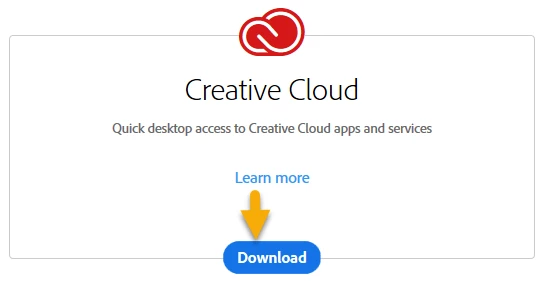
2) You will find you can download trials of many programs but just go to the 'Creative Cloud' option and download it.
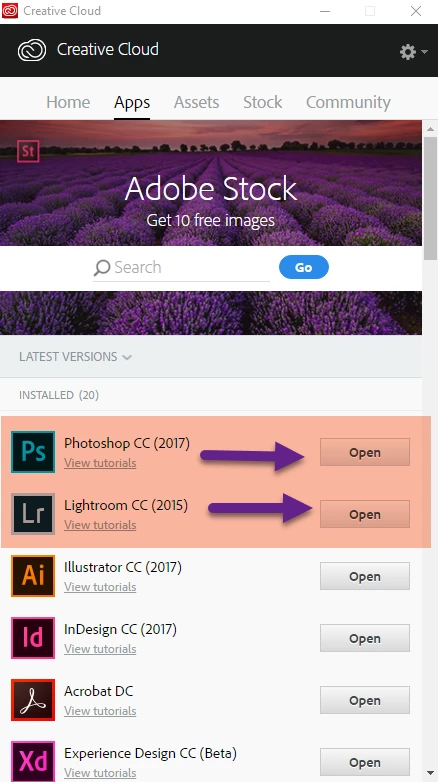
3) This will install the Adobe Desktop app on your computer. It will look like below except the buttons next to the programs will read 'install'
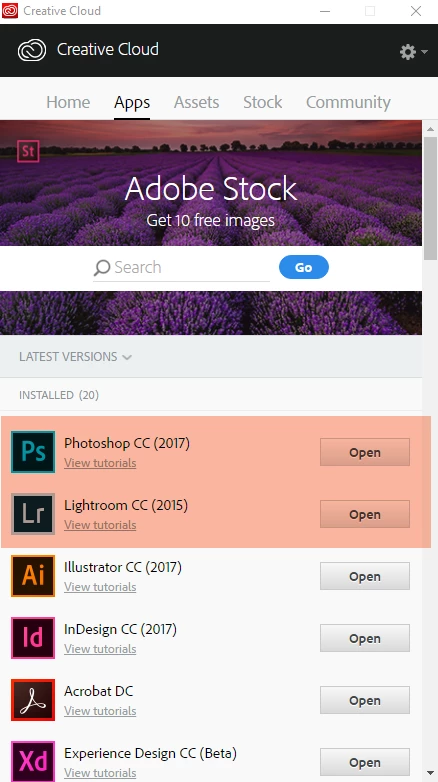
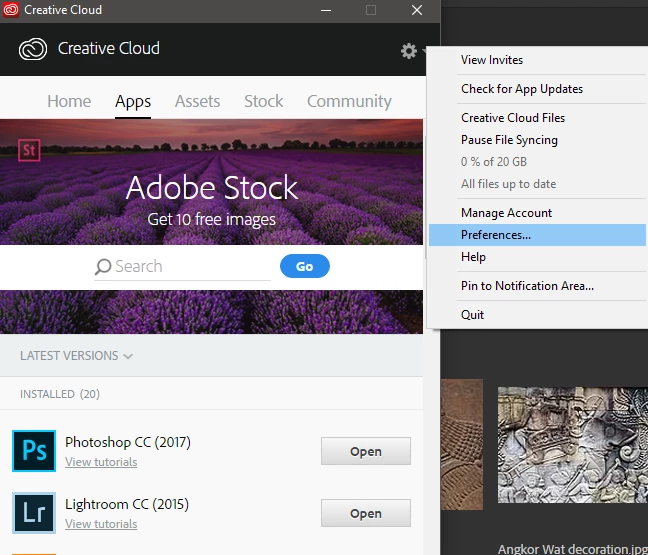
4) Don't click the buttons yet , but instead go to the gear cog on the top right corner and from the pull down and choose 'Preferences'
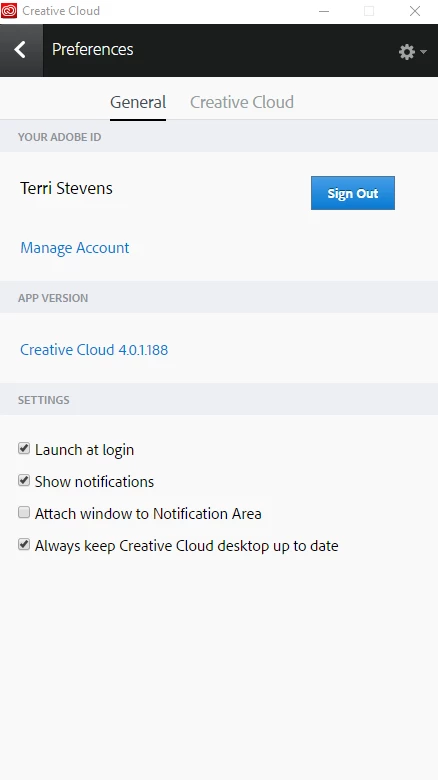
5) In the 'Preferences' window click on the button, yours will probably say 'Sign in' Enter the name and password you used when you bought the 'Photographic Plan' and that should sign you in.
6) Now go back to the 'Apps' section of the desktop Application and click the buttons next to Photoshop and Lightroom. Your buttons will be marked 'Install' not 'open as with my copy.
Your programs should now download and install. You can if you want install the other programs but as you have just bought the Photographic plan and not the entire suite they will install only as seven day trials.

2 replies

Terri Stevens
Terri StevensCorrect answer
Legend
May 6, 2017

This should be automatic but something seems to have gone wrong as it sounds as if the programs have not downloaded. If they have and the 'Desktop Application' is on your desktop then just follow what Derek suggested-otherwise do this

1) Go to your local Adobe site. I cannot give you a URL as it's country dependent. You'll see in the banner an item marked 'Free Trials'

2) You will find you can download trials of many programs but just go to the 'Creative Cloud' option and download it.

3) This will install the Adobe Desktop app on your computer. It will look like below except the buttons next to the programs will read 'install'

4) Don't click the buttons yet , but instead go to the gear cog on the top right corner and from the pull down and choose 'Preferences'

5) In the 'Preferences' window click on the button, yours will probably say 'Sign in' Enter the name and password you used when you bought the 'Photographic Plan' and that should sign you in.

6) Now go back to the 'Apps' section of the desktop Application and click the buttons next to Photoshop and Lightroom. Your buttons will be marked 'Install' not 'open as with my copy.

Your programs should now download and install. You can if you want install the other programs but as you have just bought the Photographic plan and not the entire suite they will install only as seven day trials.

Derek Cross
Community Expert
Community Expert
May 6, 2017

Try logging off and on again from the Creative Cloud appl.