
Answered
Move Ps CC/Lr Classic/LR CC 2018 to another Drive
The problem is: my C.: drive is full. (118 GB)
My Data drive is 931GB with 860 GB Available.
Can Photoshop be moved to my DATA DRIVE,?
The problem is: my C.: drive is full. (118 GB)
My Data drive is 931GB with 860 GB Available.
Can Photoshop be moved to my DATA DRIVE,?
You really need to find out what's taking up the space on your C Drive and free up some space
You can't just move the Photoshop and Lightroom folders to the data drive it's just not possible, even if you did you would only be recovering about 6GB of space
Install this and run it on the C Drive it will show you what's using up all the space
Also run Disk Cleanup in Windows
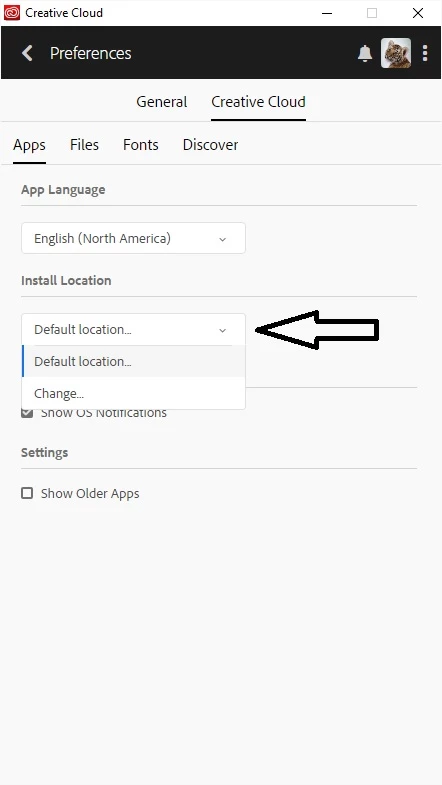
You can of course change the installation location to another drive during the install process
Already have an account? Login
Enter your E-mail address. We'll send you an e-mail with instructions to reset your password.
 AdChoices