Answered
Move Tool keeps switching to a different layer
It's driving me crazy. The only way for me to move the current layer is to use the arrows. Using the mouse or trackpad moves ANOTHER, unselected layer.

It's driving me crazy. The only way for me to move the current layer is to use the arrows. Using the mouse or trackpad moves ANOTHER, unselected layer.
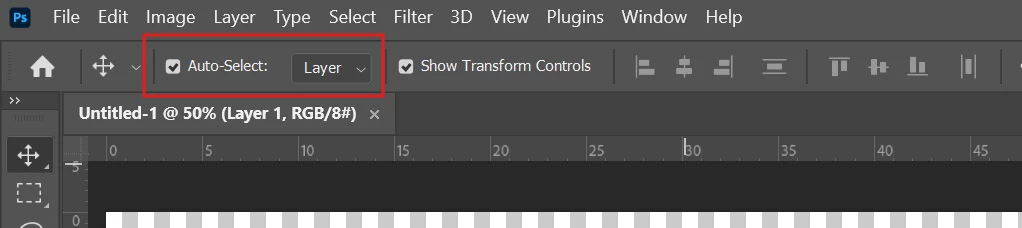
Could you please check if Auto-Select > Layer is enabled? To do this, activate the Move tool and look in the Options bar. If it is on, kindly turn off Auto-Select (uncheck). Thank you.
Already have an account? Login
Enter your E-mail address. We'll send you an e-mail with instructions to reset your password.
 AdChoices