
adam_c
Participating Frequently
November 8, 2019
Question

Move tool not working, creating a select marquee

  • November 8, 2019
  • 4 replies
  • 10563 views

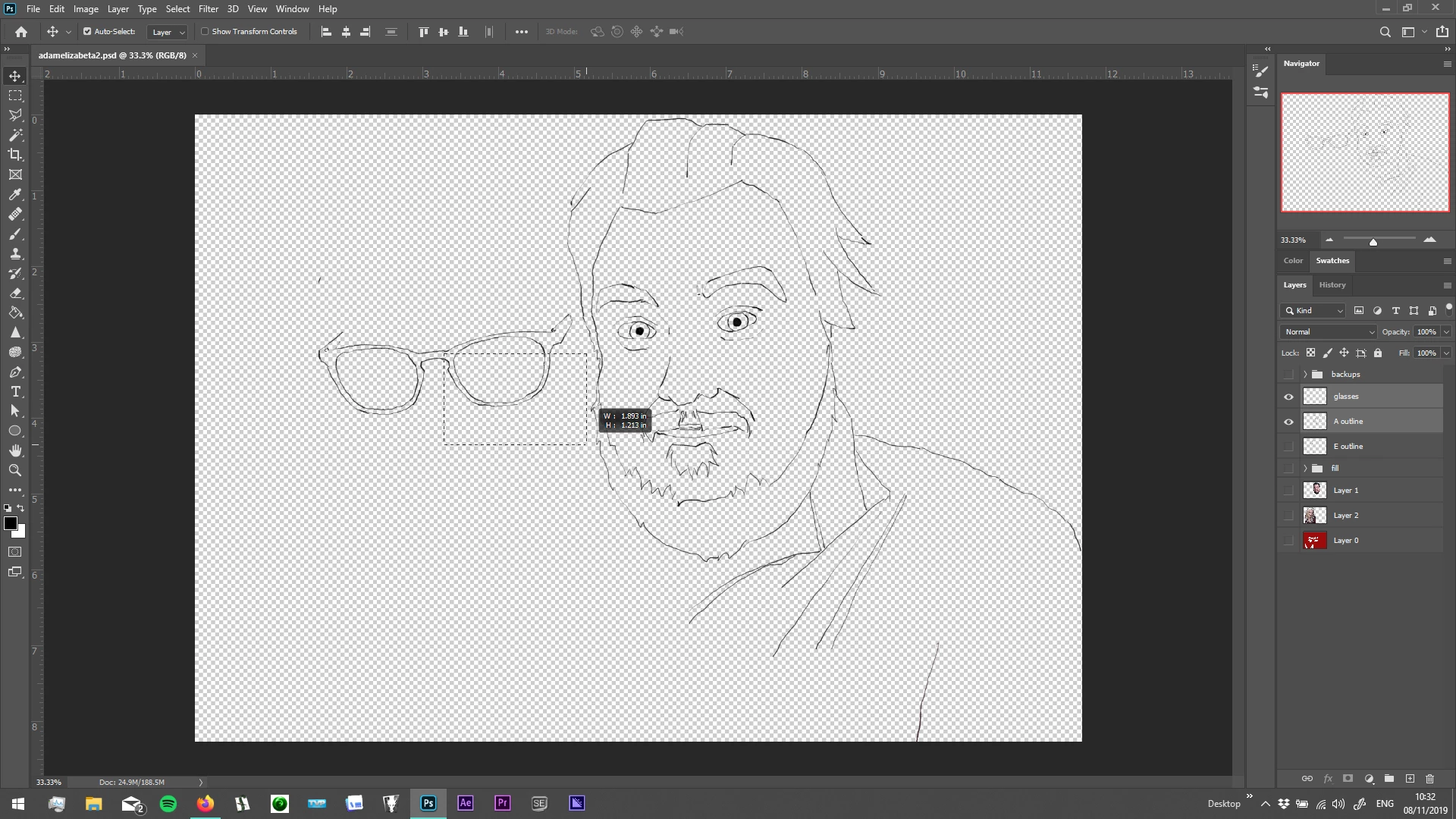
Hi all, I have an issue with using the move tool. Every time I try to use it, it just creates a 'select' marquee (see picture below). I thought it was a tablet issue but it's also doing it with just using my trackpad or other mouse.


I have recently updated to PS 2020 version, although the issue was present before the update in 2019 version. Have also recently had some Windows updates, so perhaps something to do with that?


Tried a few different things but nothing seems to work... Any ideas??


Thanks!
 

4 replies

Pixel Ape
New Participant
February 4, 2023

very late response i know, but if helps anyone else, make sure no layers are locked, it resolved my same problem anyhoo

New Participant
November 15, 2021

Uncheck the "Auto-Select" checkbox next to the "Layer/Group" dropdown.


davescm
Community Expert
November 10, 2019

Is your Ctrl key stuck ? That is the expected behaviour with a Ctrl key held down


Dave

New Participant
May 1, 2020

Nope. Fricken' move tool is pooched in new version on PC. 
And the scale/shift reversal thing is just ANNOYING AS HELL. WTF were they thinking?

So now I can't shift/alt/drag: dupe an object/layer whatever any more either. Another no brainer down the drain.

I almost prefer GIMP now.

davescm
Community Expert
May 2, 2020

"............move tool is pooched in new version on PC. "

Works fine here with v21.1.2 on Windows 10


"And the scale/shift reversal thing is just ANNOYING AS HELL".

So change it back with Preferences > General >Use Legacy Free transform


"So now I can't shift/alt/drag: dupe an object/layer whatever any more either"

I can here, just make sure you hover over the object and see the double arrow cursor


Dave


November 8, 2019

Hi

Looks to me like you're not selecting any pixels

adam_c
adam_cAuthor
Participating Frequently
November 8, 2019

Hi Ged, thanks for the reply! So it looks like you're right as I can zoom right in and the move tool works okay when I make sure the first pixel I click on is on content. However, this is different to how it would work before - the move tool used to let me move a layer even when I clicked on an 'alpha' pixel? Could this be a toggled setting or something I may have accidentally clicked? At least it's not an intrinsic bug or something!