
Moving and resizing a selection
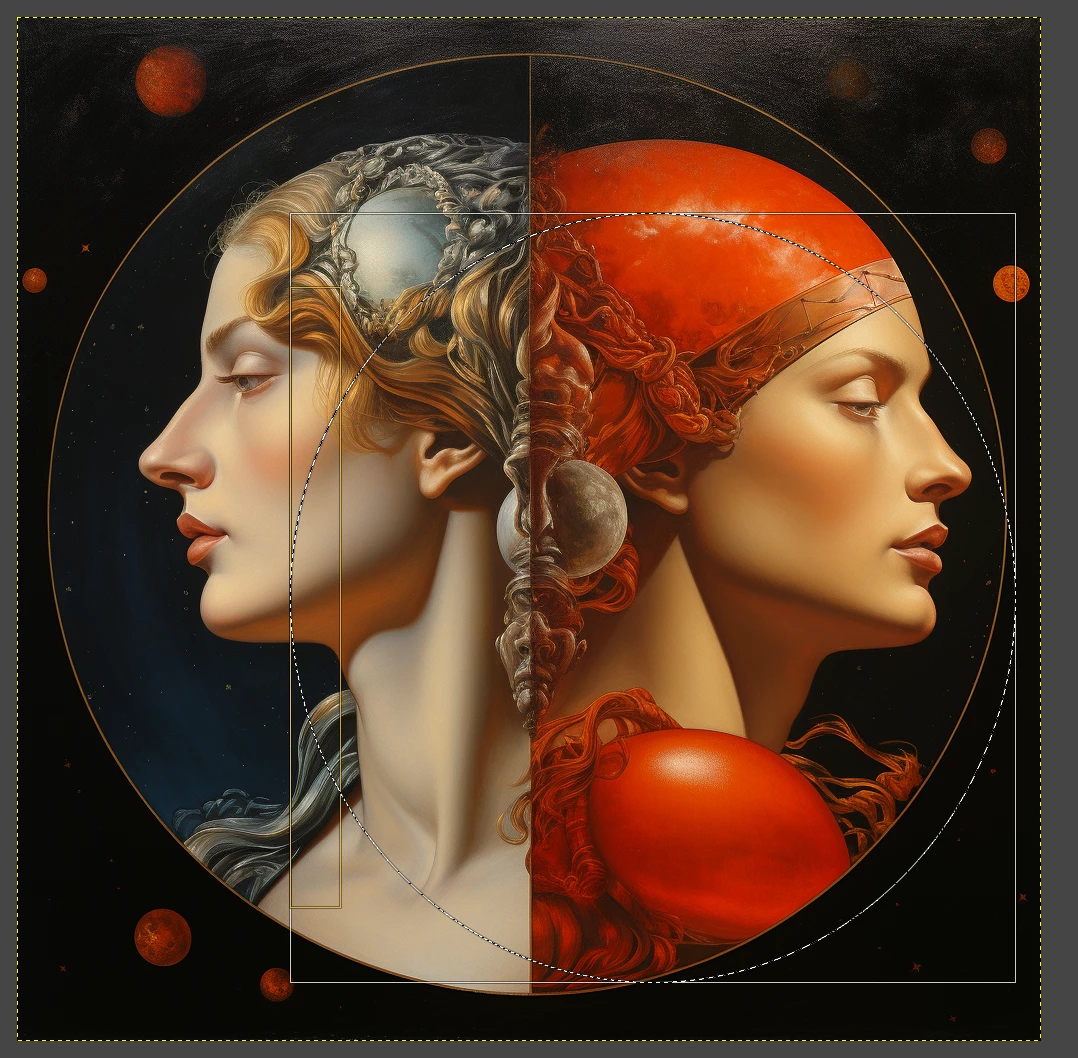
Here's an image - you can see there's an orange circle around it (part of the image), and I'd like to be able to make a circular selection so I end up with an image that's circular, with the bits outside the circle either white or transparent. This screenshot shows how I currently do it in GIMP - I make an approximate circle/ellipse selection, then just drag handles to make the selection bigger, move the selection on and so on (the screenshot is from GIMP and shows the marching ants and the handles).
I can't find the same functionality in Adobe Photoshop. If I don't get my selection exactly right first time, I just have to start over. I can see there's a "Select | Modify | Expand" option, but that needs me to specify a number of pixels, and doesn't give me the result I'm looking for. I just want to be able to move the marching ants and make the circle bigger/smaller - surely there has to be a way of doing this? I can't see anything in the tutorials, though.
 AdChoices