Moving Groups/Layers Creates Visual Issues; 3D workspace not working
Over the last few weeks my Photoshop (version 22.5.1) has started to act strangely, giving me a series of visual issues on my files when moving objects.
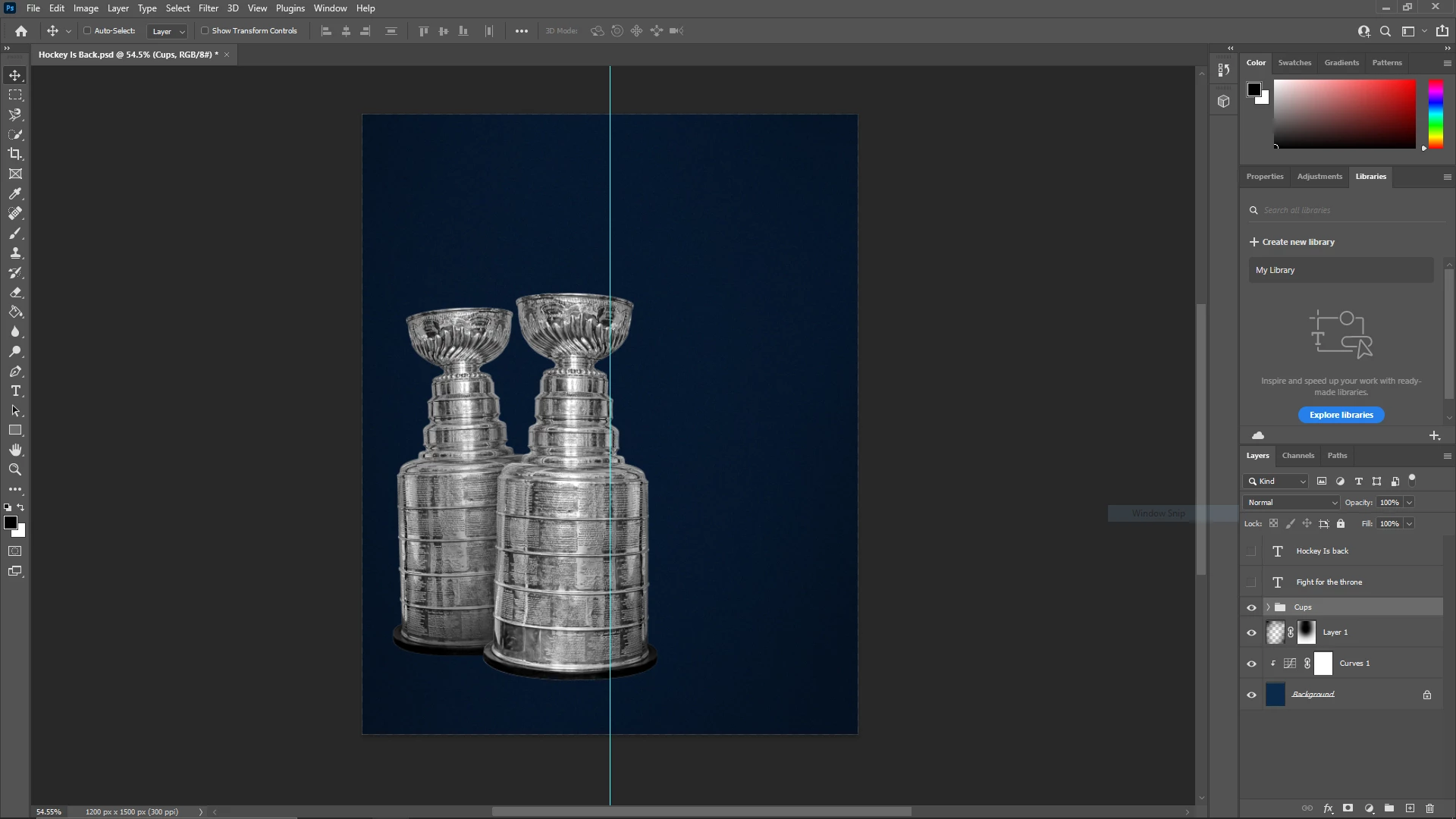
This screenshot was taken before making any moves, note that I have the group containing both trophies and their adjustments selected
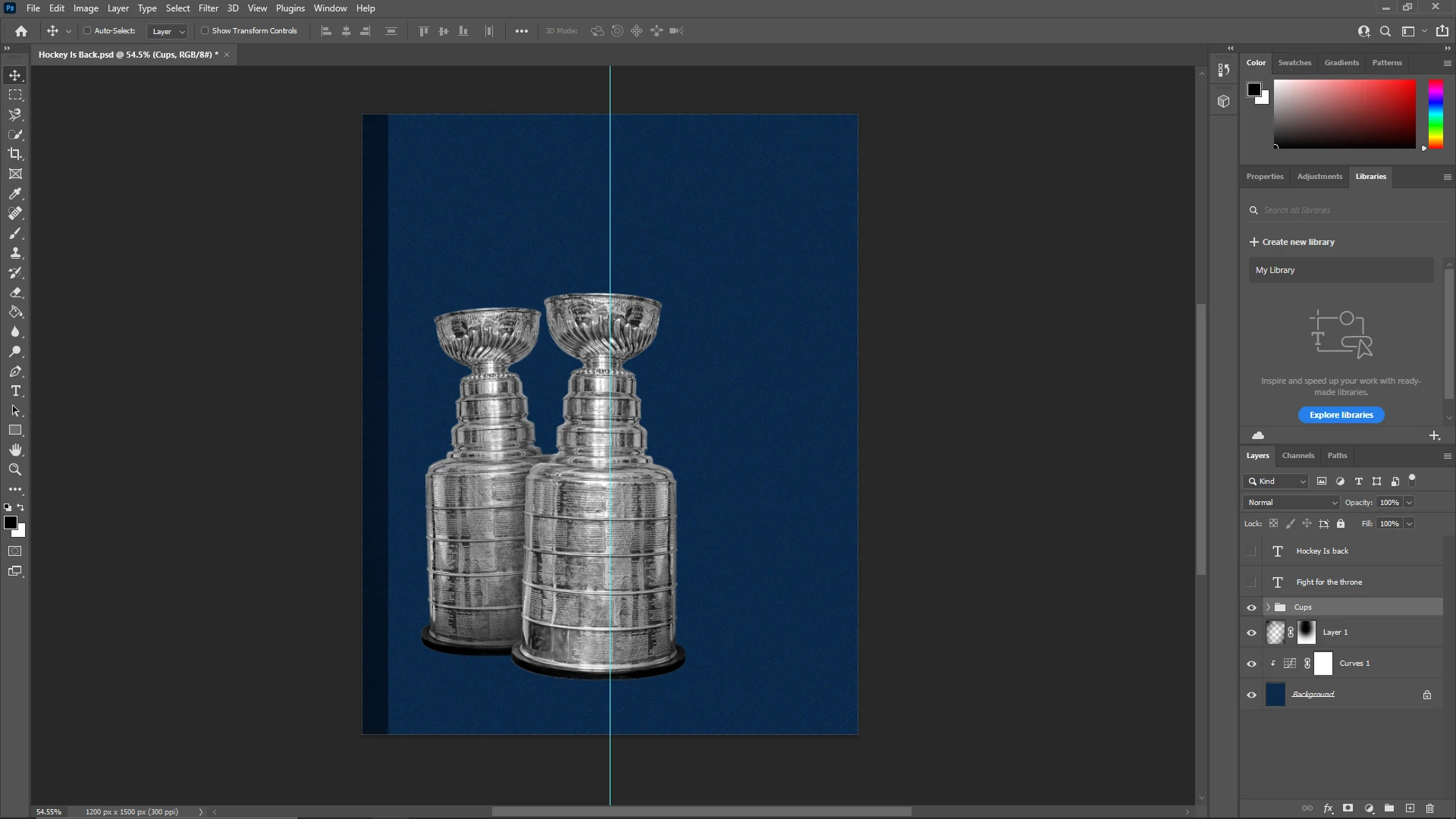
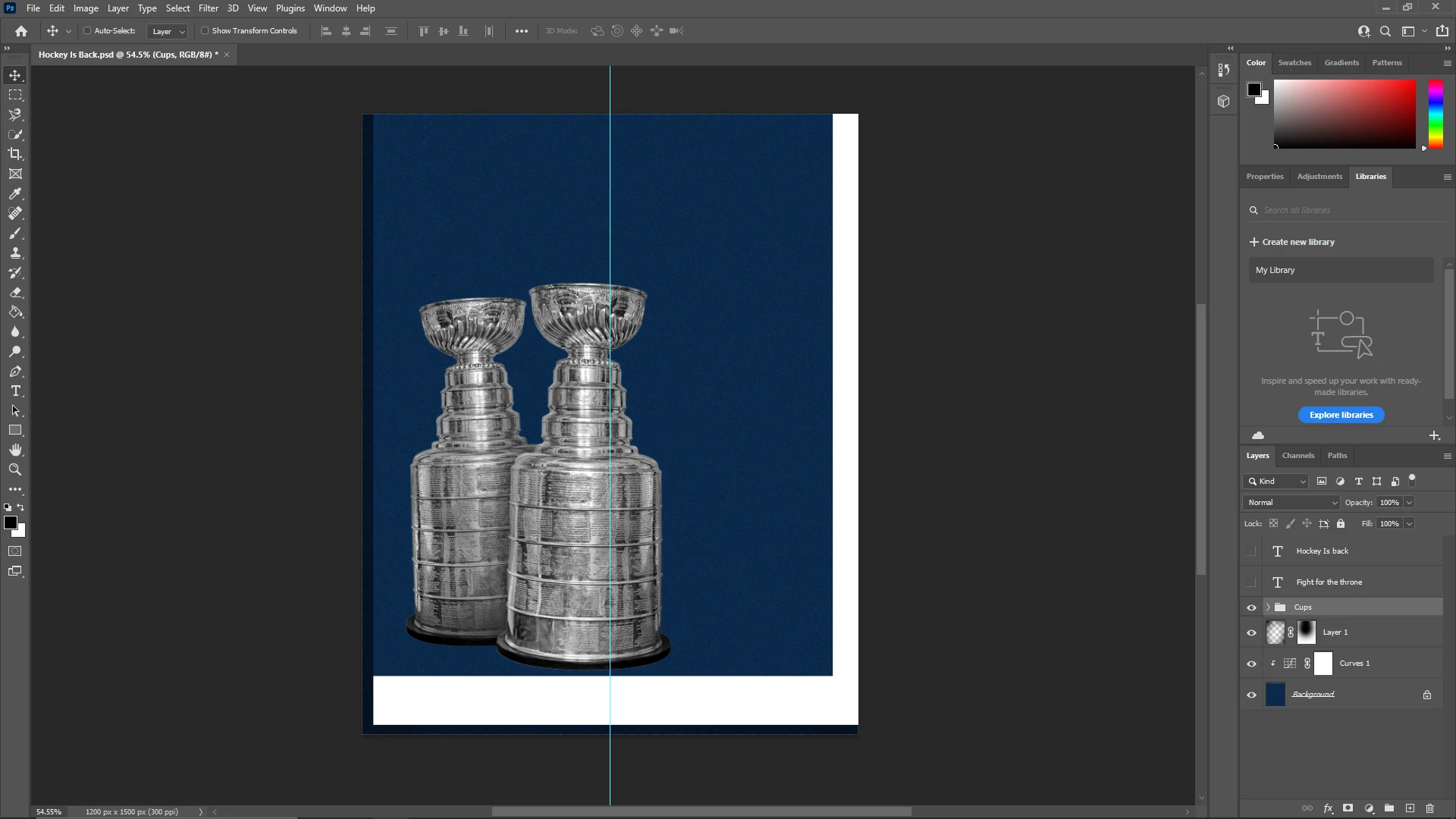
This is what happens when I make any type of transformation while moving the groups. Even individual groups (opposed to groups containing subfolders) give this type of effect, as if it turned the entire selection into a giant rectangular JPEG and overwriting any layers underneath it.
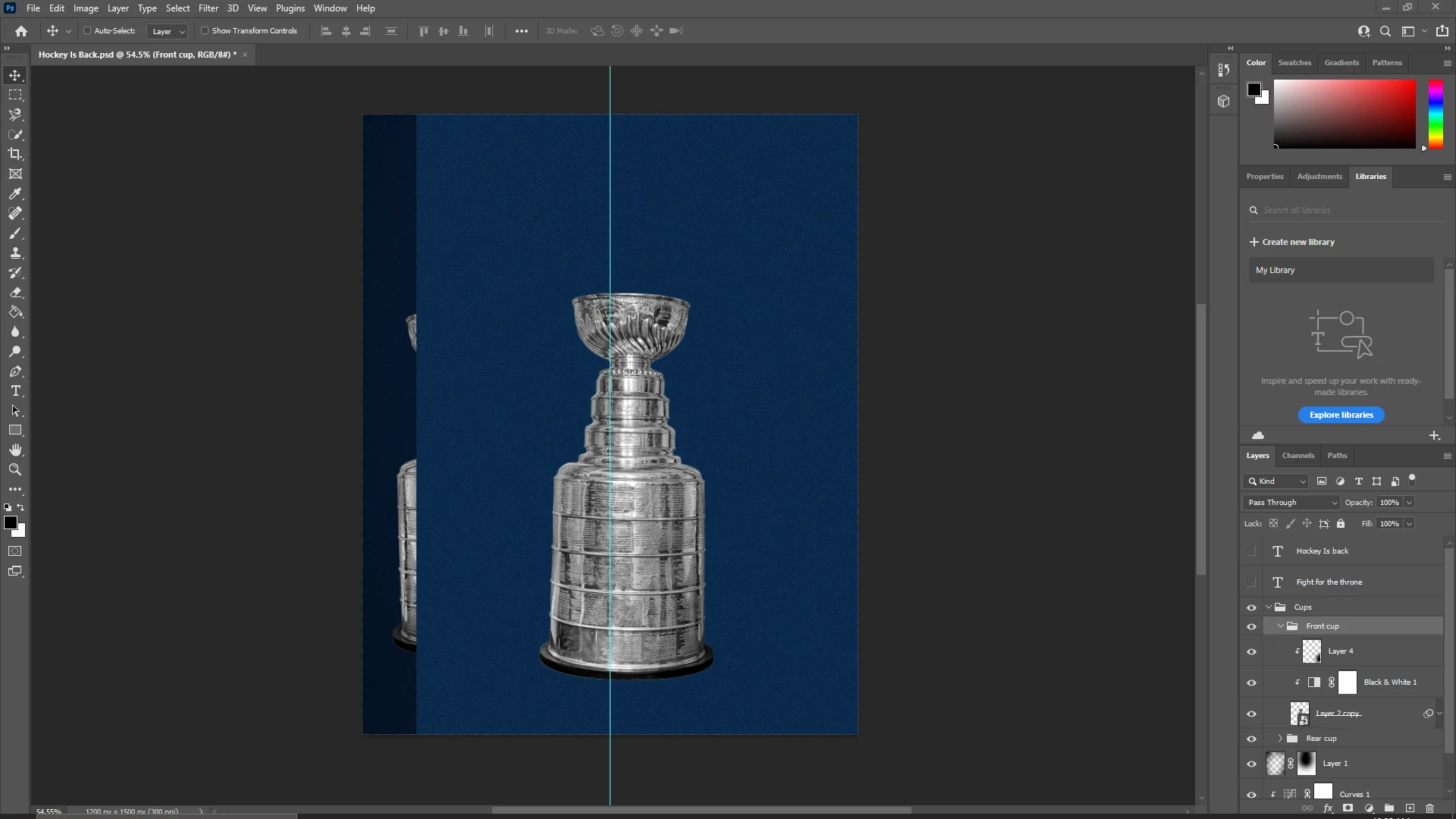
The only solutions I know around this are to hide the layer and then make it visible again; and to zoom in and out of the picture, but these are more of a temporary solution than they are a permanent fix.
My 3D workspace also fails to produce any extrusion depth changes, or camera rotation changes, and I don't even get the proper workspace to do so even after changing to a 3D workspace.
At this point I have tried deleting preferences, disabling and re-enabling the usage of a graphics processor in preferences, reinstalling previous versions of Photoshop, updating my GPU to the most recent available drivers, reseating my ram modules and GPU only to come back to the same effect time after time. The only other possible solution I can think of is wiping my PC and attempting to reset Windows, otherwise I'm out of ideas. I've also attached another image of a visual bug I experienced when attempting to resize a blank canvas.
Please help, any solution would be greatly appreciated.
Version of PS: 22.5.1;
OS: Windows 10; Version 20H2
CPU: Ryzen 7 5800X @ 3.80 GHz;
RAM: Corsair Vengance LPX @ 3200 MHz;
Graphics Card: Nvidia RTX 2060 Super 8 GB
 AdChoices