Participant
June 22, 2020
Question

moving layer creating duplicate error

  • June 22, 2020
  • 11 replies
  • 1986 views

Hello,


I've updated to 2020, I'm having trouble when I am moving layers.

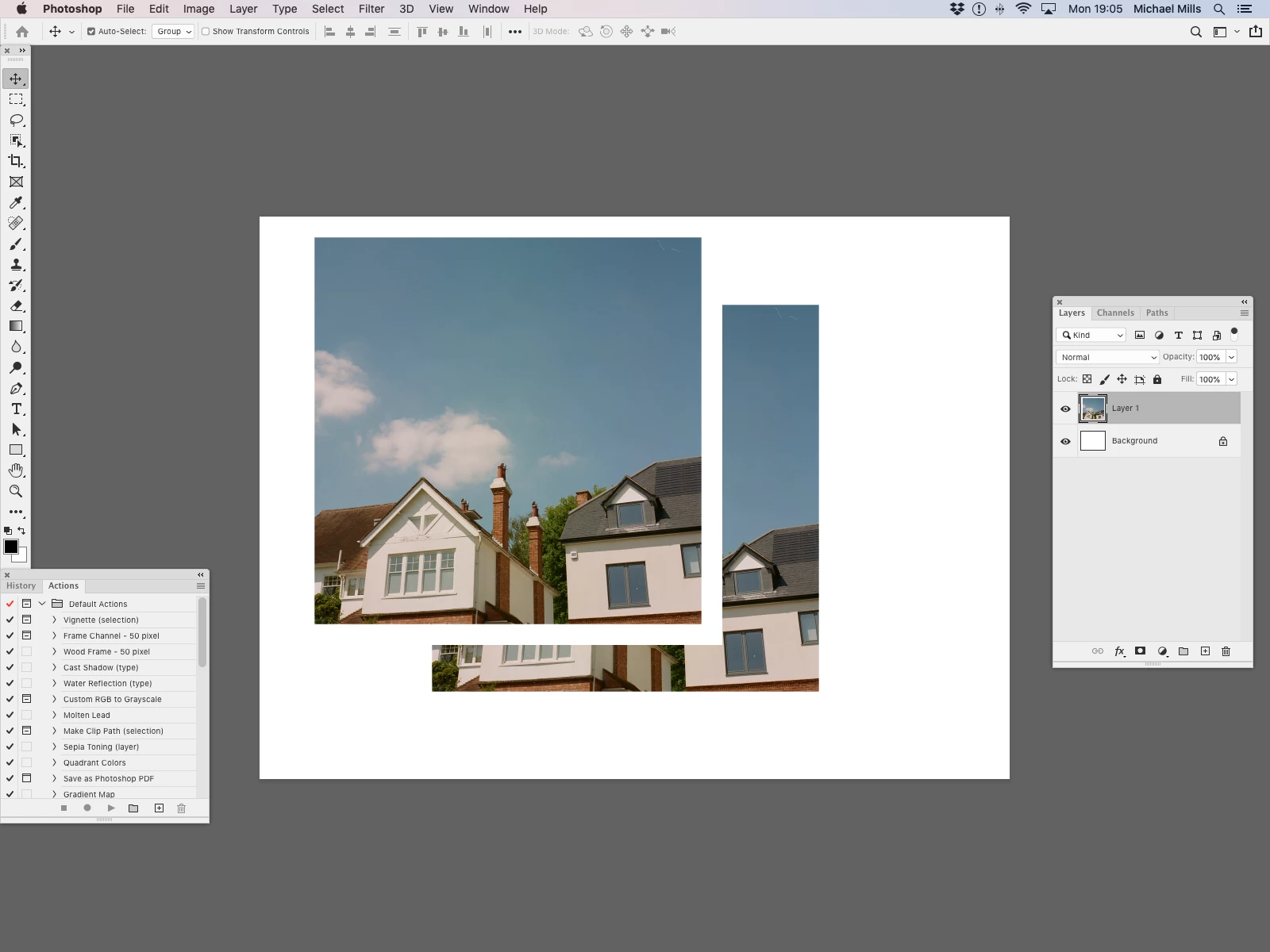
Each time I move my layer/object, another duplicate is left in the space it has moved from. This isnt actually a layer just a frozen image. It's just stuck there.


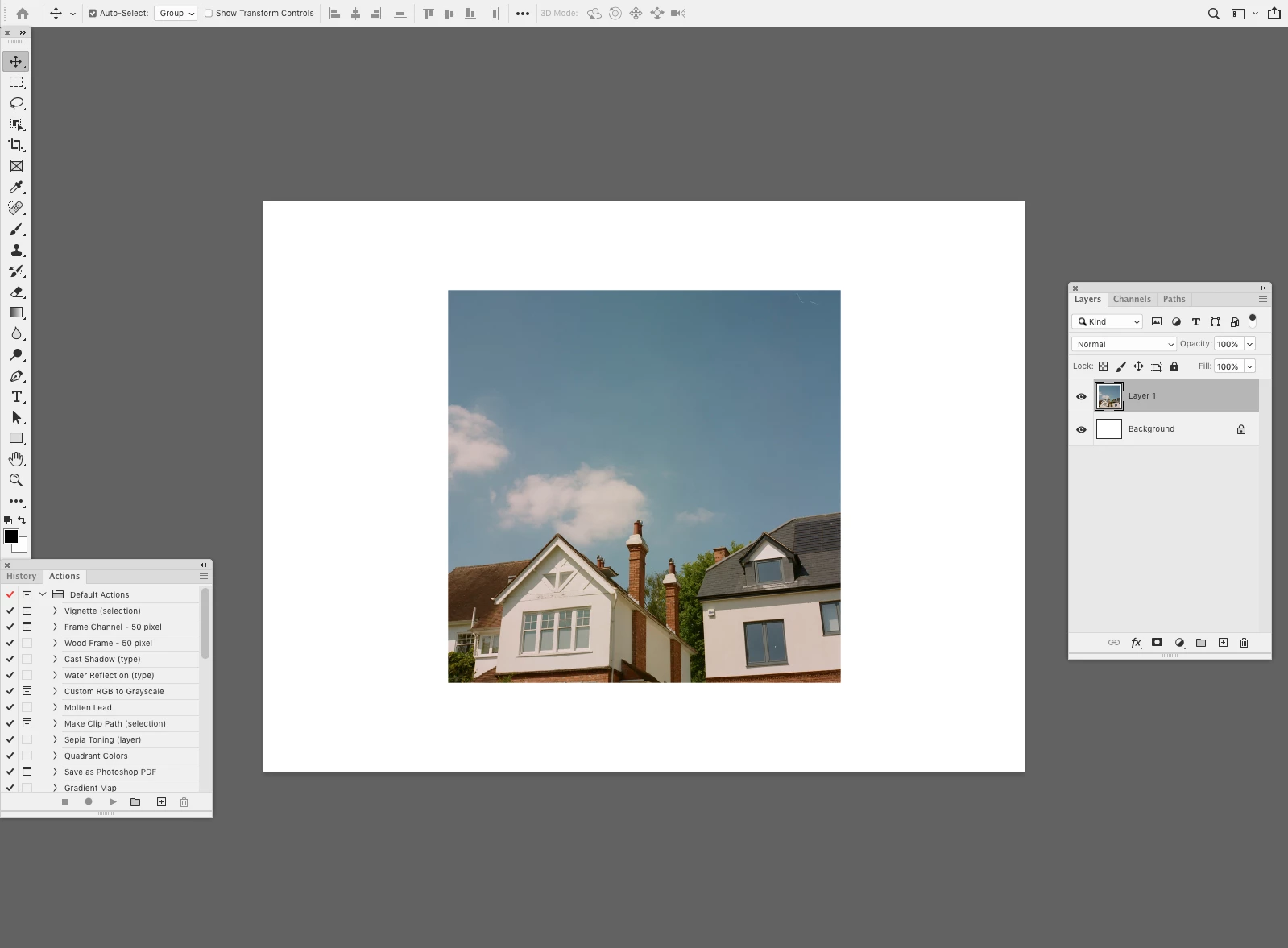
I'm having difficulty explaining, and therefore searching for anything to resolve this problem. So the screengrabs below hopefully outline the issue. The leftover image after the move wont disappear.


Thanks


This topic has been closed for replies.

11 replies

Participant
July 28, 2020

I was having this problem too. Everytime I moved an element, it would leave a duplicate of the element behind. I just updated Photoshop and this has solved the problem. Out of curiosity, I checked preferences and saw under "Performance" that the "Legacy Compositing" button is, infact, still checked. I'll try unchecking it if I get any further problems but for now, I'll leave it checked since everything seems to be working properly again.

PECourtejoie
Community Expert
Community Expert
July 23, 2020

Hi, please try to update to 21.2.1, as one of the listed bug fixes is for this very problem, and please report if it worked: https://helpx.adobe.com/photoshop/kb/fixed-issues.html#photoshop-desktop-fixed-issues

Participant
July 15, 2020

Thanks, that worked for me!

July 14, 2020

Hello i have the same issue .I've searched for solutions online but no luck. 먹튀검증

Sparkler31
Participating Frequently
July 14, 2020

This worked for me as Glennr26233003 suggested

 Have you gone in under PS preferences and Clicked "Off" the Legacy Composite check-box? I was having the same issue and this solved it instantly

Participant
June 25, 2020

Have you gone in under PS preferences and Clicked "Off" the Legacy Composite check-box? I was having the same issue and this solved it instantly

Sparkler31
Participating Frequently
June 26, 2020

Thanks I will give that a try!

Sparkler31
Participating Frequently
June 25, 2020

I too am having the same problem, so happy I am not alone in this issue. It is very annoying. 

dukenegro
Participant
June 23, 2020

same issue in CC Spanish version. even freezes when moving a simple text layer....frustrating!

Sparkler31
Participating Frequently
June 25, 2020

Yes same issue with text as well. 

StuMed
Participating Frequently
June 23, 2020

If i wasn't bald I would be, this is so frustrating! I have tried so much to rectify this and there is nothing out there. 

Participant
June 22, 2020

I'm having the same issue. It is driving me crazy! Please fix ASAP.

June 22, 2020

I'm having the same issue. I've searched for solutions online but no luck.