
Participant
August 10, 2021
Answered

Moving objects

  • August 10, 2021
  • 3 replies
  • 301 views

Hello,


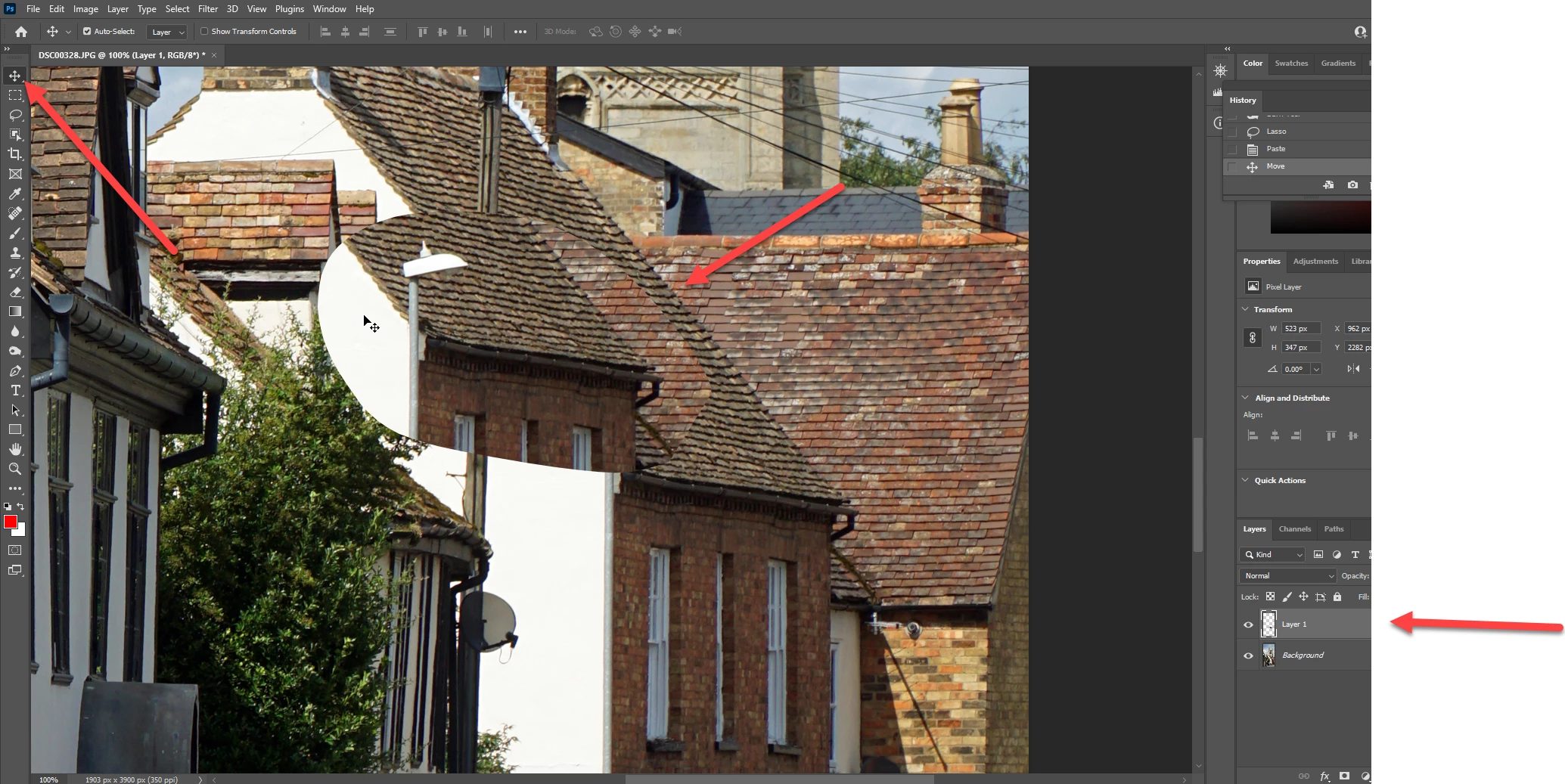
Very new to Photoshop and I have a very basic problem.  I have selected an object of photo that I want move.  I have move it, but cannot seem to make it be placed in the new area.  Its just sitting there in the new area still selected and a blank space where I moved it from.  How do I complete the move?
This topic has been closed for replies.
Correct answer Abambo

Copy Paste to a new layer (Ctrl/CMD+C; Ctrl/CMD+V). You can move the new layer then using the move tool and having the layer selected.


3 replies

Abambo
Community Expert
AbamboCommunity ExpertCorrect answer
Community Expert
August 10, 2021

Copy Paste to a new layer (Ctrl/CMD+C; Ctrl/CMD+V). You can move the new layer then using the move tool and having the layer selected.


ABAMBO | Hard- and Software Engineer | Photographer
Caine5E1BAuthor
Participant
August 10, 2021

Geez! Thank you!
*Thank You,*

Personal information removed by Moderator

Ged_Traynor
Community Expert
Community Expert
August 10, 2021

Hi

Just hit Ctrl/CMD + D to deselect