
Participant
July 27, 2017
Resuelto

Multiple glyphs for one letter

  • July 27, 2017
  • 2 respuestas
  • 619 visualizaciones

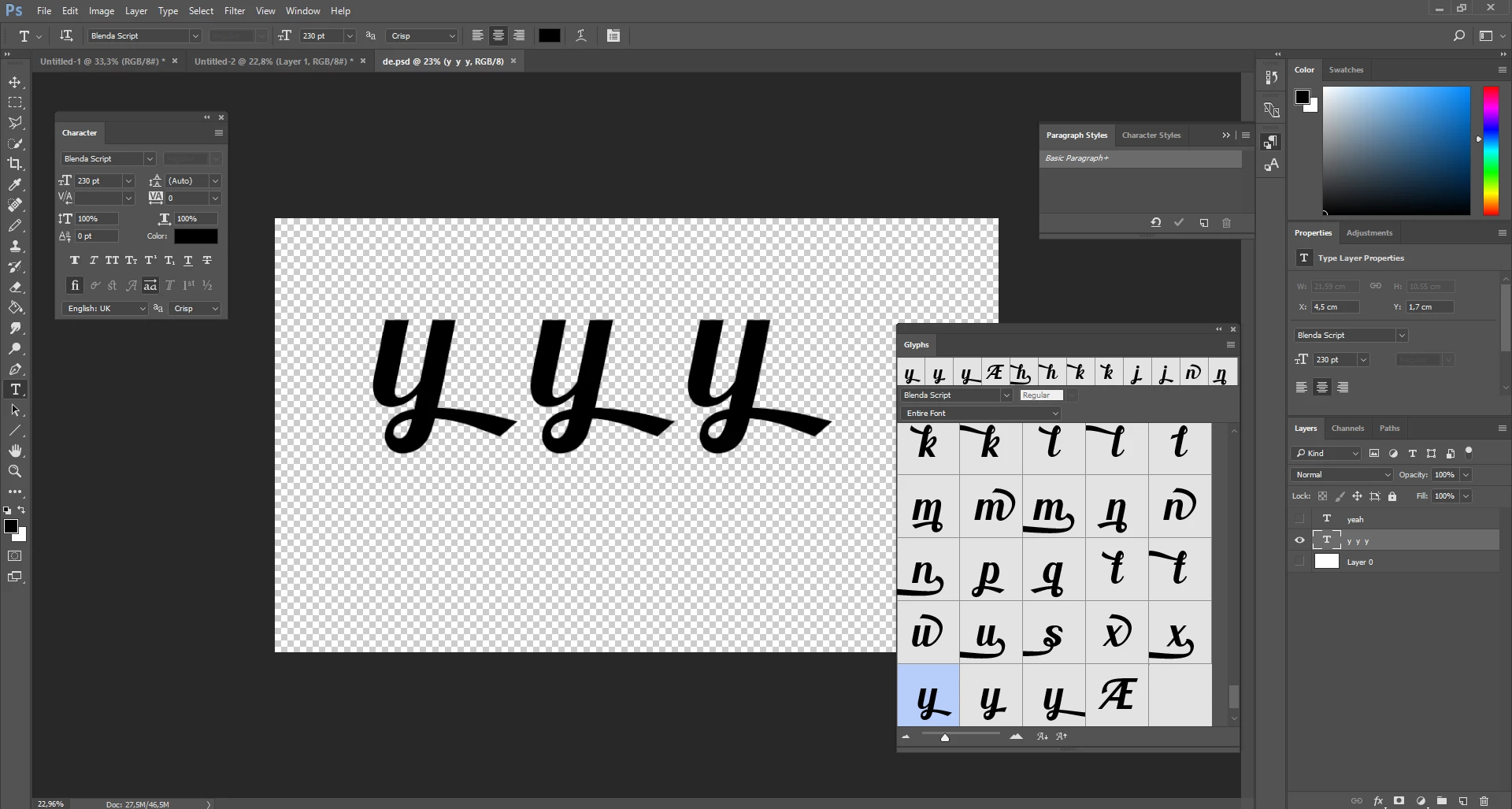
I installed a font called Blenda, which has 3 different glyps for the letter y. However, I can only manage to get one of them working. Whenever I press any of the other two in the glyphs menu, it just outputs the first one, like in the picture. How do I get the other two working?
Este tema ha sido cerrado para respuestas.
Mejor respuesta de

This font seems to be not only "experimental" as written in the readme file, but also a Beta version. The one y in your screenshot is assigned to the category style variations (or similar), the others not.

In InDesign you can get the different glyphs - Photoshop doesn't like them. Both apps are newest versions. You can't  transfer them with copy & paste. Perhaps Photoshop can't see them - but I don't know why.

Fenja

2 respuestas

Respuesta
August 3, 2017

This font seems to be not only "experimental" as written in the readme file, but also a Beta version. The one y in your screenshot is assigned to the category style variations (or similar), the others not.

In InDesign you can get the different glyphs - Photoshop doesn't like them. Both apps are newest versions. You can't  transfer them with copy & paste. Perhaps Photoshop can't see them - but I don't know why.

Fenja

Sahil.Chawla
Adobe Employee
Adobe Employee
August 3, 2017

Hi Spickle,

Could you please let us know where did you get this Font from?

Regards,

Sahil

SpickleAutor
Participant
August 3, 2017

Hi,

Thanks for your reply.

I downloaded the font from dafont (Blenda Script Font | dafont.com)