

AustralianFloraDesigns
Known Participant
December 7, 2019
Answered

music note icon not showing in my animation timeline?

  • December 7, 2019
  • 4 replies
  • 1801 views

music note icon not showing in my animation timeline? where is it please?


This topic has been closed for replies.
Correct answer davescm

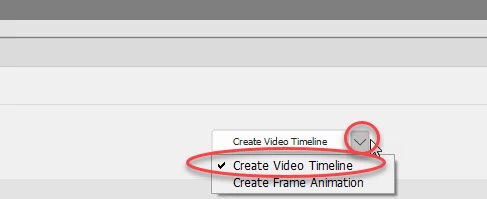
When you first create the timeline , you choose Video or Frame Animation :
 

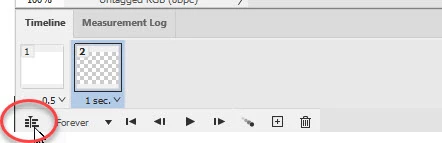
In current versions of CC, if you already have a frame animation timeline you can convert it to a video timeline :
Dave


4 replies

davescm
Community Expert
davescmCommunity ExpertCorrect answer
Community Expert
December 8, 2019

When you first create the timeline , you choose Video or Frame Animation :


In current versions of CC, if you already have a frame animation timeline you can convert it to a video timeline :

Dave


AustralianFloraDesigns
Known Participant
December 8, 2019

right thanks, so, cannot do video timeline in cs6, thanksgoodness for IMovie

davescm
Community Expert
Community Expert
December 9, 2019

No that is not correct.

CS6 has the same video and frame animation timelines as shown in my screenshots of CC (I just fired up an old laptop with CS6 on it to check and be sure)

Dave

davescm
Community Expert
Community Expert
December 8, 2019

As I explained in my previous reply, there are two types of timeline in Photoshop. The video timeline which has the audio track and the frame timeline which does not.

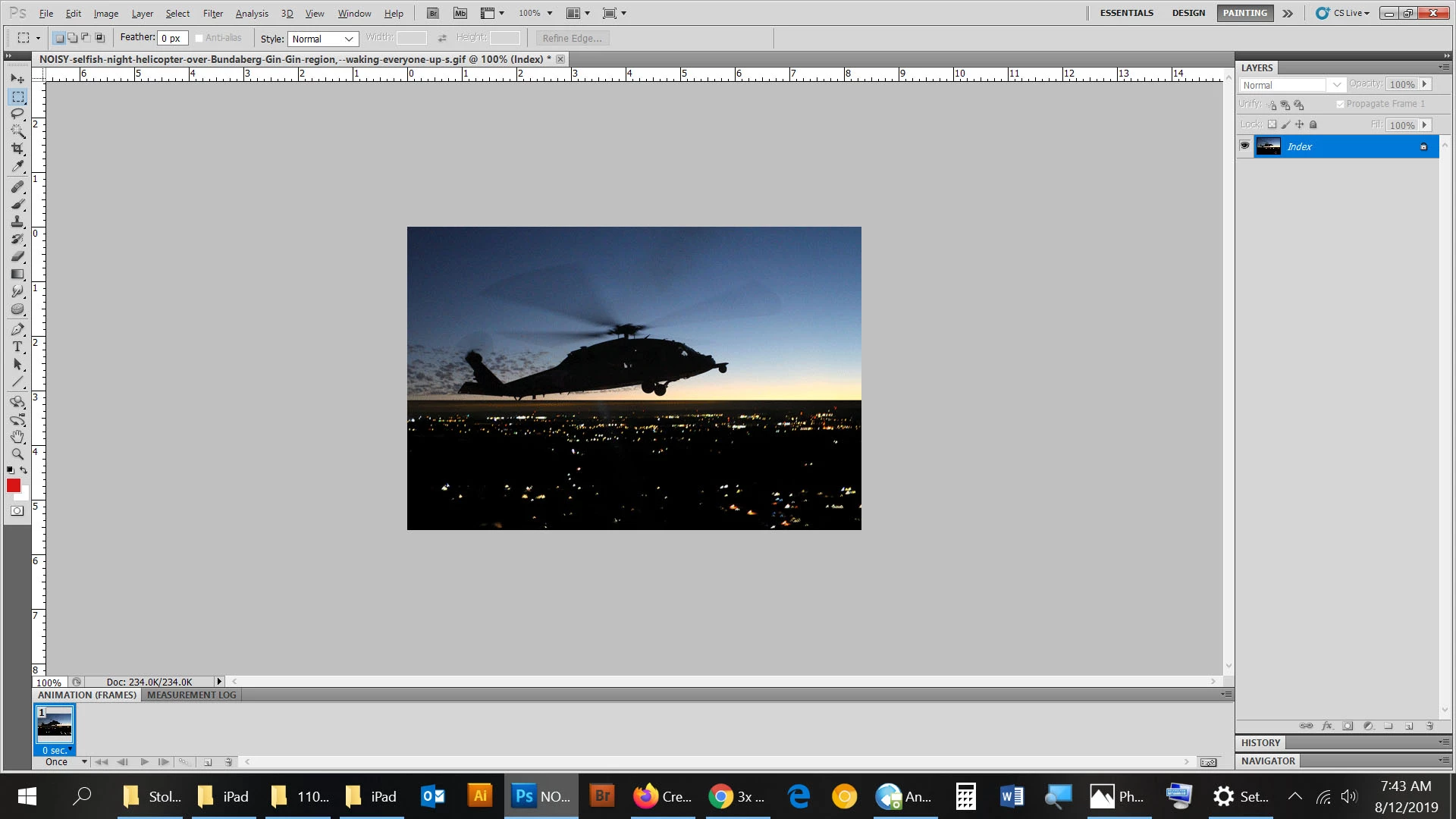
Your screenshot shows a frame timeline which has no audio track capability, and therefore no icon.

Dave

AustralianFloraDesigns
Known Participant
December 8, 2019

so, you are saying I have no video timefame in my version of phototshop? I thought last month a clicked something on the right there, and it showed video, but perhaps not.

davescm
Community Expert
Community Expert
December 7, 2019

Do you mean this?

The audio track is in the video timeline not the frame animation timeline

Dave

AustralianFloraDesigns
Known Participant
December 8, 2019

ah, well, in your screen shot there is a visible audio icon, but in my screen shot there is no audio icon, i will get a closer shot


no audio button to add audio to my gi:


michelew83603738
Community Expert
Community Expert
December 7, 2019

Can you elaborate please. Are you saying you tried to bring in an icon and it wouldn't work? If so, it might be because your current file is Index color. You might try to change the color mode to RGB (Image>Mode). Or do you think that the icon is there? I don't see it in your layer panel. I need more information to help you.

AustralianFloraDesigns
Known Participant
December 8, 2019

mm, no, see below
