Inspiring
August 21, 2023
Question

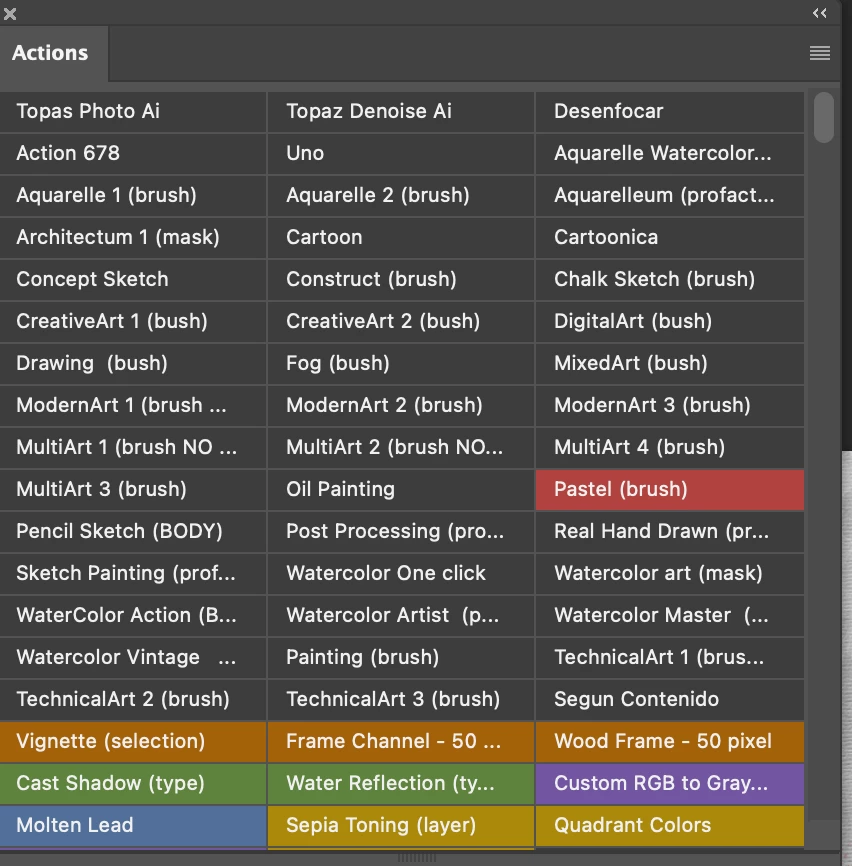
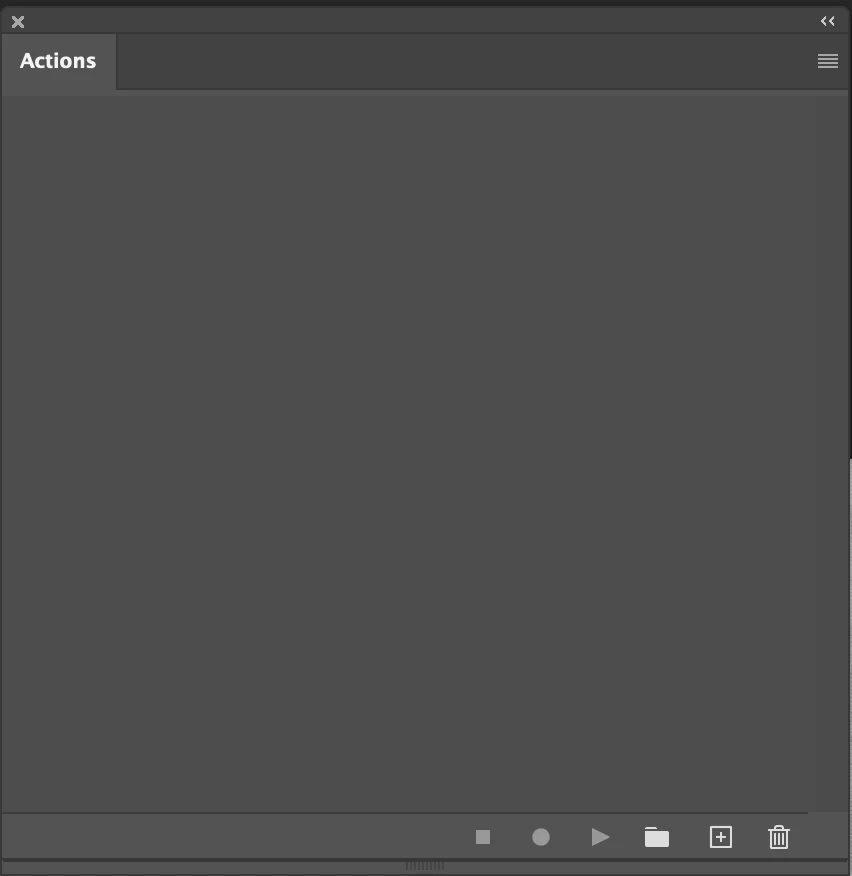
My actions are showed and work fine from button mode, but the list mode have en empty panel

  • August 21, 2023
  • 2 replies
  • 172 views

I control-click the > triing to collapse all, but they all dissapear instead.

so now the actions panel is empty in list mode

I know the actions are there, because they show and work fine from the button mode


Realy need help.
Regards in advance


This topic has been closed for replies.

2 replies

Bojan Živković11378569
Community Expert
Community Expert
August 21, 2023

That is strange. Actions should be visible even when collapsed, you must see action group in the panel.


The only fix that comes to my mind is to try preference reset, manual method to drag folder on desktop. If that does not help drag folder back where it was https://helpx.adobe.com/photoshop/using/preferences.html

Re_p_g_cAuthor
Inspiring
August 21, 2023

"I control-click the > triing to collapse all, but they all dissapear instead.

so now the actions panel is empty in list mode"


it may be option-clic or command-click, can`t remember...

Bojan Živković11378569
Community Expert
Community Expert
August 21, 2023

Alt or Opt + click on expand triangle in front of action group should expand all actions and action steps but when you collapse, action group must be there visible.