
Participant
January 9, 2024
Question

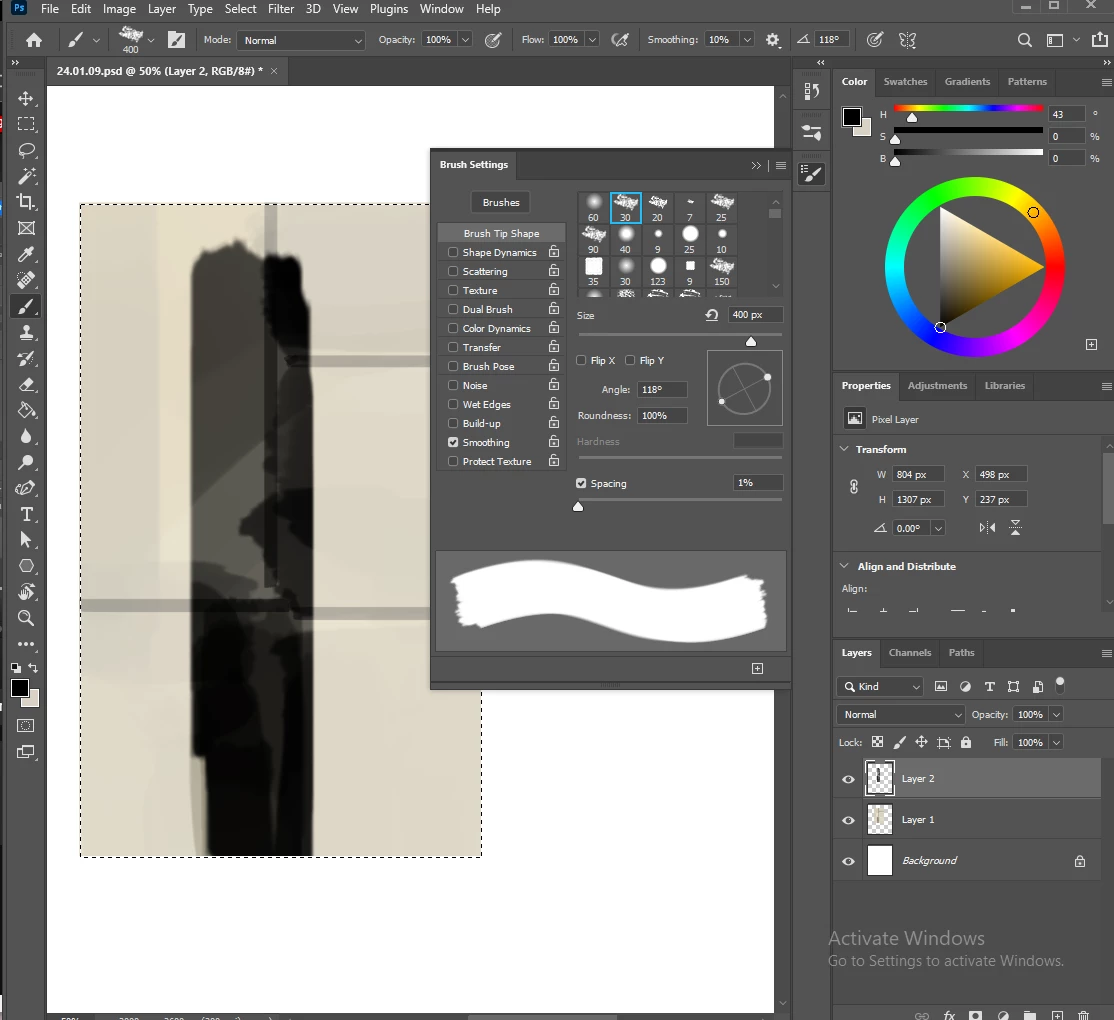
My brush strokes won't reach full opacity, how do I remedy this?

  • January 9, 2024
  • 2 replies
  • 238 views

In the attached image, the vertical dark stroke was done with my mouse, not even my pen tablet, as you can see transfer is turned off. The brush opacity and layer opacity are all at 100%, yet you can still see the layer underneath beneath the stroke.  I'm using version 22.1.1
This topic has been closed for replies.

2 replies

Trevor.Dennis
Community Expert
Community Expert
January 10, 2024

You can only really test issues like this with the plain vanilla presets.

It looks like you are using one of the Chalk presets, and they are sampled at 50% opacity.


Jeff Arola
Community Expert
Community Expert
January 10, 2024

If all the Brushes you try are like that, then i would suggest resetting the Brush Tool by right clicking on the Brush icon in the tool options bar just below Edit and clicking on Reset Tool.


If that doesn't work then photoshop preferences reset may be needed:

https://helpx.adobe.com/photoshop/using/preferences.html