
andrewb63619088
Participant
June 25, 2018
Question

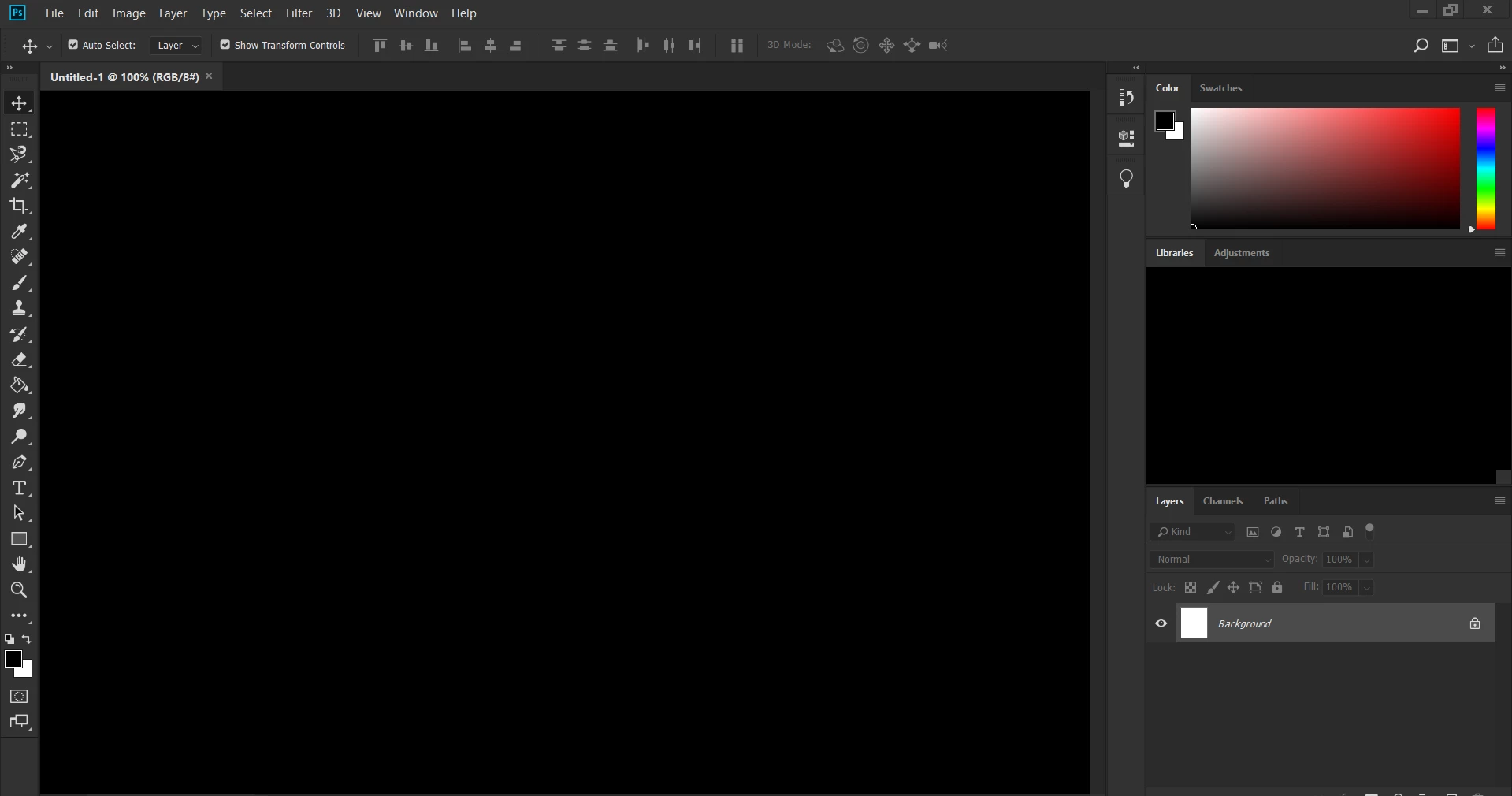
my document doesn't show up when i open it

  • June 25, 2018
  • 3 replies
  • 396 views

This is a little hard to explain but this is what it looks like. Basically, i can edit it but nothing shows up. I can't figure it out and i have tried multiple search terms in adobe help but still can't get anything. P.S. i am used to photoshop cs6 as it is what i learned on in school.
    This topic has been closed for replies.

    3 replies

    Peru Bob
    Community Expert
    Community Expert
    June 25, 2018

    Try updating or rolling back your graphics driver directly from the video card manufacturer’s site.

    Kevin Stohlmeyer
    Community Expert
    Community Expert
    July 10, 2018

    I actually had the same issue come up today in my Photoshop Andrew. I had to reset and rebuild my preferences and it worked from that point on.

    Preferences in Photoshop

    andrewb63619088
    Participant
    June 25, 2018

    sometimes the thumbnail shows the changes but sometimes it doesn't don't know if that helps

    Kevin Stohlmeyer
    Community Expert
    Community Expert
    June 25, 2018

    Forgive me for the simple suggestion, but have you tried:

    Fit to screen magnification

    Turning off the application frame (under Windows menu)

    Hitting "F" to rotate you out of full screen mode?

    andrewb63619088
    Participant
    June 25, 2018

    using windows doesn't have application frame option according to the forums

    Kevin Stohlmeyer
    Community Expert
    Community Expert
    June 25, 2018

    Didn't know you were on Windows.

    What version of windows and PS are you using?