Participating Frequently
August 20, 2020
Answered

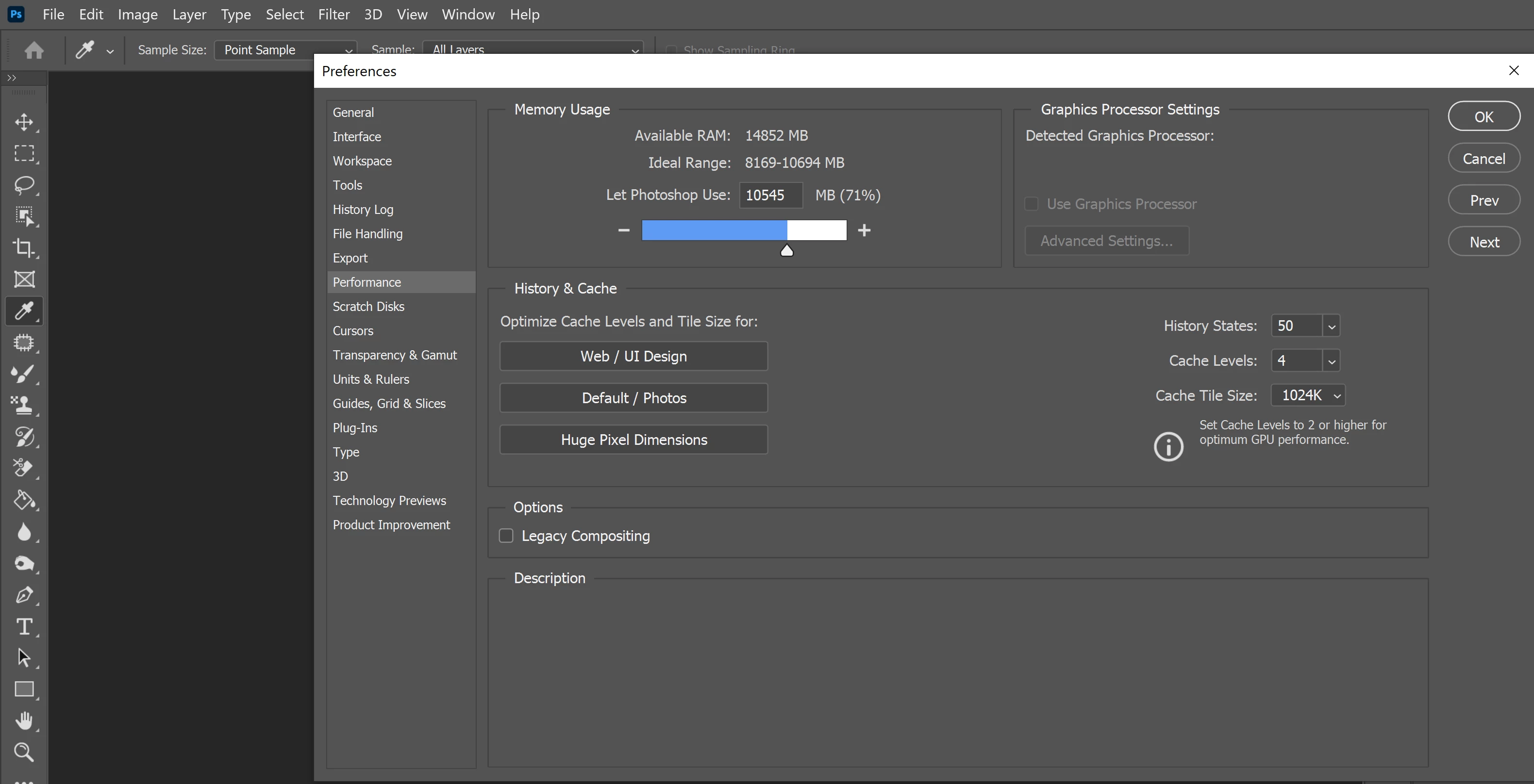
my photoshop cannot find GPU

  • August 20, 2020
  • 2 replies
  • 2781 views

Hi there i have a problem with preferences because my photoshop cannot find my GPU nvidia 1050, i already solve it with support when he put in Nvidia preferences 1050 as set for photoshop. But after one day is back and back again. I tryed reinstal photoshop, all drivers new, last update of photoshop and now, i just dont know what else can i do
This topic has been closed for replies.
Correct answer

Sorry, I provided the wrong link above, it should have been this one

https://helpx.adobe.com/ie/photoshop/kb/troubleshoot-gpu-graphics-card.html#Troubleshoot

Take a look at section 7

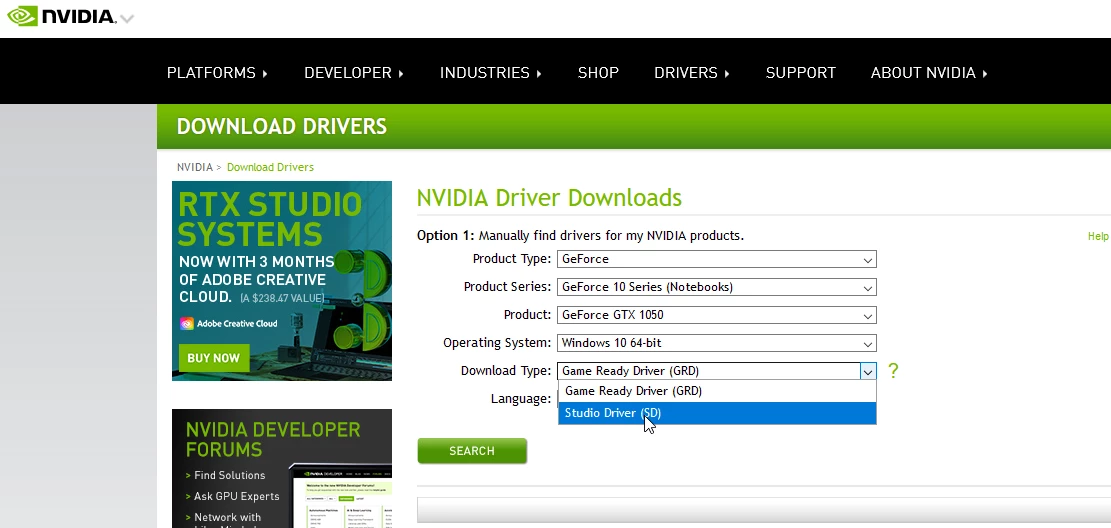
Also try doing a clean install of the Nvidia driver from the Nvidia website

https://www.nvidia.com/Download/index.aspx

Make sure you select the Studio Driver and not the Game Ready Driver

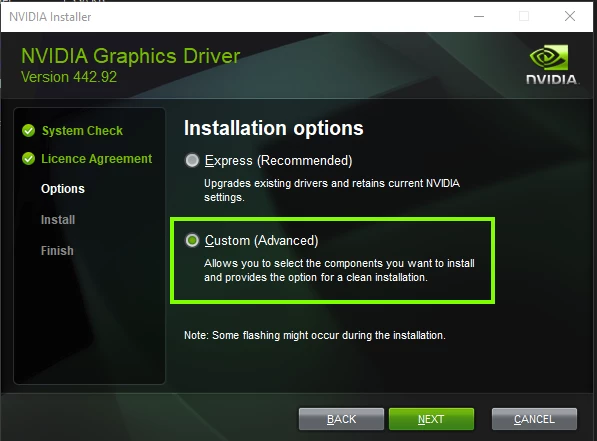
During the install, select custom

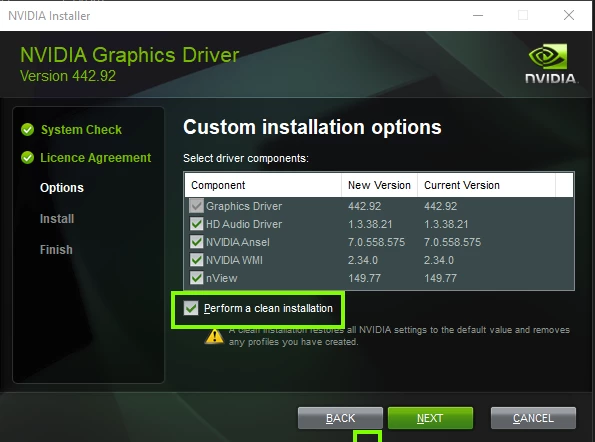
and then select perform clean install


2 replies

Participant
January 8, 2021

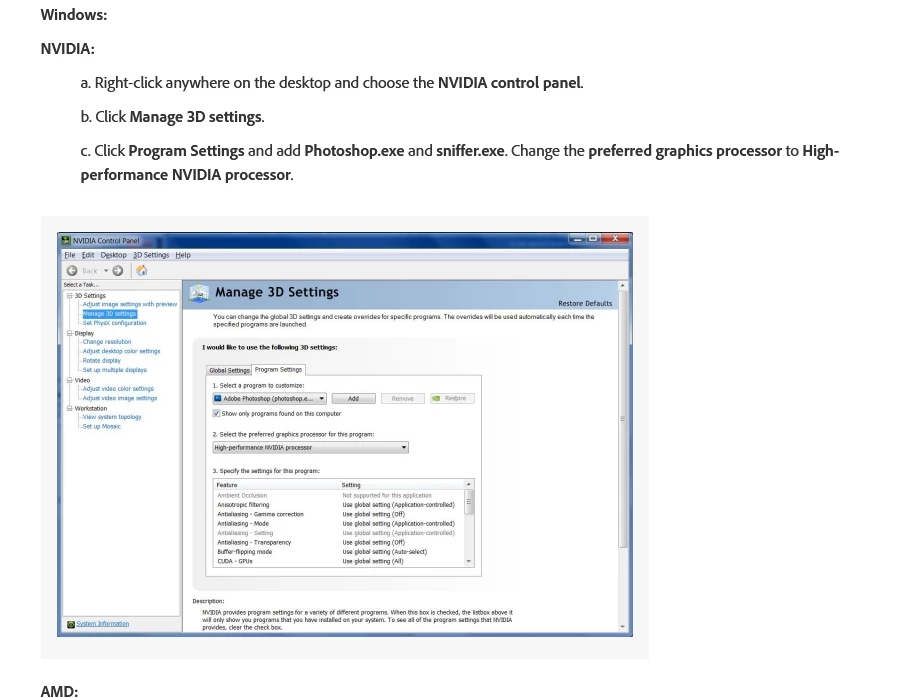
This is not correct for my computer. The Nvidia window has no option for "preferred graphics processor". There is only 1. Select a program: and 2. Specify the settings:

Participant
January 8, 2021

I tried everything in the Adobe multiple GPU pages. No joy. Including disabling my Nvidia graphics card (knocking out my one monitor screen) and just using the onboard Intel HD card. Still blank in Photoshop after reinstalling. Can't find the GPU.

August 20, 2020

Hi

There are issues with version 21.2/22.2.1/22.2.2 not detecting some old and not so old GPU's which I reported here.

https://feedback.photoshop.com/photoshop_family/topics/bug-in-photoshop-version-21-2-not-detecting-o...

Try resetting your Photoshop preferences, you should backup your settings beforehand

https://helpx.adobe.com/ie/photoshop/using/preset-migration.html

Also take a look here especially section 7

https://helpx.adobe.com/ie/photoshop/kb/photoshop-cc-gpu-card-faq.html

If neither of the above help, try reverting back to version 21.1.3 from the Creative Cloud app

Marek5D2AAuthor
Participating Frequently
August 20, 2020

thank you for your response, i tryed all of those steps in hope that this has to work 100%, but unfortunately it doesnt, i tryed version 21.1.3, and now with online support even the version 20.0.10. I dont know how is even possible that company so big and so famous, can not solve this exact problem, with all respect. I dont know what else can i do, probably sell my laptop or i dont know, i can't do my job just because of this...

PS: im very grateful for your response i believe that in many cases it can really help

Correct answer
August 20, 2020

Sorry, I provided the wrong link above, it should have been this one

https://helpx.adobe.com/ie/photoshop/kb/troubleshoot-gpu-graphics-card.html#Troubleshoot

Take a look at section 7

Also try doing a clean install of the Nvidia driver from the Nvidia website

https://www.nvidia.com/Download/index.aspx

Make sure you select the Studio Driver and not the Game Ready Driver

During the install, select custom

and then select perform clean install