
Participant
May 1, 2020
Answered

My photoshop doesn't seem to have an Artboard tool? Beginner here, help please :)

  • May 1, 2020
  • 1 reply
  • 2424 views

Hello,

I'm hopng someone can assist as I am fairly new to Photoshop so I am going to assume the problem is with me and not the program.


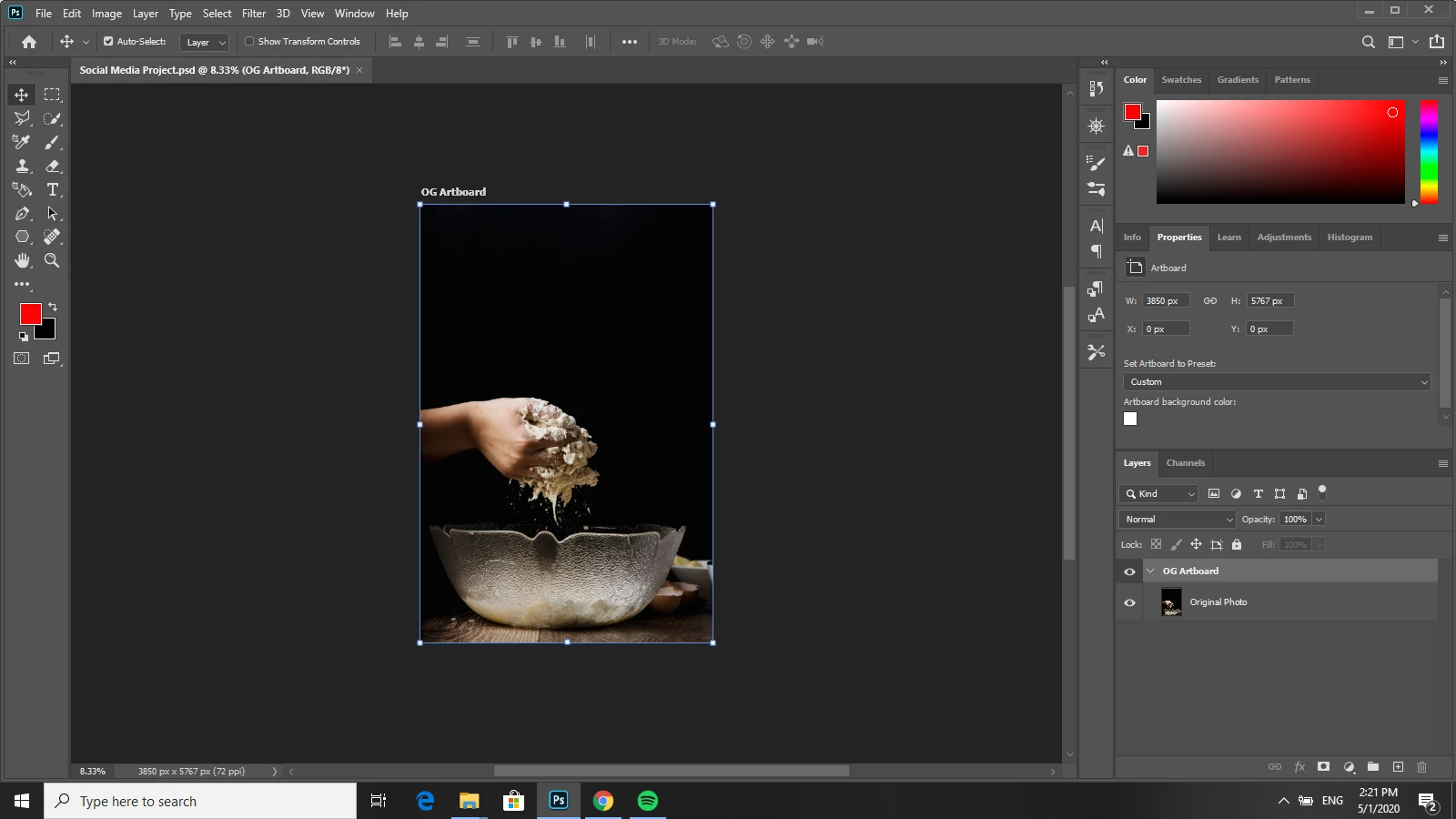
As you can see in my screengrab below, I don't seem to have the artboard tool grouped in with the move tool.  I've also opened up the presets screen to see if it is hiding in there and it is not?  


Can anyone shed some light on where this might be hiding, or why I cannot find it?


Many thanks,


Louise


This topic has been closed for replies.
Correct answer gener7

Go to Edit > Toolbar and see if it's grouped with another tool set or in the Extras column. You can can move it back to where the move tool is, or give it its own space in the Toolbar and click the "Done" button to confirm.

1 reply

gener7
Community Expert
gener7Community ExpertCorrect answer
Community Expert
May 1, 2020

Go to Edit > Toolbar and see if it's grouped with another tool set or in the Extras column. You can can move it back to where the move tool is, or give it its own space in the Toolbar and click the "Done" button to confirm.

c.pfaffenbichler
Community Expert
Community Expert
May 1, 2020

You could also Restore Defaults.