Answered
My photoshop won't work unless I turned off "Use Graphics Processor" pls help!
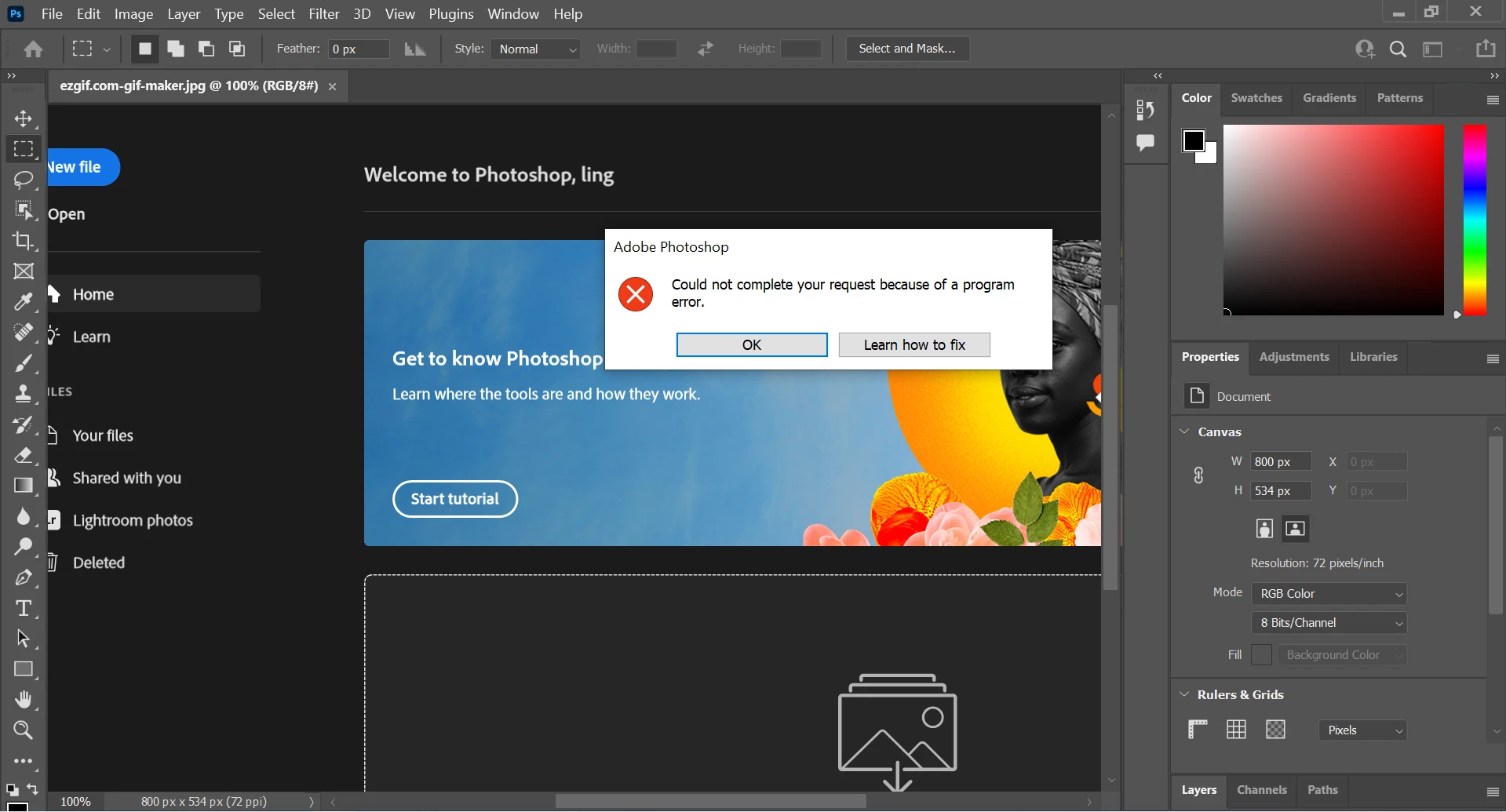
Whenever i add drag and drop image on Photoshop, this happens..
unless i turned off "Use Graphics Processor" it won't work and without the Graphics Processor it's really uncomfortable to work with photoshop.. pls help..
Here's what i tried,
Turned off "Use Graphics Processor" - work but not the best solution
Reset Preferences on Quit
Reinstall Adobe Photoshops
Downgrade Adobe Photoshops Version via Adobe Creative Cloud
Reinstall Adobe Creative Cloud
Update My Windows to Windows 11
Reinstall Windows 10
Update Graphic Cards Driver
Reinstall Graphic Cards Driver
I'm currently using
Asus ROG Zephyrus G14
Ryzen 7 5800 HS
8GB Ram
GTX 1650
Please help..
 AdChoices