SRenee
Known Participant
June 2, 2018
Question

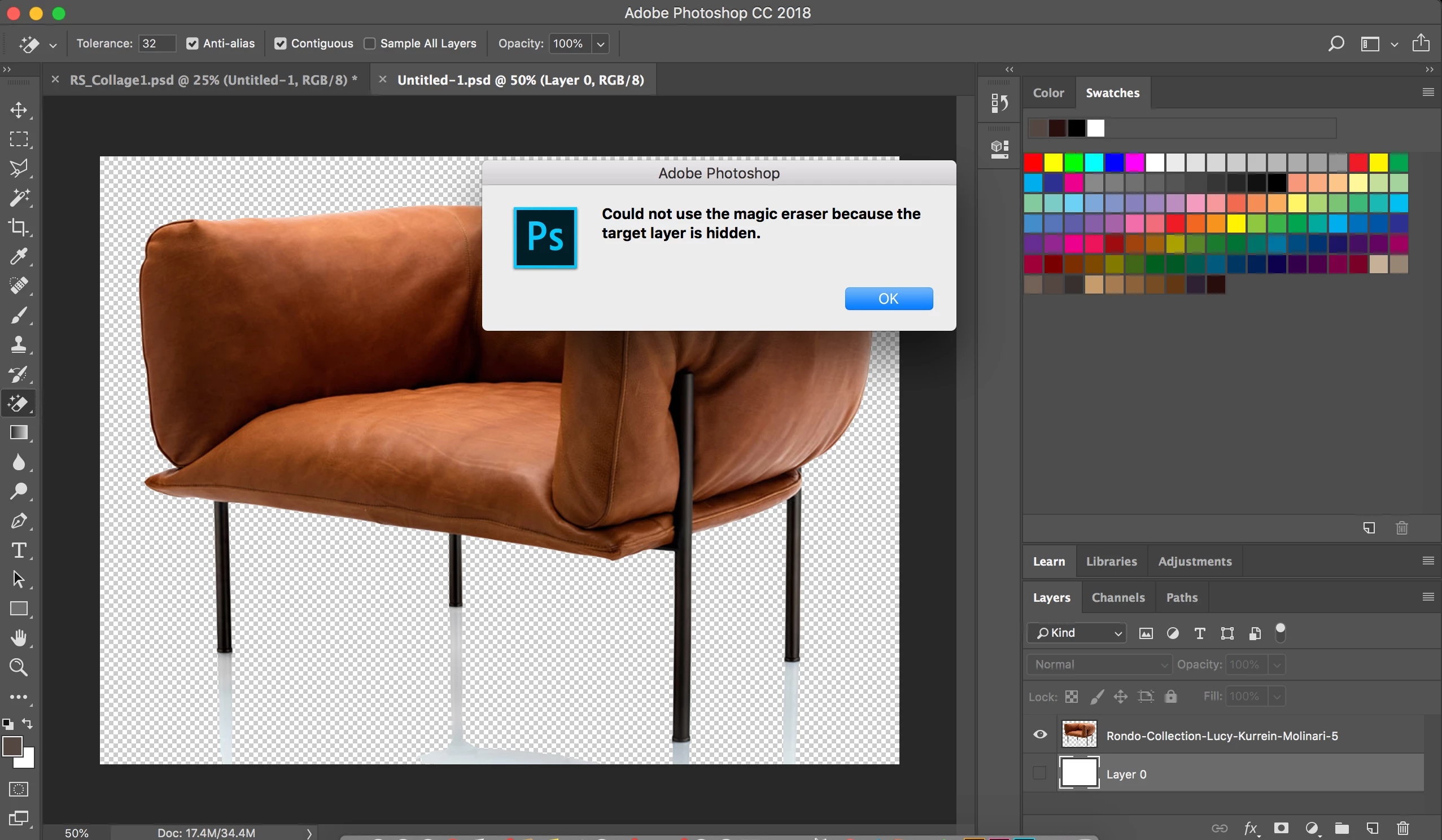
My shadows don't rub out with Magic Erasor Tool - Can you help me?

  • June 2, 2018
  • 1 reply
  • 847 views

Also Target Layer is hidden? Where is that?
    This topic has been closed for replies.

    1 reply

    Ussnorway7605025
    Legend
    June 2, 2018

    look at your screenshot and see that "Layer 0" is selected... select the top layer instead mate

    SRenee
    SReneeAuthor
    Known Participant
    June 2, 2018

    Thank you however when I put product in another document it shows the shadows. How do I delete shadows?

    Ussnorway7605025
    Legend
    June 2, 2018

    SRenee  wrote

    How do I delete shadows?

    what shadows are you talking about mate

    the image does have a reflexion of the legs against the floor, if you are talking about them then you need to select them first (I'd use the pen tool or the select mask tool)

    Learn how to use the dedicated Select And Mask workspace in Photoshop CC.