Participant
November 21, 2023
Question

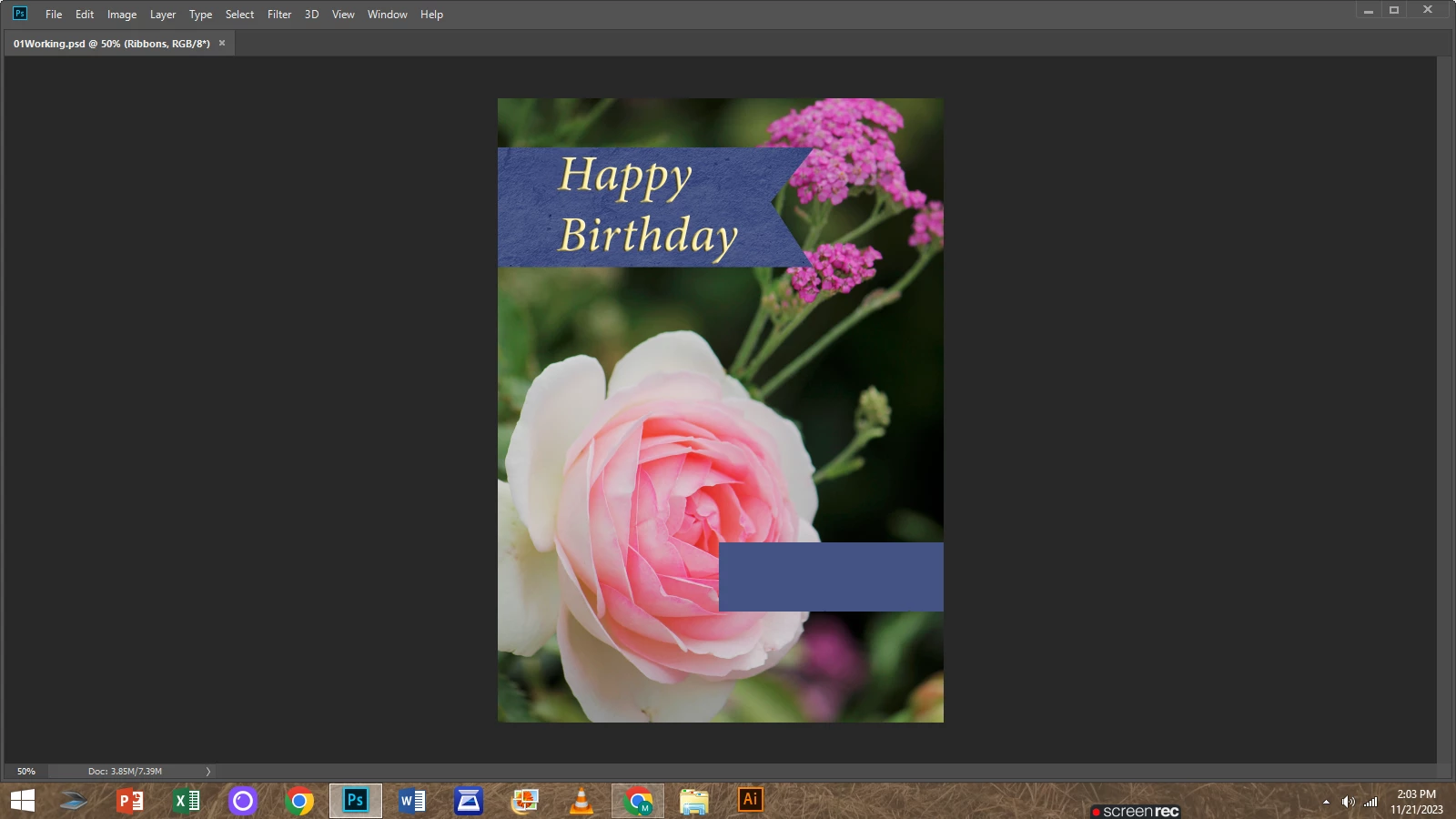
my tools won't show it looks like this and it's a windows 8 any ideas on how to bring it back?

  • November 21, 2023
  • 2 replies
  • 112 views

This topic has been closed for replies.

2 replies

Conrad_C
Community Expert
Community Expert
November 21, 2023

It is also possible that the Tab key was accidentally pressed. That shortcut hides all panels. So in the future, the first thing to try is to press Tab in case it brings back all panels. If that doesn’t work, definitely try Kevin’s workspace reset tip next.

Kevin Stohlmeyer
Community Expert
Community Expert
November 21, 2023

@Michael22416595zbxr go to Photoshop Window Menu>Workspace>Reset workspace