LukeMunnell
Participating Frequently
September 23, 2019
Question

NEC Display calibration and Windows 10 / Adobe color management mismatch (SCREENSHOTS)

  • September 23, 2019
  • 6 replies
  • 2835 views

THE SHORT STORY:

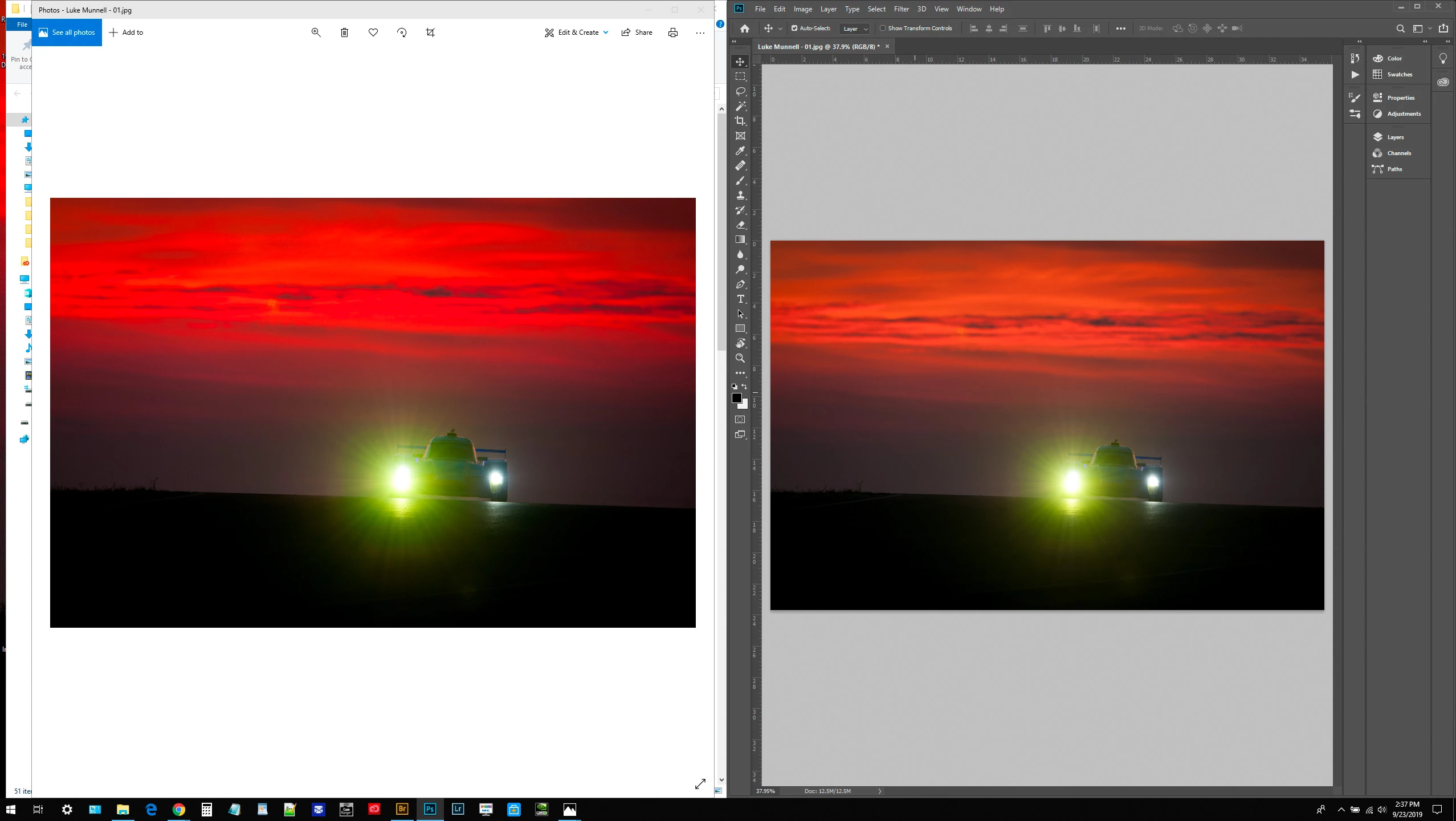
after display calibration, images in Adobe apps (PS, BR) won't display colors accurately. 


MORE DETAILS:

I have a Dell Precision 5510 laptop (4K IPS native display) connected via DisplayPort to an NEC PA272W.
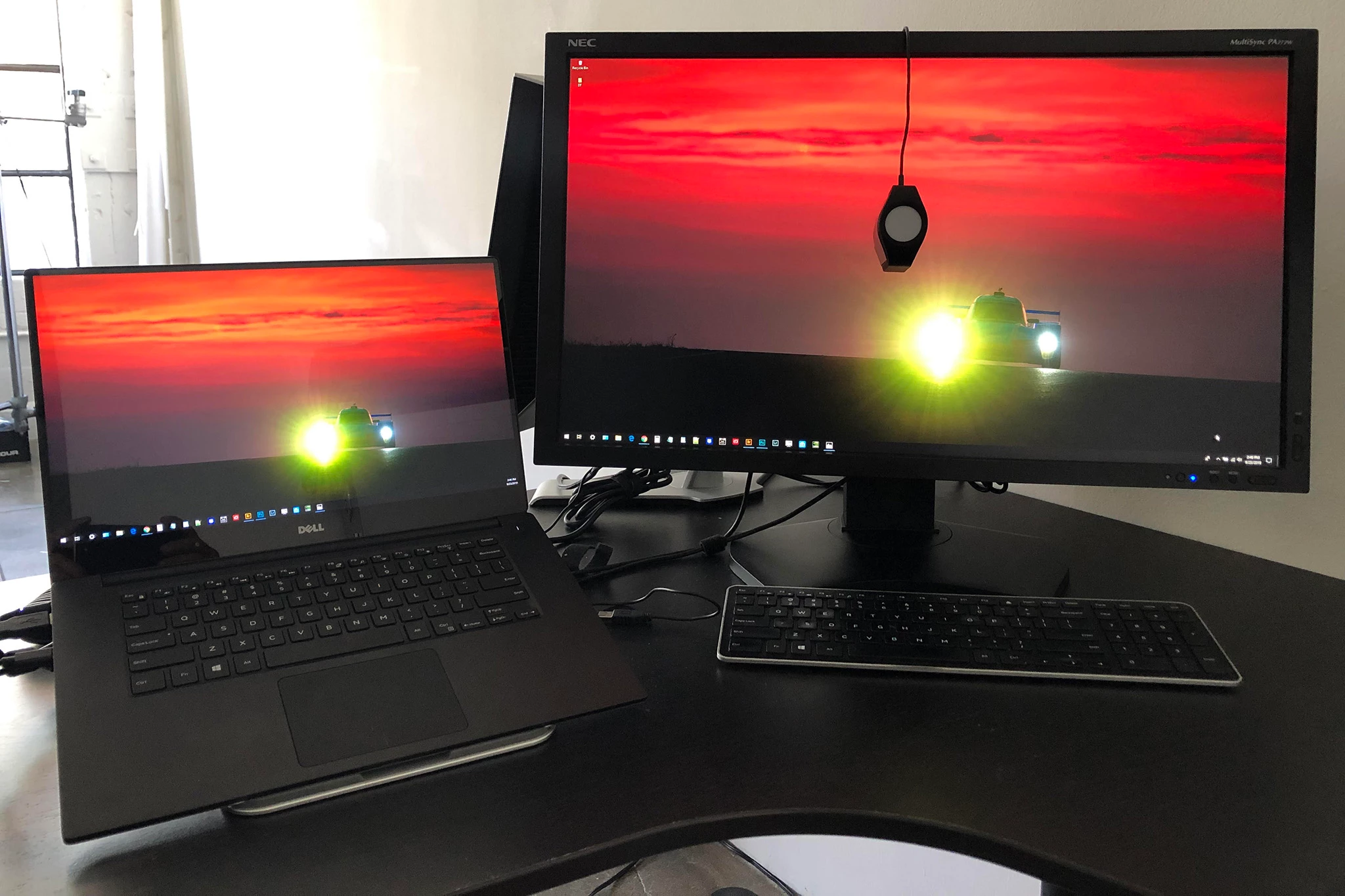


The NEC has been calibrated via SpectraView II to recommended D65 photo editing specs, with calibration saved to internal LUT (hardware calibration), as well as ICC profile as recommended by SpectraView II. 
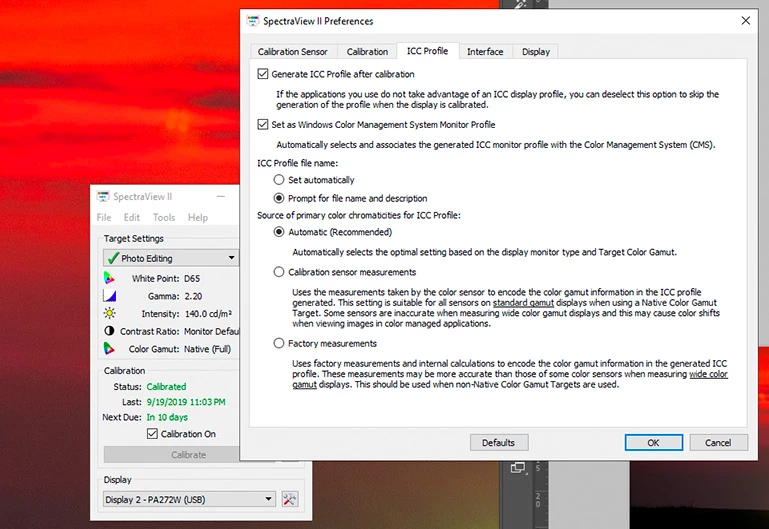


Laptop's native display was eyeballed to mimic the NEC after calibration, using Windows "Calibrate Display" feature and a resultant ICC profile applied to it, and only it (not the rest of the system, not the NEC).


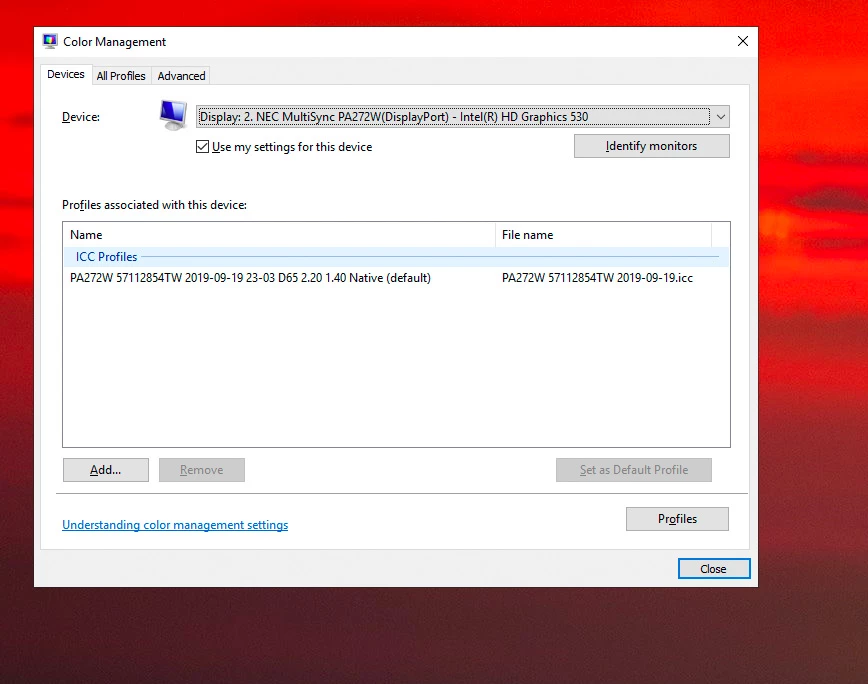
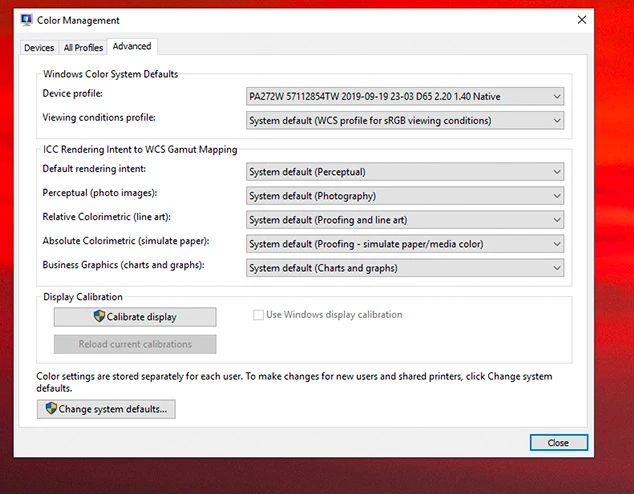
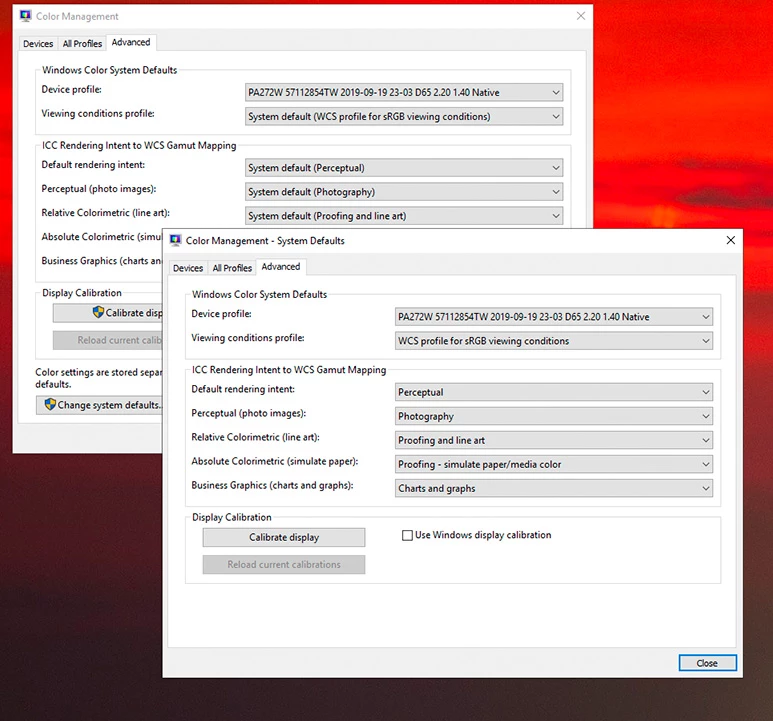
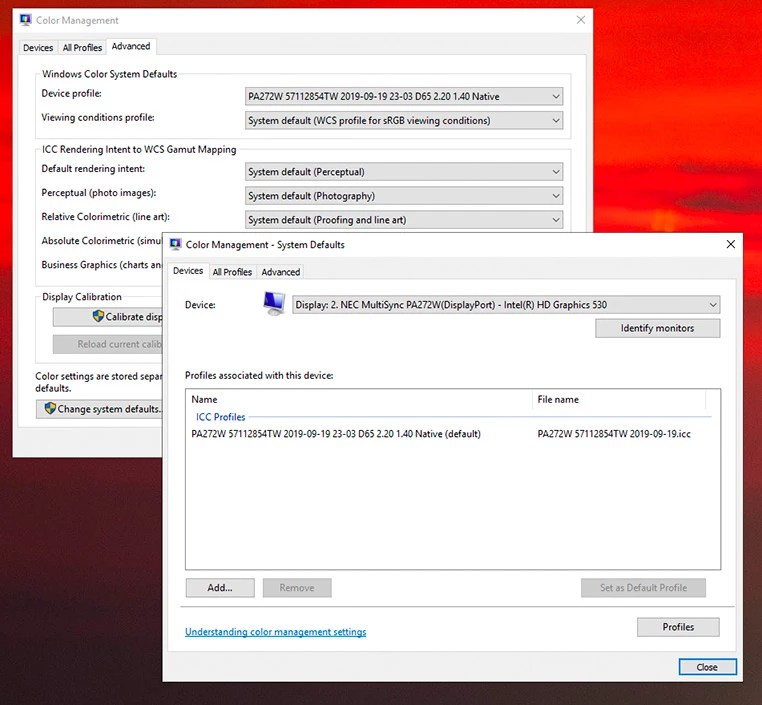
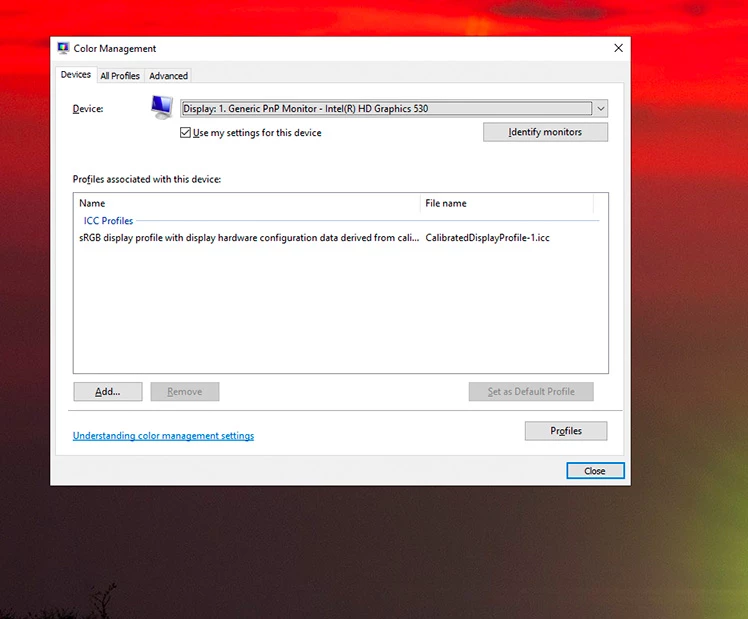
In Windows Color Management:

     1. Display 1 (laptop's native display) ICC profile is set to that Windows-generated ICC.

     2. Display 2 (the NEC external) ICC profile is the one SpectraView II developed during calibration.

     3. The Device Profile is set to the NEC's ICC profile in the "advanced" tab

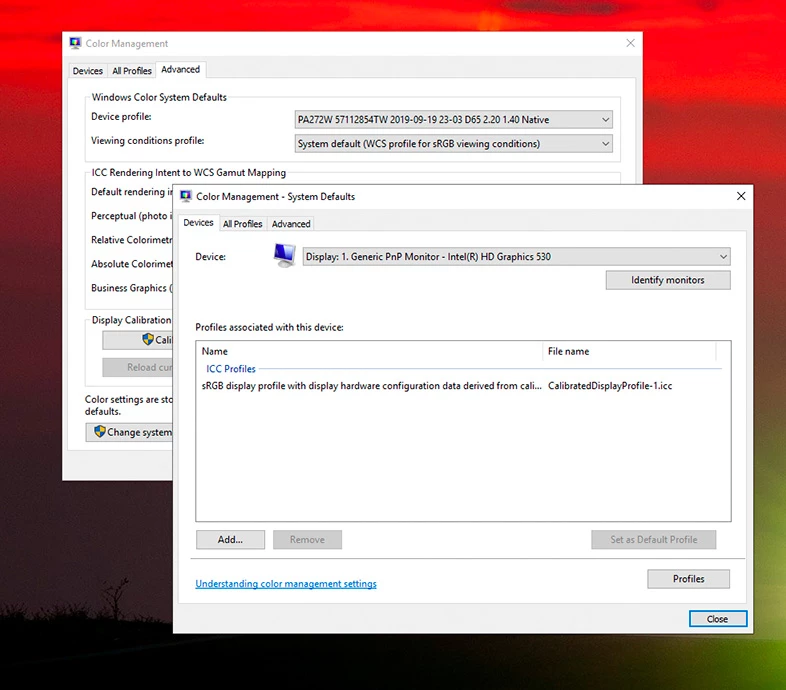
     And the same three steps were performed in the "Change System Defaults" window within the "Advanced" tab. 


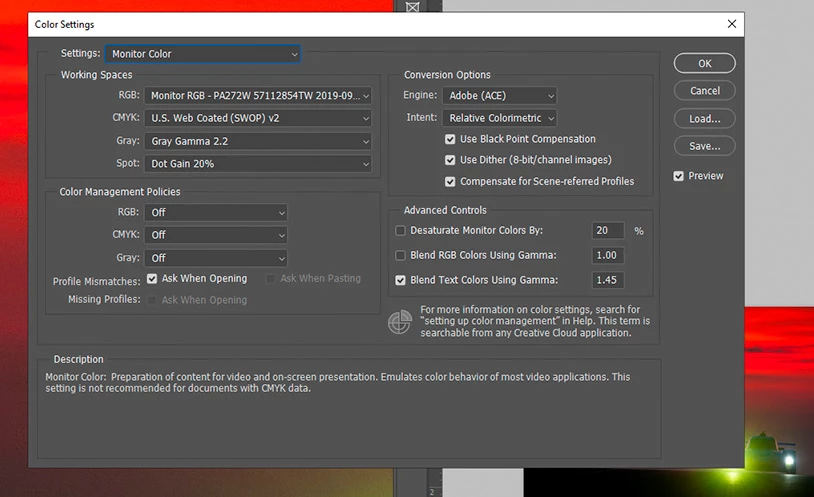
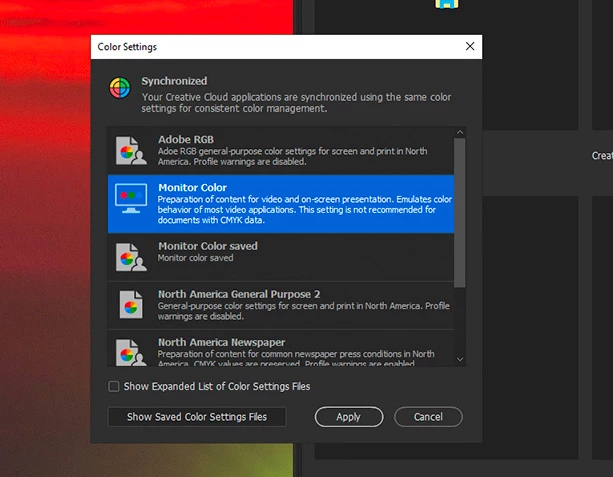
In  Adobe Photoshop and Bridge:

     1. Color Settings are set to "Monitor Color," and show agreement across all Adobe aps. 


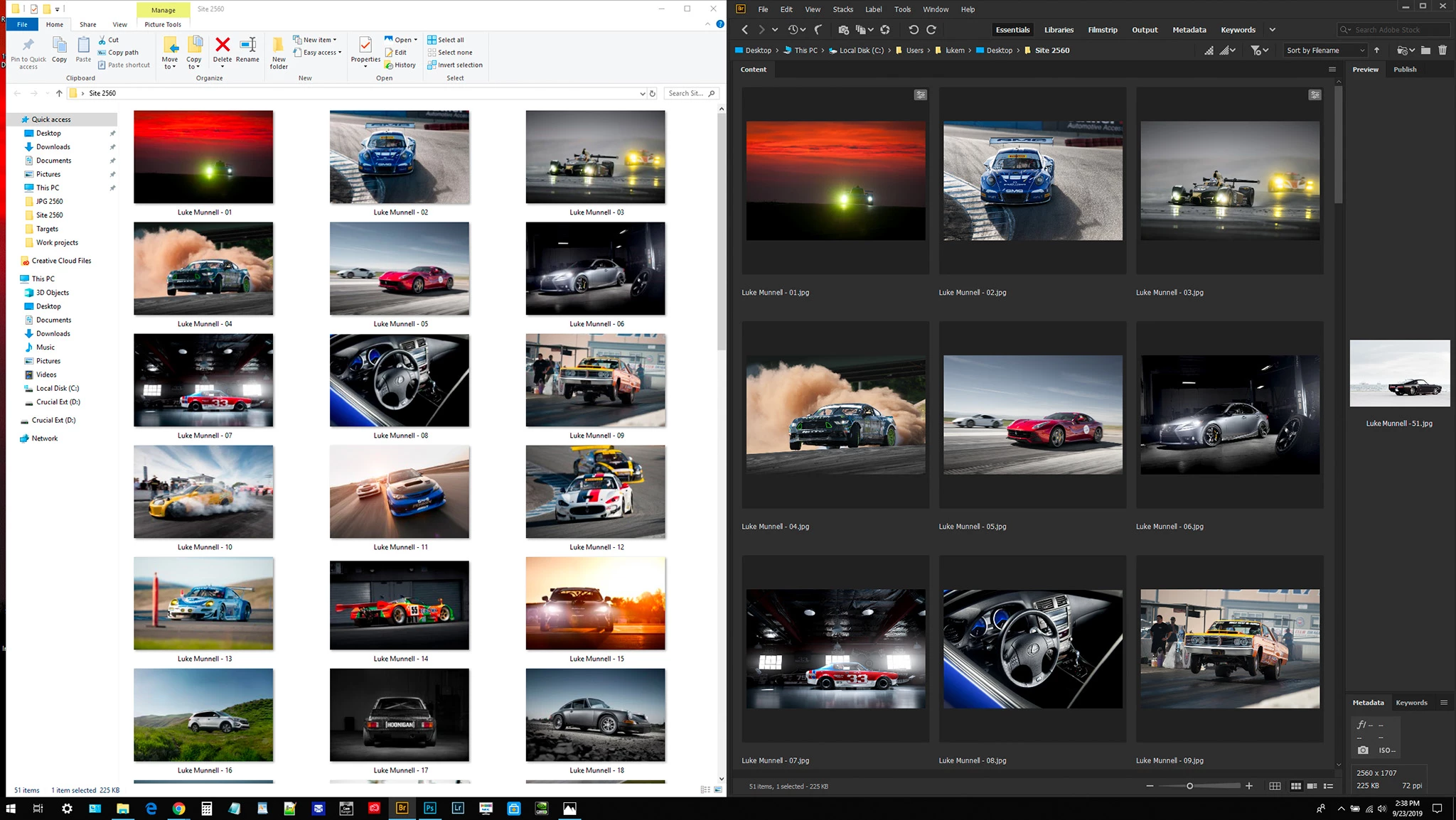
Still, images displayed in browsers or Windows Photos show accurately, but all images (sRGB JPGs, Adobe RGB .NEF raw Nikon photos, etc.) show up looking like desaturated dog poop in Adobe. 


WHAT I'M AFTER:

As a photographer, I want to be able to bring my raw images (shot in the Adobe RGB color space) into Bridge and Lightroom, edit them taking full advantage of the NEC's wide color gamut, convert to necessary color profile (usually sRGB), and then see those images accurately through Adobe apps, browsers, Microsoft Photos, etc. 


know there's an inconsistency in color profiles causing this, but for the life of me I can't figure out what it is. 


This topic has been closed for replies.

6 replies

LukeMunnell
Participating Frequently
September 25, 2019

No, this can't be right. The colors I'm seeing in Bridge (thmubnails, previews, and full-screen previews) on this display I have no way of replicating in Photoshop. There's absolutely some "clipping" occuring in Photoshop. 


Other weird behavior: The layer thumbnails seem to show the same colors as Bridge (NOT Photoshop), and when working with sRGB images, previews in the "convert to profile" and "proof colors" windows show colors that are even more grossly saturated — when "convert to profile" and "proof colors" are set to sRGB. 


This is not right. 

LukeMunnell
Participating Frequently
September 25, 2019
One more wrinkle: I had the laptop's built-in display set as the "main display" within Windows all this time. I switched it to the NEC just now and restarted, and now I have color agreement between Bridge (thumbnails, previews and full-screen previews) and Photoshop. But the Photoshop colors still seem inaccurate and "clipped," as I can't replicate many of the colors this display will show in non-color-managed apps (like Photos, Edge, etc.). And the weirdness explained above with Proof Colors and Convert to Profile still exists.
D Fosse
Community Expert
Community Expert
September 25, 2019

The "muted" version is most likely the correct one. When color management breaks down with a wide gamut monitor, saturation hits the ceiling.


Edge, for instance, will always, under all circumstances, display oversaturated on a wide gamut monitor. It converts everything to sRGB - not the actual monitor profile - and sends that to a monitor with a much larger color space. It's not remapped into the larger gamut. The numbers it sends out are wrong.

LukeMunnell
Participating Frequently
September 25, 2019

I'm starting to believe you're right on the money. Thanks, D. Shame, because I like some of these incorrect colors better (especially some reds). 😄 If you wouldn't mind, could you verify that my steps/workflow here are correct? 


NEC display OSD "Picture Mode": Spectraview


Spectraview II calibration software: defaults, calibrated to D65 standard and "Native/Full" colorspace (as opposed to Adobe RGB, sRGB or other options). 


Win Color Management: defaults, w/display ICC profile as generated by SpectraView II during its calibration process 


PS and Adobe apps: default North American sRGB settings. 

D Fosse
Community Expert
Community Expert
September 24, 2019

OK. There's a small gotcha with Bridge, that you will only see if you're using a wide gamut monitor: it store its previews as sRGB jpegs. So any color outside sRGB will be clipped in Bridge, but display correctly in Photoshop. This is normal.


More importantly: you really need to stop trusting applications that aren't color managed. They do not display correctly. Very few of the native Windows applications support color management at all, and those that do, like IE / Edge, then go on to botch it by not using the actual monitor profile, but substitute sRGB instead. That guarantees oversaturated colors on a wide gamut monitor, under absolutely all circumstances.


Go through all of your applications, and find out which do proper color management, and which do not. Those that do not, cannot be used with a wide gamut monitor. Throw them out and find alternatives. For web, use Firefox set to mode 1 (google it), or Chrome.


All that said, there is an intermittent bug that occasionally causes the wrong monitor profile to be used in dual display setups. I'm not ruling that out here - but get the basics right first.

LukeMunnell
Participating Frequently
September 24, 2019

That all makes perfect, BUT in my case images are displaying in Photoshop incorrectly, with less contrast and more muted (clipped?) colors. I think I can see where Edge (not I.E., as I incorrectly stated before) and Bridge display overly saturated colors, but Chrome and Photoshop are still showing muted colors and contrast.  

LukeMunnell
Participating Frequently
September 24, 2019

...continuing (Adobe's backend functionality for this forum really blows) ... 


Now, images look different in PS than in Bridge, and different in Chrome than in IE or Windows' native apps. I just don't get it. 


LukeMunnell
Participating Frequently
September 24, 2019

Hi D! Thanks for taking some time with this. I read up on a number of your other responses that were helpful, but just didn't quite nail my unique case. 


The reasons I ever changed any of the settings I did was because I initially "left everything alone" and let the Spectraview II software calibrate my display and embed its own profiles, and it seemed to screw everything up. Then I read some advice on other forums and display MFG pages, and it got stuck in the situation above. 


But I took your advice again. I reverted everything back to factory defaults in my Adobe apps, and in Windows Color management, and let the SpectraView II software install the ICC profile it created for my display where it natively would. And now things are even weirder. 

D Fosse
Community Expert
Community Expert
September 24, 2019

Don't ever set working RGB to Monitor RGB! That disables the whole color management chain, defeating the whole purpose.  Reset everything in Color Settings back to default settings, and don't change it again.


Color management policies should always be "Preserve Embedded Profiles". Never, ever, "off". Working RGB should always be a standard color space like sRGB, Adobe RGB or ProPhoto.


Don't touch anything in the Windows Color Management Advanced section. Leave everything at defaults. The profile is changed in the Devices tab if you need to do that - but you don't because the calibrator is doing it for you.


Don't compare anything to Windows "Photos". It's not color managed at all, doesn't use the monitor profile, and will never display correctly.


In short - don't do anything. Hands off. Just let the calibrator do what it does. No intervention required.