

Need a script or plugin that resizes all selected layers to a specific pixel size. My failed attempt is included.
I have a ton of shape layers that I’ve placed in a Photoshop document, and they are all different sizes. I want to be able to select all of my shape layers and run a script or use a plugin that will resize them all to specific pixel dimensions (maintaining aspect ratio).
This my first attempt:
// Scale Selected Layers Script
if (app.documents.length > 0) {
   var targetWidthInPixels = prompt("Enter the desired width/height value in Pixels", "126", "Batch Layer Resize");
   if (targetWidthInPixels !== null && targetWidthInPixels !== "") {
      var doc = app.activeDocument;
      var selectedLayers = getSelectedLayers();
      var targetWidth = targetWidthInPixels; // Define desired width in pixels

      // Ensure units are pixels for accurate measurement
      var originalRulerUnits = preferences.rulerUnits;
      preferences.rulerUnits = Units.PIXELS;

      for (var i = 0; i < selectedLayers.length; i++) {
         // Get current layer
         var layer = selectedLayers[i];

         // Get current bounds
         var bounds = layer.bounds;
         var w = bounds[2] - bounds[0];

         // Calculate scaling percentage
         var scale = (targetWidth / w) * 100;

         // Resize layer from center
         layer.resize(scale, scale, AnchorPosition.MIDDLECENTER);
      }
   }
}

// Restore original units
preferences.rulerUnits = originalRulerUnits;

// Function to get selected layers
function getSelectedLayers() {
   var su = stringIDToTypeID("select"),
      desc = new ActionDescriptor(),
      ref = new ActionReference();
   ref.putEnumerated(stringIDToTypeID("layer"), stringIDToTypeID("ordinal"), stringIDToTypeID("targetEnum"));
   desc.putReference(stringIDToTypeID("null"), ref);
   executeAction(su, desc, DialogModes.NO);
   var targetLayers = app.activeDocument.activeLayers;
   return targetLayers;
}
But when I run it I get the following error in a dialog box:
Error 21: undefined is not an object.
Line: 13
=> for (vari = 0;i < selectedLayerslength; i++) {
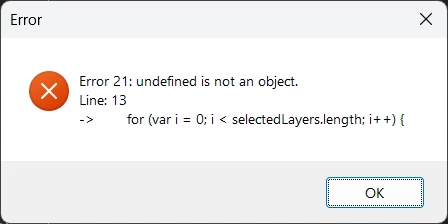
I think the getSelectedLayers function isn’t working properly. So I tried again with a different function to get the selected layers that I found on here:
// Scale Selected Layers Script

if (app.documents.length > 0) {
   var targetWidthInPixels = prompt("Enter the desired width/height value in Pixels", "126", "Batch Layer Resize");
   if (targetWidthInPixels !== null && targetWidthInPixels !== "") {

      var doc = app.activeDocument;
      var selectedLayers = SelectedLayers();
      var targetWidth = targetWidthInPixels; // Define desired width in pixels

      // Ensure units are pixels for accurate measurement
      var originalRulerUnits = preferences.rulerUnits;
      preferences.rulerUnits = Units.PIXELS;

      for (var i = 0; i < selectedLayers.length; i++) {
         // Get current layer
         var layer = selectedLayers[i];

         // Get current bounds
         var bounds = layer.bounds;
         var w = bounds[2] - bounds[0];

         // Calculate scaling percentage
         var scale = (targetWidth / w) * 100;

         // Resize layer from center
         layer.resize(scale, scale, AnchorPosition.MIDDLECENTER);
      }
   }
}


// Restore original units
preferences.rulerUnits = originalRulerUnits;


function SelectedLayers() {
	try{
		var ActLay = app.activeDocument.activeLayer;
		ActLay.allLocked = true; //lock all selected layers
		var LayerStack = app.activeDocument.artLayers.length;
		var selLayers = new Array();
		for(var i = 0; i <= LayerStack - 1; i++) {
			ActLay = app.activeDocument.layers[i]
			if (ActLay.allLocked == true) {selLayers.push(app.activeDocument.layers[i]);} // push all locked layers into an array
		}
		for (i = 0; i <= LayerStack - 1; i++) {
			var LAY = app.activeDocument.layers[i];
			LAY.allLocked = false; // unlock all locked Layers
		}
		return selLayers;
	}
	catch(e){/*alert(e);*/}
}
But this script silently fails and also locks all my selected layers.
Can someone here help me out? I am open to a plugin suggestion that does this, or if someone has a working script that can accomplish this I would be forever grateful!
Thanks for any help.


 AdChoices