
Question
Need help improving removing the background from this portrait
Hey everyone! Complete photoshop newbie here.
I've been trying to remove the background from this portrait here, specifically for a Hearts of Iron 4 mod I'm working on.
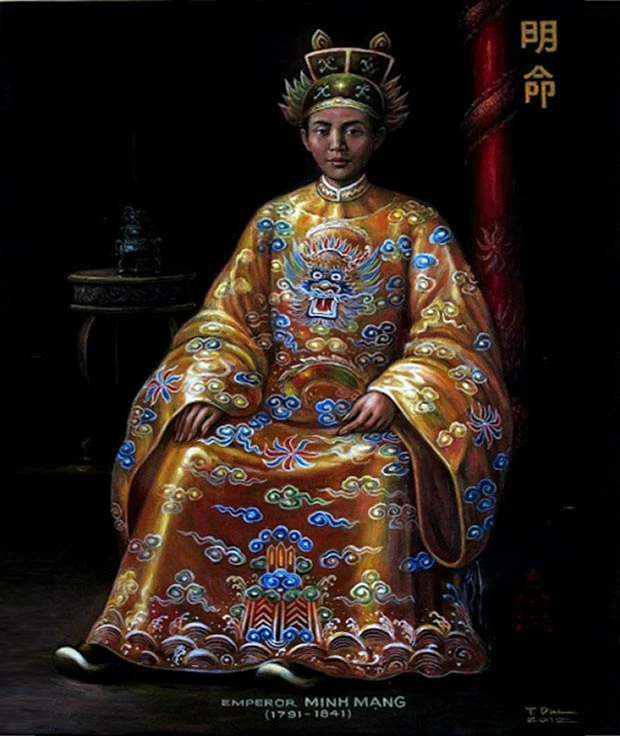
I've made a lot of progress and managed to get this crop along the lines of what I want here, but I feel like it's a much lower quality that what I was hoping to achieve. There seems to be a bunch of jagged pixels around the edge and I'm not sure how to get it to look higher-quality
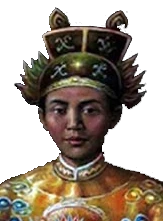
Can anyone here help me get this cut and crop to look more professional and high quality? Specifically by making the edges look smoother and with less jagged pixels? I'm brand new to photoshop so any and all help would be appreciated.
 AdChoices