Known Participant
August 3, 2017
Answered

Need Help Installing AnimDessin into photoshop CC 2017 and CS5

  • August 3, 2017
  • 2 replies
  • 15620 views

Greetings,

I know absolutely nothing about ExtensionManager, I've watched all types of youtube videos on this including  using Anastasiy’s Extension Manager (which I can't even get to install).  Any help would be greatly appreciated, I'm using windows 7 64 bit Professional.  I would like to install both AnimDessin and Anastasiy’s Extension Manager on both CS5 master collection and creative cloud if possible.  I just need someone who's willing to walk me thru it like I'm a 3 year old.

Thank You

Carl
    This topic has been closed for replies.
    Correct answer gener7

    gener7

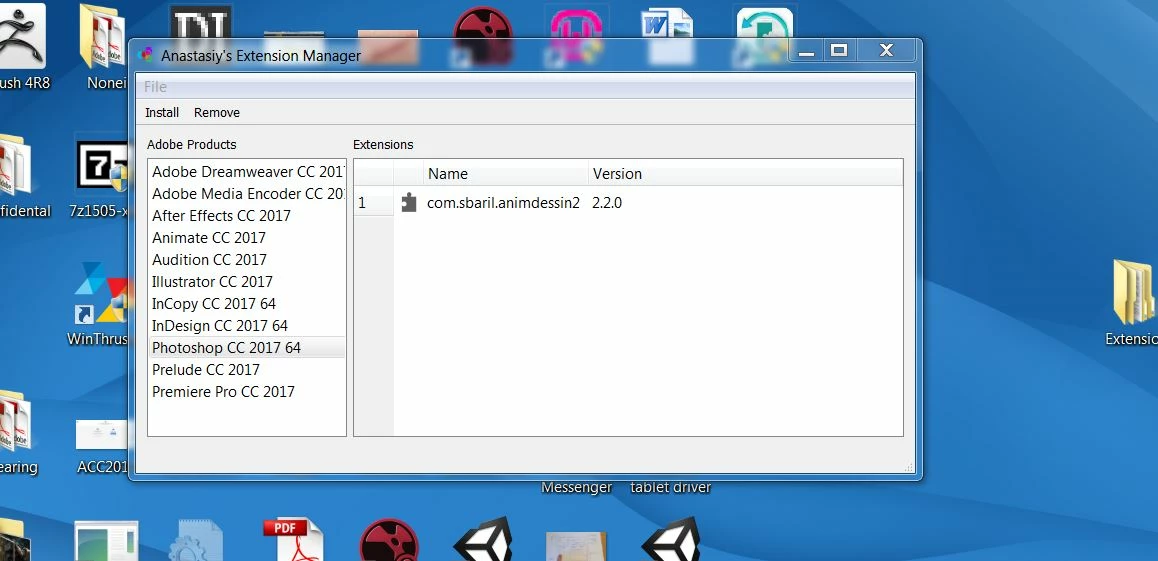
    This is what I get after downloading and unzipping the Extension manager and opening the execute file.  It appears if Animdessin2.2.0 is already installed.

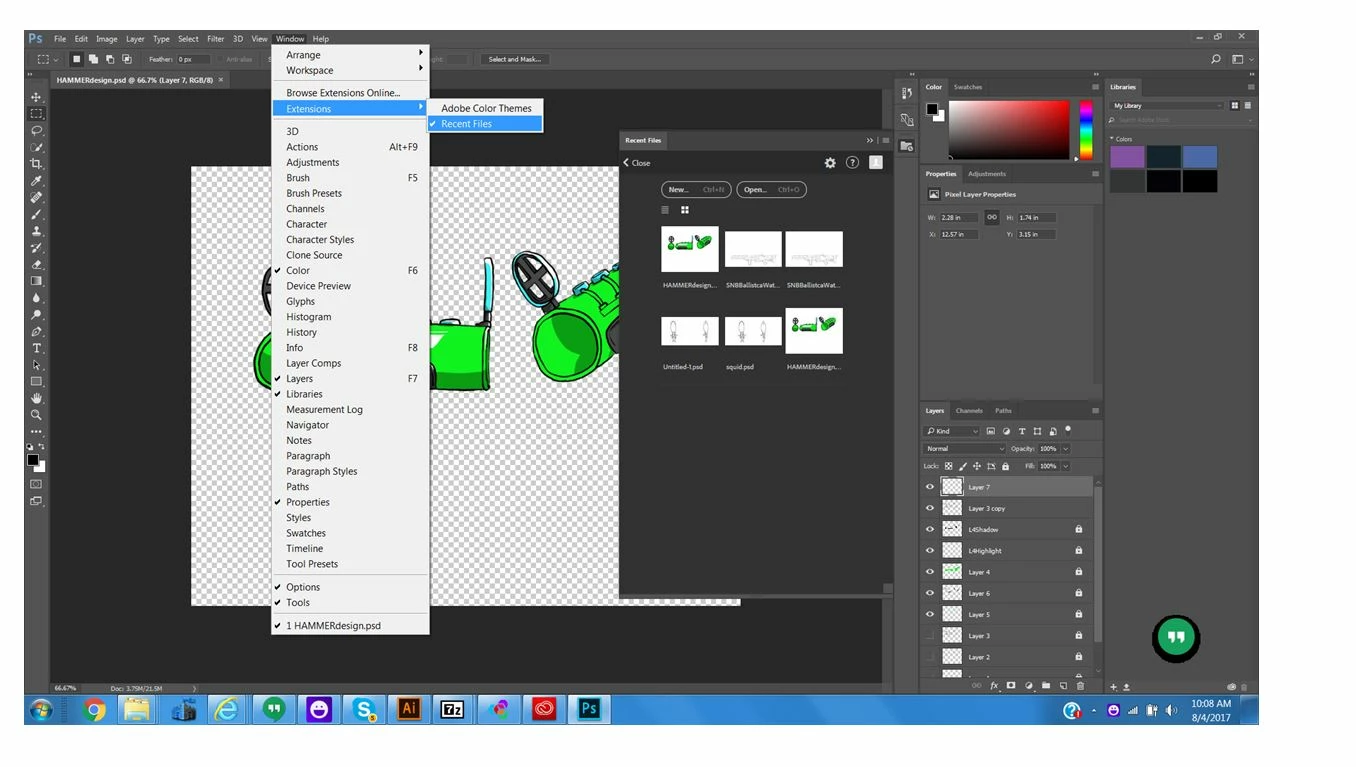
    But when I open Photoshop and check for the extension its not there!

    I was thinking maybe I should uninstall the animdession that was already installed, but when I downloaded the animdessin2.2.0 from the link you suggested and unzipped the file into a folder I could not locate a.zxp file.


    That's strange. If you look at the illustration in post 11, the file offered after clicking on the Download button is a .zxp file.

    That is the one modified for CC 2017. The other one might be for 2015 and of course won't work.

    I just checked the link and the download page and the zxp is exactly what I get. Nothing's changed. Of course you must restart Photoshop.

    I installed it and anime dessin was in the menu and works. But you should uninstall that old one using Anastasiy's Extension Manager. Select that Extension and click "Remove".

    Then drop and drag the zxp file into the window to install it.

    2 replies

    gener7
    Community Expert
    Community Expert
    August 4, 2017

    Ok, but be sure you have the Anistasiy Extension manager running. You will drag the zxp into that window, not the EM Folder.

    Known Participant
    August 4, 2017

    Yepper,

    It worked just like you said it would, thank you!  Now hopefully someone has an easy way to get CS5 setup.

    Thank You Again

    Known Participant
    August 4, 2017

    Amazing!,

    I just opened Photoshop CS5, somehow in the middle of my confusion it got installed there also.  Many Thanks to every!

    Carl

    Jeff Arola
    Community Expert
    Community Expert
    August 4, 2017

    As far as i know, Anastasiy’s Extension Manager only works with photoshop cc versions, since it's not needed for cs6 or cs5 which have perfectly working adobe extension cs5 and cs6 extension managers.

    The main reason for the third party extension manager is in the mid cc 2014 photoshop version adobe switched from flash panels to HTML panels, but adobe didn't provide and updated extension manager that works with HTML panels.

    You can get the the AnimDessin for photoshop cs5 from here and use the Adobe Extension Manager CS5 to install it.

    Amy on Twitter: "anyone have animdessin for cs5?? only able to get to the version for cs6 and cc, which I can't install.…

    You can get the AnimDessin2 from here that should work in photoshop cc 2017 and no extension manager is required, just make sure you Creative Cloud Desktop Application is set to Sync Files.

    https://exchange.adobe.com/addons/products/1524#.WYPf5YqQyRs

    What happens when you try to install Anastasiy’s Extension Manager?

    Anastasiy's Extension Manager for Adobe platform

    Known Participant
    August 4, 2017

    R_Kelly

    Thank you for your assistance!  

    When I go to https://exchange.adobe.com/addons/products/1524#.WYPf5YqQyRs   I get this below, even though I have an active CC 2017 Subscription.

    Known Participant
    August 4, 2017

    R_Kelly

    When I use the CS5 extension manager to add the file from link provided I get the following message.  So I still haven't been able to install it on either CS5 or CC 2017.

    Thank You