gior88347134
Participating Frequently
March 16, 2018
Question

NEED HELP (PHOTOSHOP)

  • March 16, 2018
  • 1 reply
  • 399 views

HEY.

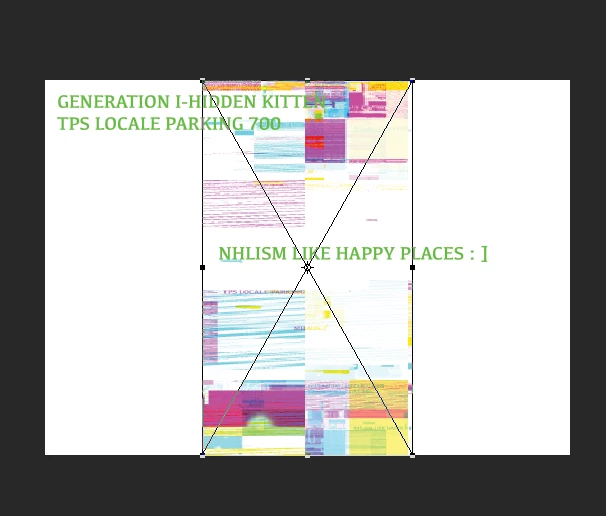
ALL OF MY PHOTOS ARE LIKE THIS... I ASKED LIKE... 3 FRIENDS AND NONE OF THEM SEEM TO HAVE ANY IDEA HOW TO FIX THIS PROBLEM.

ANY ONE KNOW HOW TO FIX THIS PROBLEM?

THANKS.

This topic has been closed for replies.

1 reply

March 16, 2018

No need for all caps, makes for hard reading!

Are these PNG images and are you on a MAC, what version of Photoshop do you have, the latest is CC2018 19.1.2 which fixed the issue with PNG's on a MAC

More info

Fixed issues in Adobe Photoshop CC

gior88347134
Participating Frequently
March 21, 2018

I'm apart of the I-Generation, It's in my DNA. It's personally easier for me to read CAP LOCK FONT... I think it's all the MTV/Youtube + Redbull Energy I have flowing through my veins.

Yeah, it doesn't matter the image format (JPG, PNG, TIF), all embedded pictures import as "glitched out".

Is there perhaps a setting I can turn on/off ?

THX !

War Unicorn
Community Expert
Community Expert
March 21, 2018

Is this on a Mac? I seem to recall something like this happening with Mac awhile back but that was fixed (something to do with the video driver, if I recall). Does disabling "Use Graphics Processor" (Edit > Preferences > Performance on Windows; Photoshop > Preferences > Performance on Mac) alleviate it?