Doc_Pit
Inspiring
July 23, 2017
Answered

Need help resizing images

  • July 23, 2017
  • 1 reply
  • 441 views

This topic has been closed for replies.
Correct answer JJMack

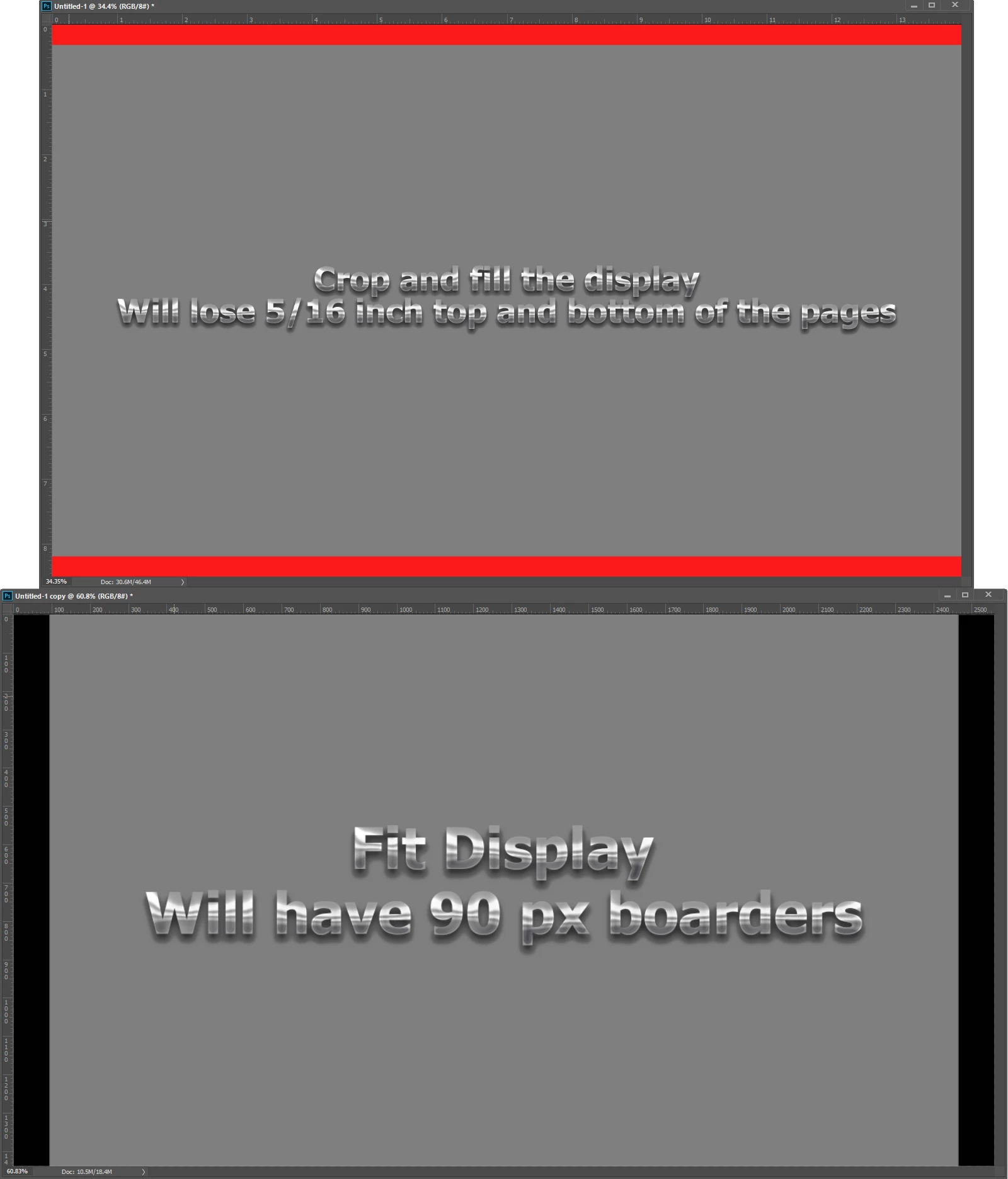
When it come to displays all the counts is the number of pixels you have for the image.  Because your image have a different aspect ratios then your display you need to decide if you want to display your image with borders on two opposite sides  or crop your images to your displays aspect ratio and fill the display area.  You can do it either way.  I would not save all the resized pages into a  PDF fil.   If you have your pages as print size PSD files in  a folder it is easy to batch process the psd file and save our Jpeg file to  be displayed on your display using a slide show application.  First you need to choose borders or crop.
1 reply

JJMack
Community Expert
JJMackCommunity ExpertCorrect answer
Community Expert
July 23, 2017

When it come to displays all the counts is the number of pixels you have for the image.  Because your image have a different aspect ratios then your display you need to decide if you want to display your image with borders on two opposite sides  or crop your images to your displays aspect ratio and fill the display area.  You can do it either way.  I would not save all the resized pages into a  PDF fil.   If you have your pages as print size PSD files in  a folder it is easy to batch process the psd file and save our Jpeg file to  be displayed on your display using a slide show application.  First you need to choose borders or crop.

JJMack
Doc_Pit
Doc_PitAuthor
Inspiring
July 26, 2017

JJ, Thanks.  I created an action to export to jpg, then did a slideshow in Lightroom.  Worked out fine.  Thanks, again.