Participant
April 9, 2019
Answered

Need help to recreate Muography effect

  • April 9, 2019
  • 4 replies
  • 463 views

Hello everyone,

I am looking for tips and directions to change image to ressemble the results of muography, a new scanning technology used for instance to reveal the inside of the pyramids.

Here is an example of what I am trying to achieve:

_jZQvG31uguWMwPquq44epm73e-WNAkspGG-CnBqocE.jpg?auto=webp&s=e57b9e1248f092960d14da679646bf0b9100b2ec

Thanks a lot!

    This topic has been closed for replies.
    Correct answer davescm

    Hi

    Try something like this

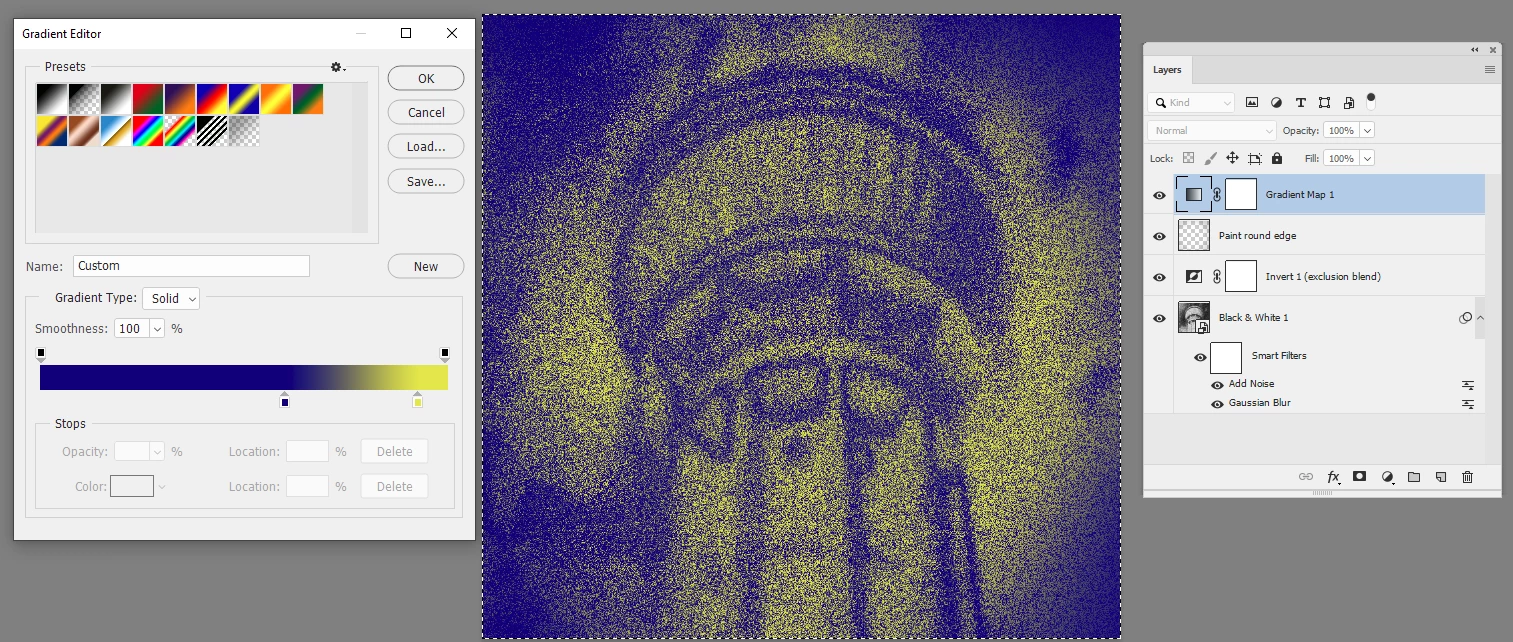
    1. Add a black and white adjustment layer and darken the sky (reduce blue slider ).

    2. Put the adjustment layer and the original in a smart object

    3. Add a gaussian blur then a noise filter

    4. Add an invert adjutment layer set to exclusion mode

    5. Add a gradient map

    6 You may wish to add a layer between the Invert layer and the gradient map to darken (make blue) the corners

    Dave

    4 replies

    Participant
    April 10, 2019

    Thanks everyone, I got some good bases to start playing around with!

    davescm
    Community Expert
    davescmCommunity ExpertCorrect answer
    Community Expert
    April 9, 2019

    Hi

    Try something like this

    1. Add a black and white adjustment layer and darken the sky (reduce blue slider ).

    2. Put the adjustment layer and the original in a smart object

    3. Add a gaussian blur then a noise filter

    4. Add an invert adjutment layer set to exclusion mode

    5. Add a gradient map

    6 You may wish to add a layer between the Invert layer and the gradient map to darken (make blue) the corners

    Dave

    barbara_a7746676
    Community Expert
    Community Expert
    April 9, 2019

    This isn't exact but might give you a start. Layer 1 is set to Multiply mode and has Mezzotint and Texture>Grain>Sprinkles filters applied.

    barbara_a7746676
    Community Expert
    Community Expert
    April 9, 2019

    You could possibly make use of the Dissolve layer blend mode, or Colorize in the Hue/Saturation panel, or Gradient Map layer style.