
Participating Frequently
December 4, 2023
Answered

Neural Filter with Sky Replacement

  • December 4, 2023
  • 1 reply
  • 365 views

This may be an easy answer (certainly for those of you who are experienced!)  Can someone share how to add a neural filter to a WHOLE image AFTER adding a sky replacement?  Tried multiple things but it absolutely never works - everything but the sky gets the filter unless I take a screenshot (not great quality!) and apply a filter to that resultant jpeg.  I'm SURE I'm missing something easy and greatly appreciate any direction.  Super frustrating.  Thank you for ANY help!!!
This topic has been closed for replies.
Correct answer Trevor.Dennis

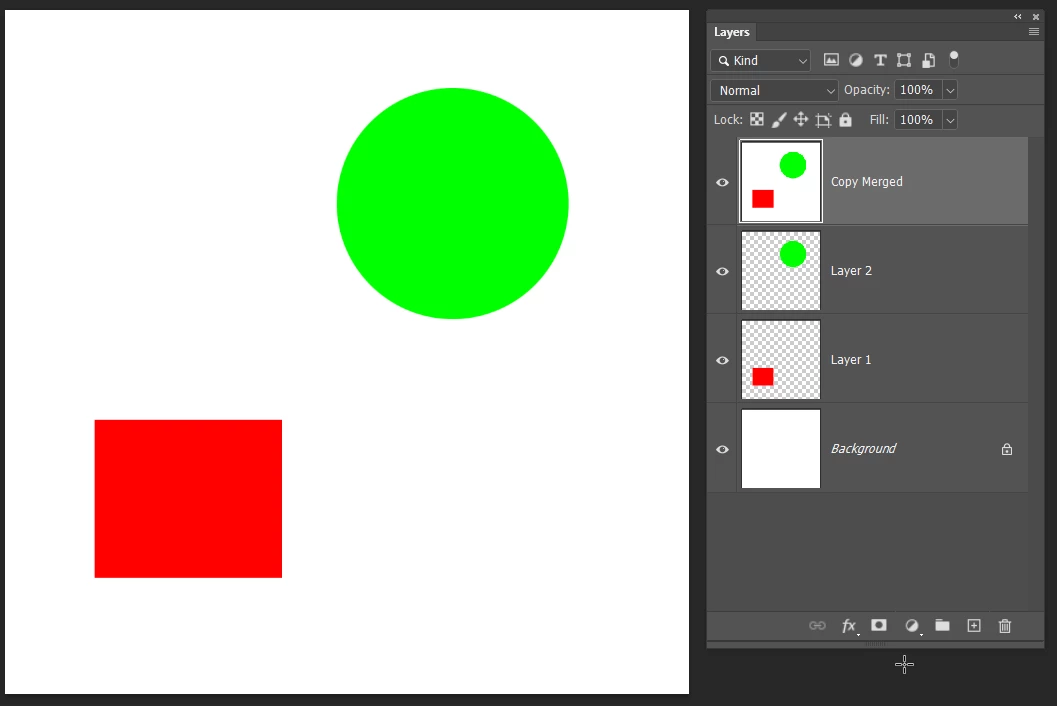
Ctrl Shift Alt E is what I call Copy Merged.  You select the top most layer — which must be turned on.  It has the advantage in that it produces a raster layer we can use the brush on, but Kevin's suggestion to combine the layers into a Smart Object is always the best approach when using filters and you want to work nondestructively.  It means you can double click the filter and reopen it to edit.

1 reply

Kevin Stohlmeyer
Community Expert
Community Expert
December 4, 2023

@PASCAL27776443vhzw Select all your layers and convert them into one Smart Layer. Then apply the neural filter.

Participating Frequently
December 4, 2023

Thank you so much, Kevin.  SUPER embarassed to say I'm clearly not doing that right, but I will continue to google.  I saw something about command + shift + option + E, which worked.  But I'm only seeing convert to smart object and that didn't work.  Thank you so much for the help and the reply - I know I'm more of a newbie than most here! 

Trevor.Dennis
Community Expert
Trevor.DennisCommunity ExpertCorrect answer
Community Expert
December 4, 2023

Ctrl Shift Alt E is what I call Copy Merged.  You select the top most layer — which must be turned on.  It has the advantage in that it produces a raster layer we can use the brush on, but Kevin's suggestion to combine the layers into a Smart Object is always the best approach when using filters and you want to work nondestructively.  It means you can double click the filter and reopen it to edit.