kellil34027044
Participant
May 16, 2021
Question

New customer for Photoshop CC

  • May 16, 2021
  • 3 replies
  • 523 views

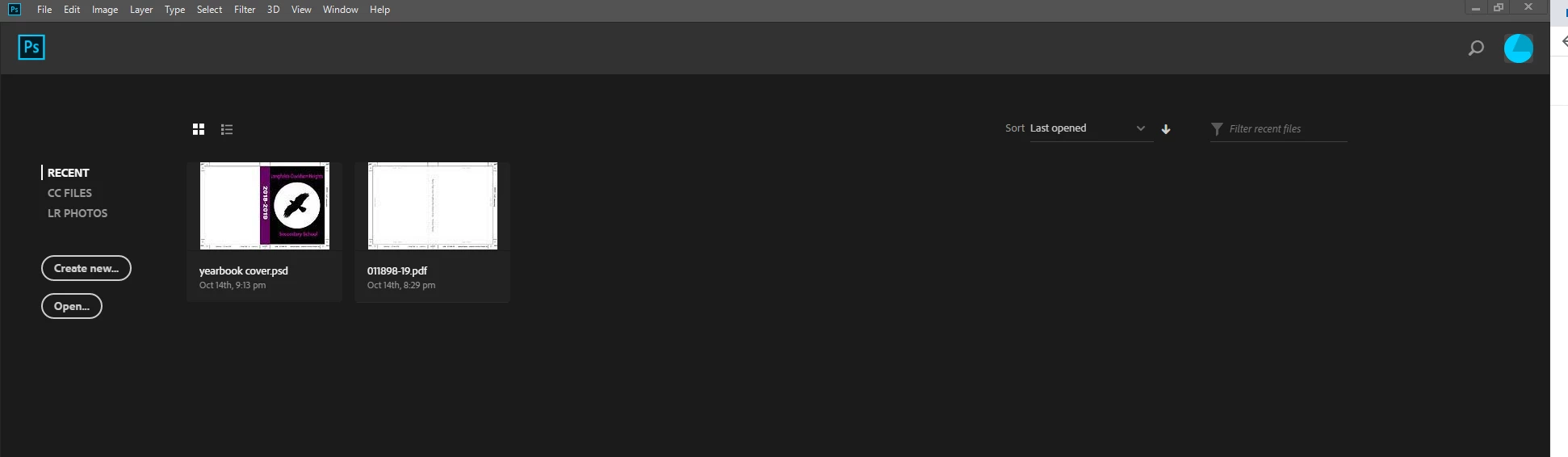
Just bought and installed the cloud and Photoshop CC (monthly subscription with regular updates). Cloud said everything uploaded and I clicked the open button. Photoshop on my desktop computer shows as Photoshop CC 2018 version.  Why 2018? PS CC is a black screen with just the tiitle bar at the top. I can't seem to open the bridge. What is wrong? 


This topic has been closed for replies.

3 replies

davescm
Community Expert
Community Expert
May 16, 2021

First let's check the version. In Photoshop go to Help - System info. What is the exact version number?


Dave

Community Expert
May 16, 2021

Hey


Your query isn't making much sense to me - where in the screenshot does it say 2018?

When you say you can't open 'the bridge' what do you mean? Adobe Bridge? 


Your photoshop screen looks normal to me. You should be able to open an image or create a new file and start working on it. 


Mylenium
Legend
May 16, 2021

Without any system information we can't tell you why an older version was installed in the first place and why the various technical issues occur. Simply sounds like your computer is a bit older and may not meet specific requirements for some stuff.


Mylenium